Wonderfruit
Обновлено
Текущая версия
6.2.38
Продавец

Перестаньте беспокоиться о быстром разряде батареи при использовании Wonderfruit на вашем телефоне. Освободитесь от крошечного экрана и наслаждайтесь приложением на гораздо большем экране. Теперь вы можете работать с приложением в полноэкранном режиме с удобством клавиатуры и мыши. MEmu предлагает вам все ожидаемые удивительные функции: быструю установку и простую настройку, интуитивно понятное управление и больше никаких забот о времени автономной работы, мобильном трафике или неожиданных звонках. Совершенно новый MEmu 9 — идеальный выбор для использования Wonderfruit на вашем компьютере. С помощью менеджера нескольких экземпляров MEmu вы можете одновременно использовать два или более аккаунтов. И самое главное, наш эксклюзивный движок эмуляции раскрывает весь потенциал вашего ПК, обеспечивая плавную и приятную работу.
Показать больше
Скачайте Wonderfruit на ПК с помощью Андроид эмулятора MEmu. Наслаждайтесь на большом экране. Welcome to the official Wonder App for Wonderfruit 2024 and beyond, here to help you plan your journey through The Fields this 12–16 December.
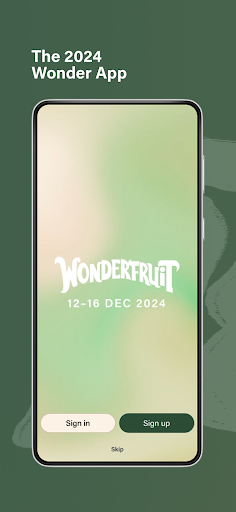
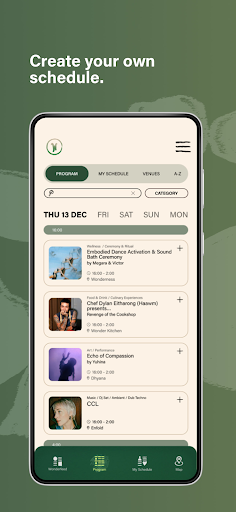
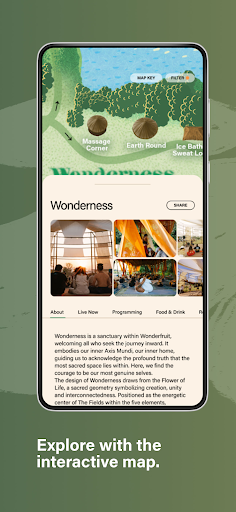
Welcome to the official Wonder App for Wonderfruit 2024 and beyond, here to help you plan your journey through The Fields this 12–16 December.
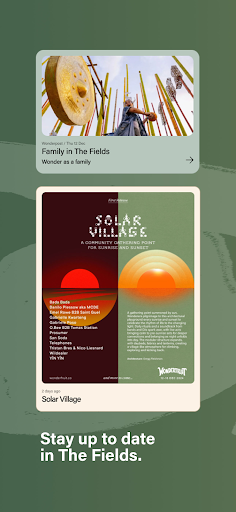
The Wonder App will help you get the most out of your experience in The Fields and will be the only place to find this year’s schedules across all your favorite venues. You’ll also soon find tips on how to Wonder, what to do in an emergency and real-time weather updates.
Wonder App Features:
Wonderfeed: Get live updates and all the latest Wonderfruit news in real-time
Program: Explore the lineup each day
My Schedule: Create your own bespoke itinerary be you even get to Wonderfruit
Map: Get to know The Fields, find old favorites and learn about our new venues
*more features will be added continuously over the coming weeks
See you in The Fields.
Live. Love. Wonder.
About Wonderfruit
At Wonderfruit, culture is the catalyst for growth. We engage the curious through the intersections of art and culture to encourage, develop and innovate meaningful relationships with ourselves and nature.
Wonderfruit 2024 takes place 12–16 December at The Fields of Siam Country Club, Chonburi, Thailand.
Wonderfruit is produced by Scratch First, a Thai-based social enterprise that aims to use the arts to engage and create communities of sustainable and socially responsible growth.
For media inquiries, please contact: press@wonderfruit.co
For everything else, please contact: info@wonderfruit.co
Показать больше

1. Скачать инсталлятор MEmu и завершайте установку

2. Запускайте MEmu, затем откройте Google Play на главной странице

3. Ищите Wonderfruit в Google Play
Install
4. Скачайте и установите Wonderfruit
5. При завершении установки, нажмите на значок для старта

6. Наслаждайтесь Wonderfruit на своем компьютере с помощью MEmu.
MEmu Play — лучший бесплатный эмулятор Android, превосходный опыт работы с которым оценили 50 миллионов пользователей. Технология виртуализации MEmu позволяет без проблем запускать тысячи Android-приложений на вашем компьютере, даже самые требовательные.
Большой экран с лучшей графикой; Большая продолжительность, без ограничения батареи или мобильных данных.
Полная поддержка установки клавиш для точного управления клавиатурой и мышью или геймпадом.
Несколько игровых учетных записей или задач на одном компьютере одновременно с менеджером нескольких экземпляров.
Use Wonderfruit on PC by following steps: