Samsara Valley
อัปเดตเมื่อ
เวอร์ชันปัจจุบัน
1.1.2
ให้บริการโดย

เวลาคุณเล่น Samsara Valley, คุณอาจรู้สึกว่ามือคุณอาจบังจอแล้วทำให้ไม่ได้เล่นแบบเต็มที่. เล่นแบบไร้ขีดจำกัดด้วยเม้าส์และคีย์บอร์ด. MEmu มีตัวเลือกหลายอย่างให้คุณใช้งานเกมที่คุณเล่นแบบที่คุณต้องการ. ดาวน์โหลดและเล่น Samsara Valley บน PC. เล่นนานแค่ไหนก็ได้, ไม่ต้องชาร์จแบตเตอรี่, หรือเจอคนโทรเข้ามาระหว่างเล่น. MEmu 9 เป็นตัวเลือกสำหรับการเล่น Samsara Valley บน PC. ทางทีมงานเราได้ปรับแต่งเกม, ปรับให้เล่นเกมบางเกมได้เหมือนเล่น Samsara Valley เป็นเกม PC เช่นเล็งด้วยเม้าส์หรือใช้คีย์บอร์ด. ระบบของเรายังทำให้คุณสามารถเปิดเล่นได้มากกว่า 2 เกมพร้อมๆกันในคอมของคุณ. และที่สำคัญที่สุด, ระบบโปรแกรมของเราสามารถทำให้คุณใช้ระบบของ PC ทำให้เกมลื่นเหมือนกับใช้โทรศัพท์รุ่นล่าสุด. เราไม่ได้ดูแลเรื่องการเล่นเกม, แต่เราดูแลถึงความสนุกสนานที่คุณได้จากการเล่นด้วย.
แสดงเพิ่มเติม
ดาวน์โหลด Samsara Valley บน PC ด้วย MEmu Android Emulator สนุกกับการเล่นบนหน้าจอขนาดใหญ่ Samsara Valley เป็นเกม RPG การ์ดแบบเล่นอัตโนมัติแนวแฟนตาซีที่ได้รับแรงบันดาลใจจากเทพปกรณัมตะวันออก เข้าสู่โลกลึกลับที่เต็มไปด้วยวิญญาณ ปีศาจ และวีรบุรุษในตำนาน ที่ซึ่งคุณจะได้รวบรวมและฝึกฝนตัวละครที่ไม่ซ้ำใครหลายร้อยตัวเพื่อสร้างทีมสุดยอดของคุณ เพลิดเพลินไปกับการต่อสู้แบบอัตโนมัติที่วางแผนกลยุทธ์แต่ผ่อนคลาย การจัดทีมที่ยืดหยุ่น และการทำงานร่วมกันตามฝ่ายต่างๆ ในขณะที่คุณดำเนินเรื่องราวผจญภัยไปเรื่อยๆ ด้วยระบบรางวัลแบบเล่นอัตโนมัติ ระบบความก้าวหน้าที่ไม่ซับซ้อน และฟีเจอร์โซเชียล คุณสามารถสะสม อัปเกรด และพิชิตได้ทุกที่ทุกเวลา.
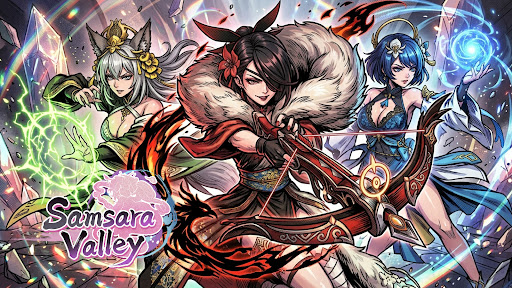
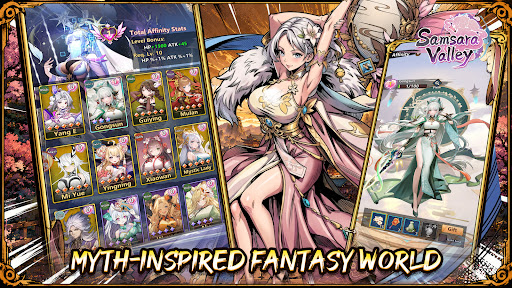
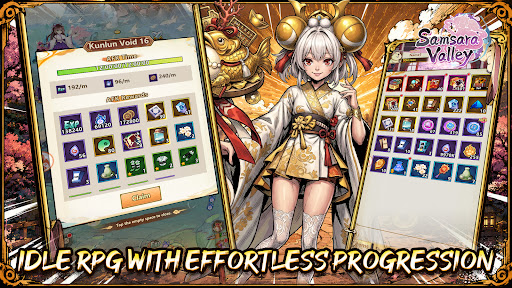
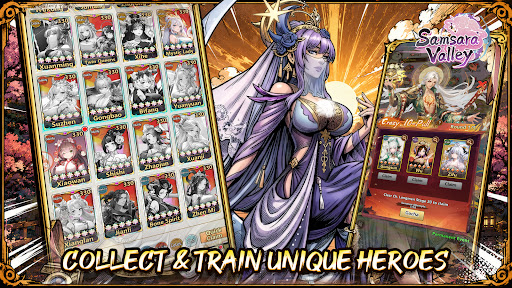
Samsara Valley เป็นเกม RPG การ์ดแบบเล่นอัตโนมัติแนวแฟนตาซีที่ได้รับแรงบันดาลใจจากเทพปกรณัมตะวันออก เข้าสู่โลกลึกลับที่เต็มไปด้วยวิญญาณ ปีศาจ และวีรบุรุษในตำนาน ที่ซึ่งคุณจะได้รวบรวมและฝึกฝนตัวละครที่ไม่ซ้ำใครหลายร้อยตัวเพื่อสร้างทีมสุดยอดของคุณ เพลิดเพลินไปกับการต่อสู้แบบอัตโนมัติที่วางแผนกลยุทธ์แต่ผ่อนคลาย การจัดทีมที่ยืดหยุ่น และการทำงานร่วมกันตามฝ่ายต่างๆ ในขณะที่คุณดำเนินเรื่องราวผจญภัยไปเรื่อยๆ ด้วยระบบรางวัลแบบเล่นอัตโนมัติ ระบบความก้าวหน้าที่ไม่ซับซ้อน และฟีเจอร์โซเชียล คุณสามารถสะสม อัปเกรด และพิชิตได้ทุกที่ทุกเวลา
คุณสมบัติของเกม
[โลกแฟนตาซีที่ได้รับแรงบันดาลใจจากเทพปกรณัม]
สำรวจอาณาจักรที่มีชีวิตชีวาซึ่งได้รับแรงบันดาลใจจากเทพปกรณัมตะวันออก เต็มไปด้วยวีรบุรุษในตำนาน วิญญาณ และปีศาจ ดื่มด่ำไปกับการผจญภัยที่สร้างสรรค์อย่างสวยงามในหุบเขา Samsara อันลึกลับ
[เกม RPG แบบเล่นอัตโนมัติพร้อมความก้าวหน้าที่ง่ายดาย]
เพลิดเพลินไปกับการต่อสู้แบบอัตโนมัติและรางวัลแบบเล่นอัตโนมัติมากมายที่จะช่วยให้ทีมของคุณเติบโตแม้ในขณะที่คุณออฟไลน์ ก้าวหน้าได้อย่างราบรื่นด้วยการเก็บเลเวลน้อยที่สุดและความสะดวกสบายสูงสุด
[สะสมและฝึกฝนฮีโร่สุดพิเศษ]
รับสมัครฮีโร่สุดน่ารักมากมาย แต่ละตัวมีทักษะ บทบาท และเส้นทางการพัฒนาที่แตกต่างกัน สร้างทีมของคุณและปลดล็อกการอัปเกรดอันทรงพลังเมื่อคุณก้าวหน้า
[การสร้างทีมเชิงกลยุทธ์]
ทดลองใช้รูปแบบการจัดทีม ฝ่าย และการประสานทักษะเพื่อสร้างทีมที่ดีที่สุด การผสมผสานอย่างชาญฉลาดสามารถพลิกสถานการณ์การต่อสู้และเพิ่มพลังโดยรวมของคุณได้
[โหมด PvE และโหมดท้าทายหลากหลาย]
เล่นด่านเนื้อเรื่อง ต่อสู้กับบอส และโหมดท้าทายต่างๆ ทดสอบกลยุทธ์ของคุณในเนื้อหาที่หลากหลายซึ่งออกแบบมาสำหรับทั้งผู้เล่นทั่วไปและผู้เล่นระดับแข่งขัน
[การเล่นเกมแบบผ่อนคลายกับสังคมและกิลด์]
เข้าร่วมกิลด์ ร่วมมือกับผู้เล่นคนอื่น และมีส่วนร่วมในกิจกรรมต่างๆ ของชุมชน รับรางวัลร่วมกันในขณะที่เพลิดเพลินไปกับประสบการณ์ RPG แบบเล่นไปเรื่อยๆ ที่มีปฏิสัมพันธ์มากขึ้น
เฟซบุ๊ก: https://www.facebook.com/SamsaraValley/
ดิสคอร์ด: https://discord.gg/MVX8X6pF7z
ยูทูบ: https://www.youtube.com/@SamsaraValley
แสดงเพิ่มเติม

1. ดาวน์โหลดตัวติดตั้ง MEmu และสิ้นสุดการติดตั้ง

2. เริ่ม MEmu จากนั้นเปิด Google Play บนหน้าแรก

3. ค้นหา Samsara Valley ใน Google Play
Install
4. ดาวน์โหลดและติดตั้ง Samsara Valley
5. เมื่อติดตั้งเสร็จให้คลิกที่ไอคอนเพื่อเริ่มใช้งาน

6. สนุกกับการเล่น Samsara Valley บนพีซีด้วย MEmu
MEmu App Player เป็นอีมูเลเตอร์ Android ที่ดีที่สุดและผู้คนกว่า 50 ล้านคนเพลิดเพลินไปกับประสบการณ์การเล่นเกม Android ที่ยอดเยี่ยม เทคโนโลยีการจำลองเสมือนของ MEmu ช่วยให้คุณเล่นเกม Android หลายพันเกมได้อย่างราบรื่นบนพีซีของคุณแม้แต่เกมที่ต้องใช้กราฟิกมากที่สุด
จอใหญ่และกราฟฟิกสวยกว่า; เล่นได้นาน, ไม่ต้องใช้แบตเตอรี่โทรศัพท์หรือเน็ตโทรศัพท์.
ระบบปรับแต่งปุ่มคีย์บอร์ดและเม้าส์ตามที่คุณเลือก
เล่นมากกว่าหนึ่งเกมบน PC ในเวลาเดียวกันด้วยระบบหลายจอหรือ Multi-Instance manager.
Play Samsara Valley on PC by following steps: