Rubii: AI Characters Community
อัปเดตเมื่อ
เวอร์ชันปัจจุบัน
2.2.5
ให้บริการโดย

เมื่อใช้ Rubii: AI Characters Community บนโทรศัพท์ของคุณไม่ต้องกังวลกับการชาร์จไฟมากเกินไปปลดปล่อยตัวคุณเองจากหน้าจอขนาดเล็กและสนุกกับการใช้แอพนี้บนหน้าจอขนาดใหญ่ จากนี้ไปรับประสบการณ์เต็มหน้าจอของแอปพลิเคชันของคุณด้วยคีย์บอร์ดและเมาส์ MEmu มีคุณสมบัติที่น่าแปลกใจที่คุณคาดหวัง: การติดตั้งที่รวดเร็วและการตั้งค่าที่ง่ายควบคุมได้ง่ายไม่ จำกัด แบตเตอรี่ข้อมูลมือถือและการโทรที่รบกวน MEmu 9 ใหม่ล่าสุดเป็นตัวเลือกที่ดีที่สุดสำหรับการใช้ Meitu – โปรแกรมแก้ไขภาพแนวธรรมชาติ บนคอมพิวเตอร์ของคุณ ด้วยรหัสการดูดซึมของเราผู้จัดการหลายอินสแตนซ์ทำให้สามารถเปิดบัญชี 2 บัญชีขึ้นไปในเวลาเดียวกันได้ และที่สำคัญที่สุดเอ็นจิ้นจำลองพิเศษของเราสามารถปลดปล่อยศักยภาพของPCของคุณและทำให้ทุกอย่างราบรื่นและสนุกสนาน
แสดงเพิ่มเติม
สัมผัสประสบการณ์สุดยอดการใช้งาน Rubii: AI Characters Community บนพีซีด้วย MEmu Play นี่คือโปรแกรมจำลอง Android ฟรีที่ทรงพลัง ให้คุณใช้งานแอป Android นับพันบนเดสก์ท็อป สนุกกับการเชื่อมต่อกับเพื่อนๆ และขัดเกลาผลงานของคุณอย่างมีประสิทธิภาพยิ่งขึ้น! Create, Connect & Grow Your Personal AI Universe.
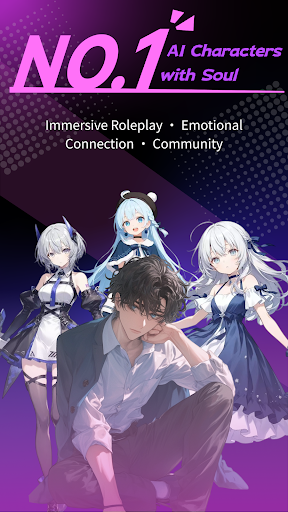
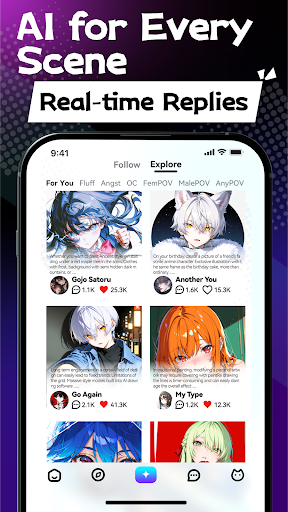
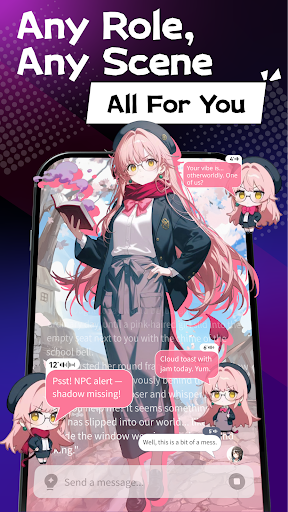
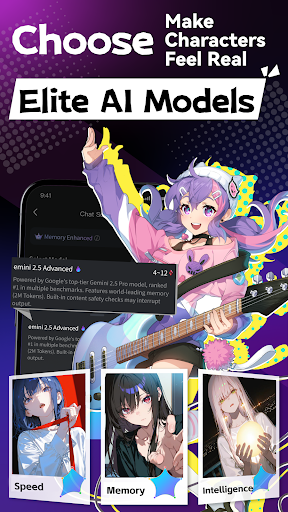
Create, Connect & Grow Your Personal AI Universe
Step into the boundless world of Rubii, the premier platform for creating and engaging with intelligent AI characters. Rubii combines cutting-edge AI technology with community-driven creativity, enabling you to craft personalized companions that learn, evolve, and connect within a vibrant ecosystem. Whether you're seeking meaningful conversations, creative collaboration, or simply a unique digital companion, Rubii transforms how you experience AI interaction.
Rubii is more than an app—it's a thriving community where your imagination shapes intelligent characters that respond to your unique preferences. Design characters with distinct personalities, share your creations with a global audience, and discover companions crafted by fellow creators. With Rubii, AI companionship becomes personal, authentic, and endlessly engaging.
Key Features:
- Advanced Multi-Modal Character Creation: Craft unique AI companions using our sophisticated creation tools. Design visuals, define personalities, and create backstories for characters that feel genuinely alive and responsive.
- Create & Customize: Express your creativity by designing characters with distinctive appearances, voices, and behaviors. Fine-tune every aspect of your companions, from conversation styles to emotional responses, creating truly personalized AI experiences that reflect your vision and preferences.
- Seamless Integration of UGC and AIGC: Experience the perfect blend of user-generated content and AI-generated content. Contribute your creative ideas while leveraging powerful AI to enhance and expand your creations, resulting in rich, dynamic characters that combine human creativity with artificial intelligence.
- Limitless Creative Potential: Push the boundaries of what's possible with AI companions limited only by your imagination. From fantastical characters to practical assistants, specialized experts to creative muses—if you can envision it, you can bring it to life within Rubii's expansive platform.
- Thriving AI Community: Join a global network of character creators and enthusiasts. Share your companions, discover trending designs, participate in creation challenges, and collaborate with like-minded innovators. Engage in forums, workshops, and events that celebrate AI creativity and innovation.
Join our thriving community:
Discord: https://discord.gg/rubiiai
X (Twitter): https://x.com/RubiiAI
Reddit: https://www.reddit.com/r/Rubii_Official
TikTok: https://www.tiktok.com/@rubii_ai
Download Rubii today and begin crafting your personal AI companion universe—where characters are limited only by your imagination!
Terms of Use: https://www.apple.com/legal/internet-services/itunes/dev/stdeula/
แสดงเพิ่มเติม

1. ดาวน์โหลดตัวติดตั้ง MEmu และสิ้นสุดการติดตั้ง

2. เริ่ม MEmu จากนั้นเปิด Google Play บนหน้าแรก

3. ค้นหา Rubii: AI Characters Community ใน Google Play
Install
4. ดาวน์โหลดและติดตั้ง Rubii: AI Characters Community
5. เมื่อติดตั้งเสร็จให้คลิกที่ไอคอนเพื่อเริ่มใช้งาน

6. ใช้ MEmu เพื่อสัมผัสประสบการณ์ Rubii: AI Characters Community บนคอมพิวเตอร์ของคุณ
MEmu Play คือโปรแกรมจำลอง Android ที่ดีที่สุด มีผู้ใช้มากกว่า 50 ล้านคน มอบประสบการณ์การใช้งานแอป Android ขั้นสุดยอดให้กับคุณ เทคโนโลยีจำลองเสมือนของ MEmu ช่วยให้คุณรันแอป Android หลายพันแอปบนคอมพิวเตอร์ได้อย่างราบรื่น แม้แอปที่กินทรัพยากรเครื่องสูงที่สุด
จอใหญ่และกราฟฟิกสวยกว่า; เล่นได้นาน, ไม่ต้องใช้แบตเตอรี่โทรศัพท์หรือเน็ตโทรศัพท์.
ระบบปรับแต่งปุ่มคีย์บอร์ดและเม้าส์ตามที่คุณเลือก
เล่นมากกว่าหนึ่งเกมบน PC ในเวลาเดียวกันด้วยระบบหลายจอหรือ Multi-Instance manager.
Use Rubii: AI Characters Community on PC by following steps: