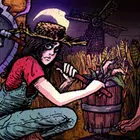
Welcome to Elderfield
Güncellendi
Mevcut Sürüm
Sunan

Welcome to Elderfield oynamak için bu kadar tutkuluyken, ellerin telefonunun küçük ekranıyla sınırlı kalmamalı.Bir profesyonel gibi oyna ve klavye ve fare ile oyununun tüm kontrolü sende olsun.MEmu sana beklediğin her şeyi sunuyor.PC'de Welcome to Elderfield indir ve oyna. İstediğin kadar oyna, artık pil sınırlamaları, mobil veri ve rahatsız edici çağrılar yok.Yepyeni MEmu 9, PC'de Welcome to Elderfield oynamak için en iyi seçim. Uzmanlığımızla hazırlanan zarif ön ayar tuş eşleme sistemi Welcome to Elderfield oyununu gerçek bir PC oyununa dönüştürüyor.MEmu çoklu örnek yöneticisi, aynı cihazda 2 veya daha fazla hesap oynamayı mümkün kılıyor.Ve en önemlisi, özel emülasyon motorumuz PC'nizin tüm potansiyelini ortaya çıkarıyor, her şeyi sorunsuz hale getiriyor.
Daha fazla göster
Welcome to Elderfield’i MEmu Android Emülatör ile PC’ye indirin. Büyük ekranda oynamanın keyfini çıkarın. Everything in Elderfield is unsettling, from the haunting, horror manga-inspired, hand-drawn visuals to the dark, lofi soundscapes composed by Dated.
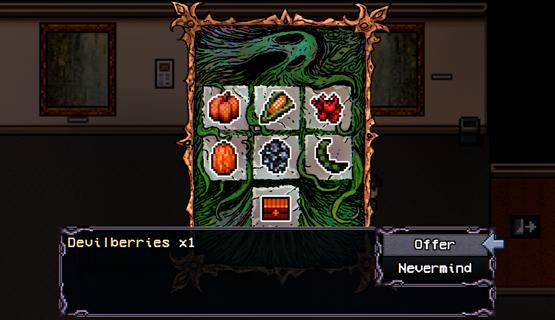
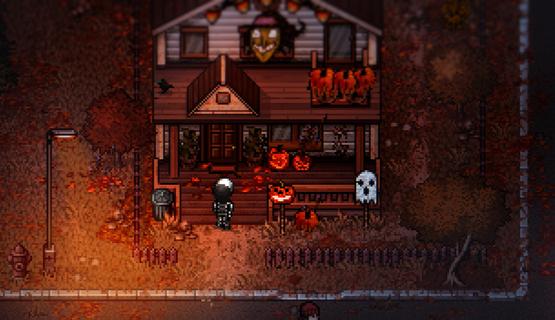
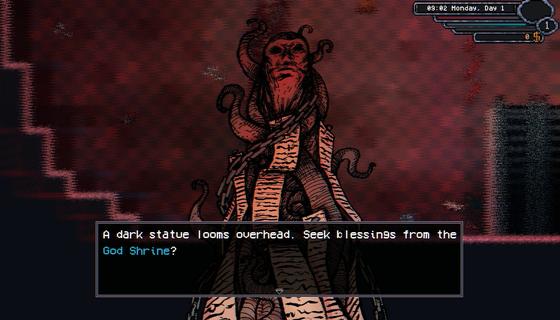
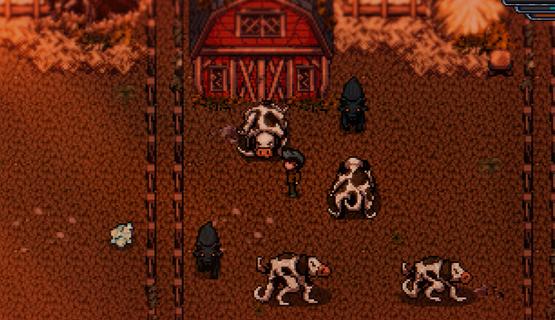
Everything in Elderfield is unsettling, from the haunting, horror manga-inspired, hand-drawn visuals to the dark, lofi soundscapes composed by Dated. Despite the strange creatures lurking just outside your home, those who wander into Elderfield rarely find a reason⦠or option, to leave.Customize your home and character, unravel daily mysteries, befriend the odd townsfolk (or even marry one!), go fishing, spend your afternoons mining and forage through the surrounding wilds⦠There's lots to do in Elderfield!Cultivate your land, harvest your crops, and stop the growth of unruly tentacles. Manage a variety of strange, otherworldly livestock, grow useful crops like corn, pumpkins, teeth or eyeballs and hope that beings from the woods donât wander onto your farm.Choose your difficulty, how much suffering can you endure? For players seeking a peaceful life of harvest and discovery, cozy difficulty offers a more laid-back experience. For those who crave a challenge, the Old Gods are waiting.Elderfield features a deep, turn-based combat system where you must utilize gathered resources, strategic buffs and diverse equipment to survive encounters with ancient, Lovecraftian horrors.Die, learn, farm, and forage⦠Then die again.Full RPG life sim with relationships, customization, fishing and more.Hand drawn horror manga inspired artwork.Dark lofi soundtrack by Dated.Build your farm, manage animals, mine and forage to build resources.Play on cozy mode or test your skills and resource building with in depth turn based combat.
Daha fazla göster

1. MEmu yükleyicisini indirin ve kurulumu tamamlayın

2. MEmu'yu başlatın ve ana sayfada Google Play'i açın

3. Google Play'de Welcome to Elderfield arayın
Install
4. Welcome to Elderfield indirin ve yükleyin
5. Kurulum tamamlandığında başlamak için simgeye tıklayın

6. PC’de MEmu ile Welcome to Elderfield oyunun keyfini çıkarın
MEmu App Player, en iyi ücretsiz Android emülatörüdür ve 50 milyon insan zaten mükemmel Android oyun deneyimini yaşamaktadır. MEmu sanallaştırma teknolojisi, binlerce grafik oyunu hatta grafikte en yoğun olanları bile sorunsuz bir şekilde bilgisayarınızda oynamanızı sağlar.
Daha büyük ekranla daha iyi grafiklere sahip; Pil veya mobil veri sınırlaması olmaksızın uzun süre.
Keymapping klavye ve fare veya gamepad'in hassas kontrolü için destek verir.
Multi-Instance yöneticisi ile tek bir bilgisayarda aynı anda birden fazla oyun hesabı veya görev gerçekleşilebilir.
Play Welcome to Elderfield on PC by following steps: