Welcome to Elderfield
अपडेट किया गया
वर्तमान वर्शन
संसाधन

अपने सेलफोन पर Welcome to Elderfield का उपयोग करते समय ओवरचार्ज के बारे में चिंता करना बंद करें, अपने आप को छोटी स्क्रीन से मुक्त करें और बहुत बड़े डिस्प्ले पर ऐप का उपयोग करने का आनंद लें। अब से, कीबोर्ड और माउस के साथ अपने ऐप का पूर्ण-स्क्रीन अनुभव प्राप्त करें। एमईएमयू आपको उन सभी आश्चर्यजनक सुविधाओं की पेशकश करता है जिनकी आपको उम्मीद थी: त्वरित इंस्टॉल और आसान सेटअप, सहज नियंत्रण, बैटरी की कोई सीमा नहीं, मोबाइल डेटा और परेशान कॉल। आपके कंप्यूटर पर Welcome to Elderfield का उपयोग करने का सबसे अच्छा विकल्प नया MEmu 9 है। हमारे अवशोषण के साथ कोडित, बहु-उदाहरण प्रबंधक एक ही समय में 2 या अधिक खाते खोलना संभव बनाता है। और सबसे महत्वपूर्ण, हमारा अनन्य उत्सर्जन इंजन आपके पीसी की पूरी क्षमता को जारी कर सकता है, सब कुछ सुचारू और सुखद बना सकता है।
और दिखाएं
डाउनलोड करें Welcome to Elderfield पीसी पर MEmu एंड्रॉयड एमुलेटर के साथ बड़े पर्दे पर खेलने का आनंद लें। Everything in Elderfield is unsettling, from the haunting, horror manga-inspired, hand-drawn visuals to the dark, lofi soundscapes composed by Dated.
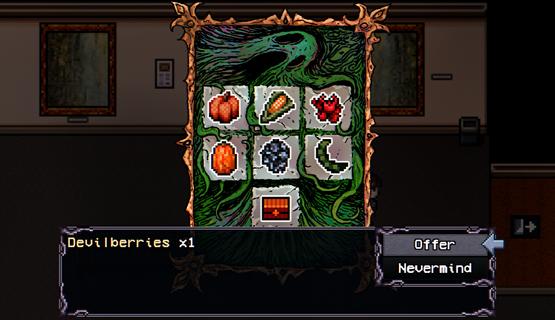
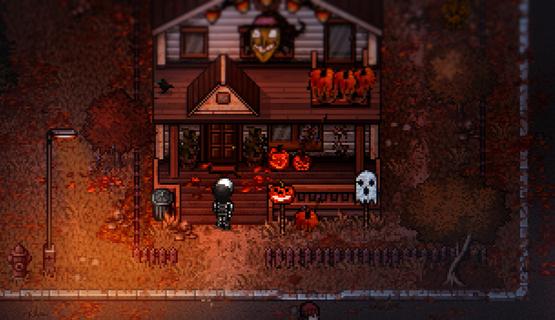
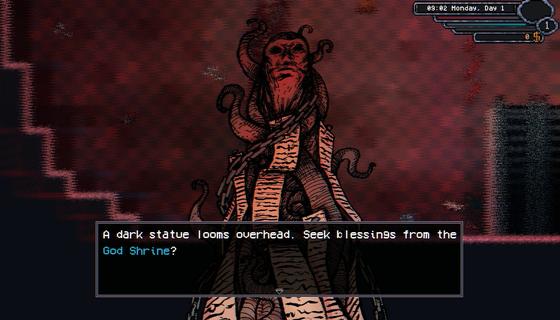
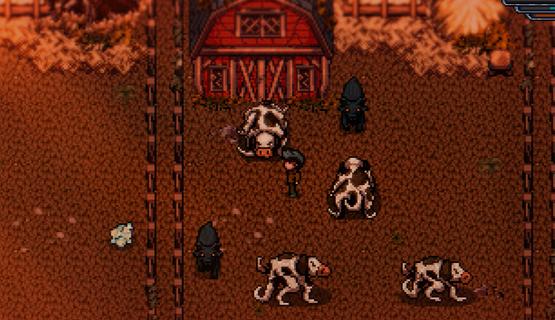
Everything in Elderfield is unsettling, from the haunting, horror manga-inspired, hand-drawn visuals to the dark, lofi soundscapes composed by Dated. Despite the strange creatures lurking just outside your home, those who wander into Elderfield rarely find a reason⦠or option, to leave.Customize your home and character, unravel daily mysteries, befriend the odd townsfolk (or even marry one!), go fishing, spend your afternoons mining and forage through the surrounding wilds⦠There's lots to do in Elderfield!Cultivate your land, harvest your crops, and stop the growth of unruly tentacles. Manage a variety of strange, otherworldly livestock, grow useful crops like corn, pumpkins, teeth or eyeballs and hope that beings from the woods donât wander onto your farm.Choose your difficulty, how much suffering can you endure? For players seeking a peaceful life of harvest and discovery, cozy difficulty offers a more laid-back experience. For those who crave a challenge, the Old Gods are waiting.Elderfield features a deep, turn-based combat system where you must utilize gathered resources, strategic buffs and diverse equipment to survive encounters with ancient, Lovecraftian horrors.Die, learn, farm, and forage⦠Then die again.Full RPG life sim with relationships, customization, fishing and more.Hand drawn horror manga inspired artwork.Dark lofi soundtrack by Dated.Build your farm, manage animals, mine and forage to build resources.Play on cozy mode or test your skills and resource building with in depth turn based combat.
और दिखाएं

1. MEmu इंस्टॉलर को डाउनलोड करें और इंस्टॉलेशन को पूरा करें

2. MEmu शुरू करें फिर होमपेज पर Google Play खोलें

3. Google Play में Welcome to Elderfield खोजें
Install
4. Welcome to Elderfield डाउनलोड कर इंस्टॉल करें
5. इंस्टॉल पूरा होने पर आइकन दबाएं

6. MEmu से पीसी पर Welcome to Elderfield खेलने का आनंद लें
MEmu Play सबसे बेहतरीन मुफ़्त Android एमुलेटर है और 5 करोड़ लोग पहले ही इसके शानदार Android गेमिंग अनुभव का आनंद ले चुके हैं। MEmu 9 वर्चुअलाइज़ेशन तकनीक आपको अपने PC पर हज़ारों Android गेम, यहाँ तक कि सबसे ज़्यादा ग्राफ़िक्स वाले गेम भी, आसानी से खेलने की सुविधा देती है।
असीमित बैटरी या मोबाइल डेटा के साथ बेहतर ग्राफिक्स के साथ बड़ी स्क्रीन; लंबी अवधि।
कीबोर्ड और माउस या गेमपैड के उत्तम नियंत्रण के लिए संपूर्ण कीमैपिंग का समर्थन करता हैं।
एक ही पीसी पर मल्टी-इंस्टेंस मैनेजर के साथ एक समय में कई गेम खाते या कार्य कर सकते हैं।
Play Welcome to Elderfield on PC by following steps: