Beat Maker Pro - Drum Pad
Güncellendi
Mevcut Sürüm
2
Sunan

Cep telefonunda Beat Maker Pro - Drum Pad kullanırken fazla şarjlardan endişelenme, kendini küçük ekrandan kurtar ve uygulamayı çok daha büyük bir ekranda kullanmanın tadını çıkar. Şu andan itibaren, klavye ve fare ile uygulamayı tam ekran da kullanmayı dene. MEmu, beklediğin tüm şaşırtıcı özellikleri sunar: hızlı ve kolay kurulum, sezgisel kontroller, bunun dışında pil sınırı, mobil veri ve rahatsız edici aramalar artık yok. Yepyeni MEmu 9, bilgisayarında Beat Maker Pro - Drum Pad kullanmanın en iyi seçimidir. Emilimimizle kodlanan çok örnekli yönetici, aynı anda 2 veya daha fazla hesap açmayı mümkün kılar. Ve en önemlisi, özel emülasyon motorumuz PC'nin tüm potansiyelini serbest bırakabilir, her şeyi pürüzsüz ve eğlenceli hale getirebilir.
Daha fazla göster
Beat Maker Pro - Drum Pad’i MEmu Android Emülatör ile PC’ye indirin. Büyük ekranda oynamanın keyfini çıkarın. Beat Maker Pro is the easiest way to master the art of DJ beat making in no time!
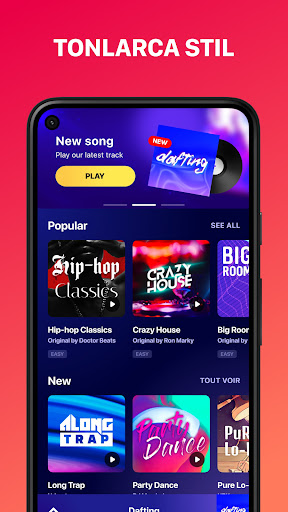
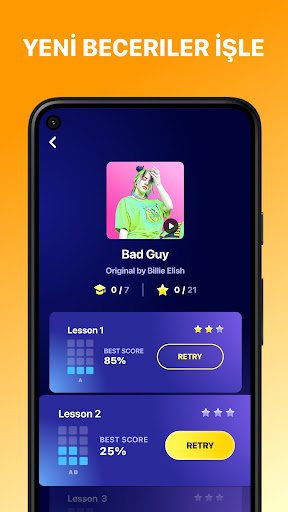
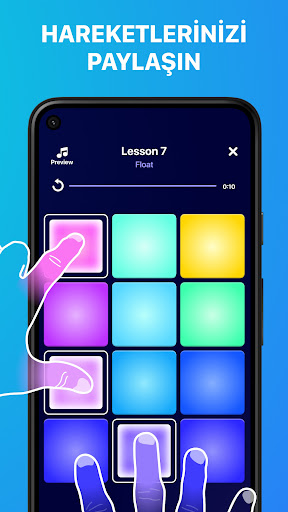
Beat Maker Pro is the easiest way to master the art of DJ beat making in no time!
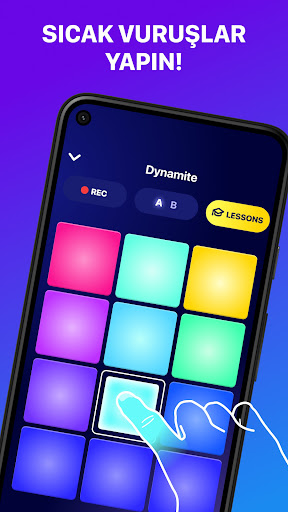
You're a beats music maker? Meet Beat Maker Pro, your new favorite drum pad app to make music and create beats directly on your device, like a real DJ. Mix loops and record all your melodies with our intuitive pads and launchpad!
**Discover the freedom to make music and create beats**
This pro app will teach you all the secrets to create your own songs on the go and play tracks from all genres (dubstep, trap, EDM...), and also become a beatbox maker.
Beat Maker Pro is a real drum pad machine app very easy to use for everyone. Make super fun production easily! Play with thousands of sounds and get tutorials for quicker learning in this mini studio to remix music beats! And let’s enjoy all the music creation effects.
**What can you do with our amazing DJ mixer app:**
- Simply tap on the pads to create sounds and make music with this cool drum machine
- Like in a pro studio, perfect your skills as music maker and beat maker thanks to tons of lessons to play and learn awesome songs!
- Compose tracks and make beats like a real beatbox maker
- Beat Maker Pro will also help you train your rhythm skills to become a real pro
- The lessons provide a rhythm feedback: the more precise you are the more points you'll get.
- Record and share your musics around the world
- Make sure to learn all songs if you want to be a true beat maker!!
**How does Beat Maker Pro, the best drum pad machine app, work?**
- Whether you are a beginner in music making or a pro beatmaker, you can take beatmaker pro in hand in few minutes
- Enjoy the lessons to increase your level and learn how to use pads with our tutorials
- See a colorful interface with intuitive drum pads
- Increase your beat making skills and create your own sounds!
- Many sound packs are available to create beats
- Do beatboxing easily
MAIN FEATURES: *NEW sound packs added every week as it’s a pro beat maker app *all musical genres are represented: EDM, pop, funk, dubstep, electro...and more to make beats you prefer like in a real studio*colorful drum pads design *rhythm feedback on drum machine*thousands songs with lessons to learn on-the-go *HD studio audio quality *easy-to-use
With Beat Maker Pro no need to play on an expensive drum pad machine to feel like a real DJ, it's like a mini studio in your pocket to remix music anywhere anytime. The app suits both pro beat makers and music lovers thanks to our detailed lessons that will teach you step by step how to play songs.
Have any question or suggestion regarding the app? Our support team is ready to help at support-drumpad@mwmapps.com.
Daha fazla göster

1. MEmu yükleyicisini indirin ve kurulumu tamamlayın

2. MEmu'yu başlatın ve ana sayfada Google Play'i açın

3. Google Play'de Beat Maker Pro - Drum Pad arayın
Install
4. Beat Maker Pro - Drum Pad indirin ve yükleyin
5. Kurulum tamamlandığında başlamak için simgeye tıklayın

6. Beat Maker Pro - Drum Pad'i PC'de için MEmu'yu kullanın
MEmu Play, 50 milyon kullanıcısıyla en iyi ücretsiz Android emülatörüdür ve en üst düzey Android uygulama deneyiminin keyfini çıkarır. MEmu'nun sanallaştırma teknolojisi, en zorlu uygulamalar da dahil olmak üzere binlerce uygulamayı bilgisayarınızda sorunsuz bir şekilde çalıştırmanızı sağlar.
Daha büyük ekranla daha iyi grafiklere sahip; Pil veya mobil veri sınırlaması olmaksızın uzun süre.
Keymapping klavye ve fare veya gamepad'in hassas kontrolü için destek verir.
Multi-Instance yöneticisi ile tek bir bilgisayarda aynı anda birden fazla oyun hesabı veya görev gerçekleşilebilir.
Use Beat Maker Pro - Drum Pad on PC by following steps: