GPS Map Camera & Compass
Güncellendi
Mevcut Sürüm
2.5
Sunan

Cep telefonunda GPS Map Camera & Compass kullanırken fazla şarjlardan endişelenme, kendini küçük ekrandan kurtar ve uygulamayı çok daha büyük bir ekranda kullanmanın tadını çıkar. Şu andan itibaren, klavye ve fare ile uygulamayı tam ekran da kullanmayı dene. MEmu, beklediğin tüm şaşırtıcı özellikleri sunar: hızlı ve kolay kurulum, sezgisel kontroller, bunun dışında pil sınırı, mobil veri ve rahatsız edici aramalar artık yok. Yepyeni MEmu 9, bilgisayarında GPS Map Camera & Compass kullanmanın en iyi seçimidir. Emilimimizle kodlanan çok örnekli yönetici, aynı anda 2 veya daha fazla hesap açmayı mümkün kılar. Ve en önemlisi, özel emülasyon motorumuz PC'nin tüm potansiyelini serbest bırakabilir, her şeyi pürüzsüz ve eğlenceli hale getirebilir.
Daha fazla göster
GPS Map Camera & Compass’i MEmu Android Emülatör ile PC’ye indirin. Büyük ekranda oynamanın keyfini çıkarın. GPS Map Camera & Compass is the best app to plan your trips around the world with powerful GPS features.
GPS Map Camera & Compass is the best app to plan your trips around the world with powerful GPS features.
Best Features:
GPS Map Camera
Compass
Speedometer
Altimeter
Current Location Tracker
Traffic Updates
3D Street Panorama View
Weather
Area Calculator
GPS Map Camera:
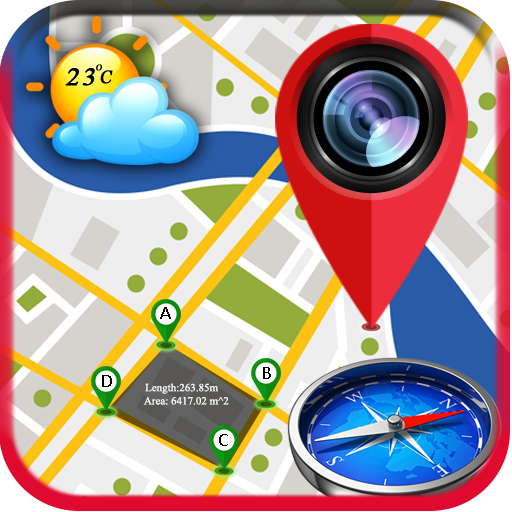
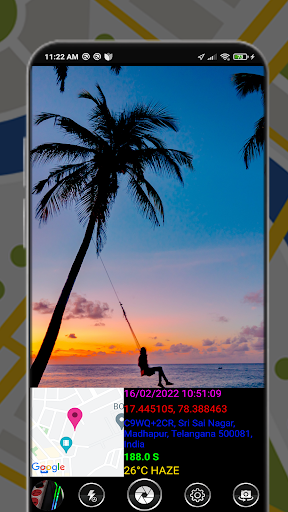
You can send your location Image by the camera preview with Google Maps, Compass, Weather, address, time, and date as the Image.
How this feature works:
✔ When the camera starts, the camera preview shows Compass view, map with address, weather, compass heading, latitude and longitude, date, and time.
✔ You Can Manually Set The Color for Date & Time, Latitude n Longitude, Address, Compass Heading.
✔ You can share your Photo with Location with your beloved friends or family members.
✔ You can Share it on Facebook, Twitter, Google+, Whatsapp, Instagram..etc
Compass:
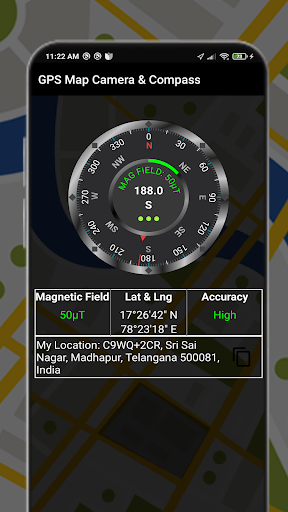
A compass is an instrument used for navigation and orientation that shows direction relative to the geographic North. Geographic North is computed given the magnetic North and the magnetic declination at your current location. Find and keep track of the right heading. Get information about your current position or a target position. Simple to use, use it like a real compass.
3D Street Panorama View:
3D Street Panorama View Allows you to determine Your location in 3D View by dragging markers on the map. Street Panorama View featured in Google Maps and Google Earth provides 3D panoramic views from positions along many streets in the world.
Weather:
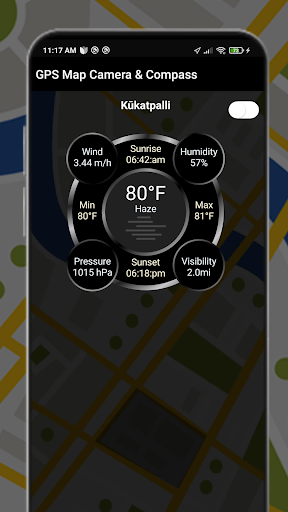
Pay attention to your city's weather conditions, always make your life in advance to make decisions, to your travel escort. You can get weather forecast updates for the next 7 days. You can also easily search for weather in other locations.
Speedometer:
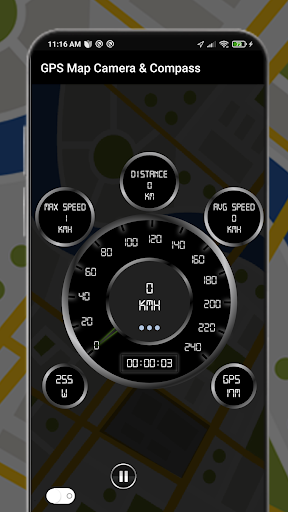
Speedometer is a free GPS tool that shows useful speed and distance information for your journey with Analog and digital speedometers. Drive safely and forget about fines forever. You can easily reset the information.
Information displayed
☑️ Current speed
☑️ Average speed
☑️ Maximum speed
☑️ Traveled Time
☑️ Distance
Area Calculator:
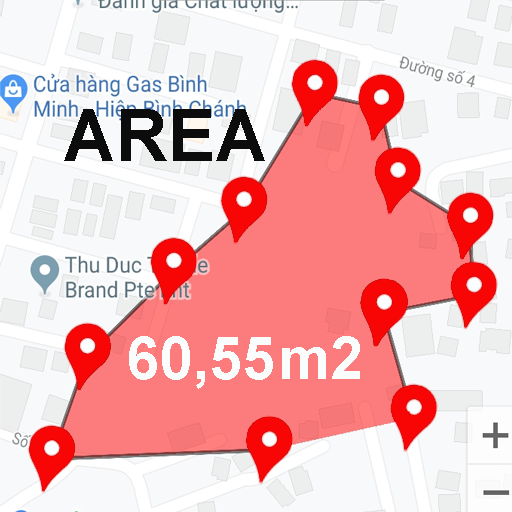
Area Calculator is the best tool for measuring areas on the map. Once you place your points on the map and then calculate the area between all points with great accuracy. You can also calculate the total Area of any Route.
Hope GPS Maps Camera & Compass is very helpful for everyone.
Daha fazla göster

1. MEmu yükleyicisini indirin ve kurulumu tamamlayın

2. MEmu'yu başlatın ve ana sayfada Google Play'i açın

3. Google Play'de GPS Map Camera & Compass arayın
Install
4. GPS Map Camera & Compass indirin ve yükleyin
5. Kurulum tamamlandığında başlamak için simgeye tıklayın

6. GPS Map Camera & Compass'i PC'de için MEmu'yu kullanın
MEmu Play, 50 milyon kullanıcısıyla en iyi ücretsiz Android emülatörüdür ve en üst düzey Android uygulama deneyiminin keyfini çıkarır. MEmu'nun sanallaştırma teknolojisi, en zorlu uygulamalar da dahil olmak üzere binlerce uygulamayı bilgisayarınızda sorunsuz bir şekilde çalıştırmanızı sağlar.
Daha büyük ekranla daha iyi grafiklere sahip; Pil veya mobil veri sınırlaması olmaksızın uzun süre.
Keymapping klavye ve fare veya gamepad'in hassas kontrolü için destek verir.
Multi-Instance yöneticisi ile tek bir bilgisayarda aynı anda birden fazla oyun hesabı veya görev gerçekleşilebilir.
Use GPS Map Camera & Compass on PC by following steps: