
أطلب مياه تانيا Tania
Güncellendi
Mevcut Sürüm
4.1.0
Sunan

Cep telefonunda أطلب مياه تانيا Tania kullanırken fazla şarjlardan endişelenme, kendini küçük ekrandan kurtar ve uygulamayı çok daha büyük bir ekranda kullanmanın tadını çıkar. Şu andan itibaren, klavye ve fare ile uygulamayı tam ekran da kullanmayı dene. MEmu, beklediğin tüm şaşırtıcı özellikleri sunar: hızlı ve kolay kurulum, sezgisel kontroller, bunun dışında pil sınırı, mobil veri ve rahatsız edici aramalar artık yok. Yepyeni MEmu 9, bilgisayarında أطلب مياه تانيا Tania kullanmanın en iyi seçimidir. Emilimimizle kodlanan çok örnekli yönetici, aynı anda 2 veya daha fazla hesap açmayı mümkün kılar. Ve en önemlisi, özel emülasyon motorumuz PC'nin tüm potansiyelini serbest bırakabilir, her şeyi pürüzsüz ve eğlenceli hale getirebilir.
Daha fazla göster
أطلب مياه تانيا Tania’i MEmu Android Emülatör ile PC’ye indirin. Büyük ekranda oynamanın keyfini çıkarın. Our essence culminates form a basic fact of life: Life is a Gift!
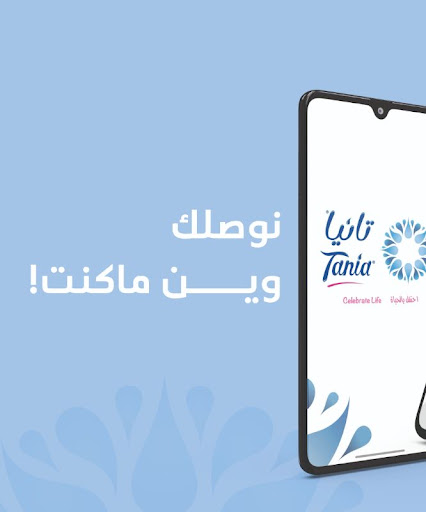
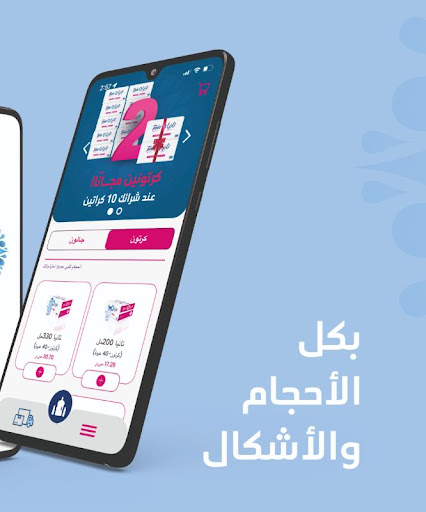
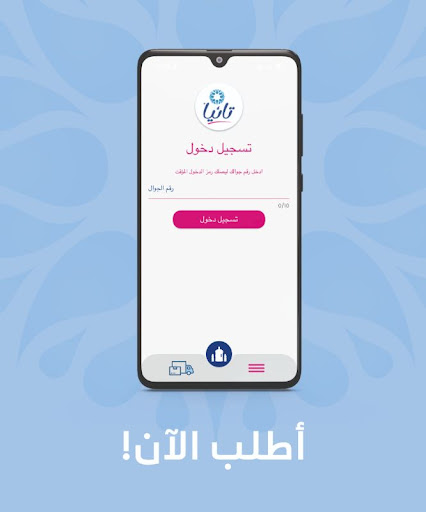
Our essence culminates form a basic fact of life: Life is a Gift! So, let’s enjoy this gift together by exploring new and exciting opportunities to celebrate life! At Tania, we ensure that all these elements are incorporated in all aspects of our services and behavior and that they are the guiding principles of how Tania strives to interact with you. This is why we have created this mobile app for your comfort and happiness.
Application Features
- Order any of the different water packages provided by Tania in three easy steps: Pick your order, specify its details, and then check its status until it is delivered to your doorsteps!
- Add your own list of preferred addresses to deliver water to you upon request
- View the history of old orders and track the status of new ones
- Receive notifications about the status and updates of your order
- The application provides easy and convenient payment methods for everyone: Cash, SADAD and credit card. You can also pay for your orders using Tania balance!
- Request Tania credit for later use as a payment method
- Get in contact with the customer service in Tania for any complaints or suggestions you have
- The application is available in both Arabic and English
Who is it For?
Water is for everyone! Likewise, you are welcome to enjoy our app and services.
How to use the application
Register by keying in your personal data which will be later used for order fulfillment
Tania application requires access to your location via GPS to view the provided items by Tania according to your location. It is also possible to ignore the use of GPS by manually entering your address
Tania application requires access to your cellphone SMS in order to send the activation code to verify your phone number, which is required for the registration in Tania application.
We are always glad to hear back from you. Your valuable comments and suggestions at appsupport@tania.sa will be highly appreciated.
Please take a few minutes to review the application for support.
Daha fazla göster

1. MEmu yükleyicisini indirin ve kurulumu tamamlayın

2. MEmu'yu başlatın ve ana sayfada Google Play'i açın

3. Google Play'de أطلب مياه تانيا Tania arayın
Install
4. أطلب مياه تانيا Tania indirin ve yükleyin
5. Kurulum tamamlandığında başlamak için simgeye tıklayın

6. أطلب مياه تانيا Tania'i PC'de için MEmu'yu kullanın
MEmu Play, 50 milyon kullanıcısıyla en iyi ücretsiz Android emülatörüdür ve en üst düzey Android uygulama deneyiminin keyfini çıkarır. MEmu'nun sanallaştırma teknolojisi, en zorlu uygulamalar da dahil olmak üzere binlerce uygulamayı bilgisayarınızda sorunsuz bir şekilde çalıştırmanızı sağlar.
Daha büyük ekranla daha iyi grafiklere sahip; Pil veya mobil veri sınırlaması olmaksızın uzun süre.
Keymapping klavye ve fare veya gamepad'in hassas kontrolü için destek verir.
Multi-Instance yöneticisi ile tek bir bilgisayarda aynı anda birden fazla oyun hesabı veya görev gerçekleşilebilir.
Use أطلب مياه تانيا Tania on PC by following steps: