JioSphere - Web Browser for TV
Güncellendi
Mevcut Sürüm
5.7.7
Sunan

Cep telefonunda JioSphere - Web Browser for TV kullanırken fazla şarjlardan endişelenme, kendini küçük ekrandan kurtar ve uygulamayı çok daha büyük bir ekranda kullanmanın tadını çıkar. Şu andan itibaren, klavye ve fare ile uygulamayı tam ekran da kullanmayı dene. MEmu, beklediğin tüm şaşırtıcı özellikleri sunar: hızlı ve kolay kurulum, sezgisel kontroller, bunun dışında pil sınırı, mobil veri ve rahatsız edici aramalar artık yok. Yepyeni MEmu 9, bilgisayarında JioSphere - Web Browser for TV kullanmanın en iyi seçimidir. Emilimimizle kodlanan çok örnekli yönetici, aynı anda 2 veya daha fazla hesap açmayı mümkün kılar. Ve en önemlisi, özel emülasyon motorumuz PC'nin tüm potansiyelini serbest bırakabilir, her şeyi pürüzsüz ve eğlenceli hale getirebilir.
Daha fazla göster
JioSphere - Web Browser for TV’i MEmu Android Emülatör ile PC’ye indirin. Büyük ekranda oynamanın keyfini çıkarın. JioSphere (formerly JioPages) brings browsing to your Android smart TV with a fresh, user-friendly design.
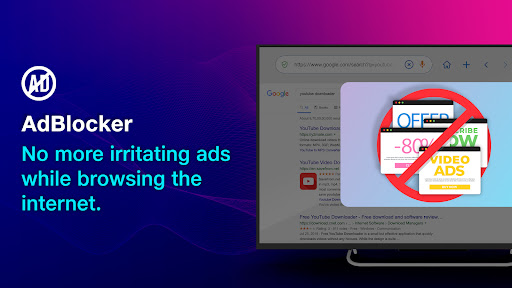
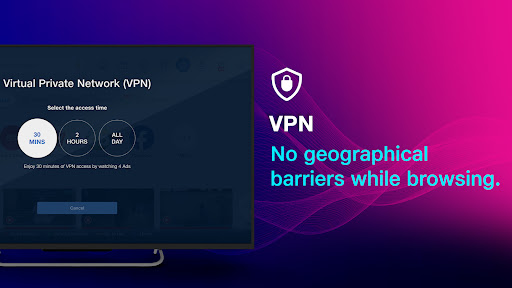
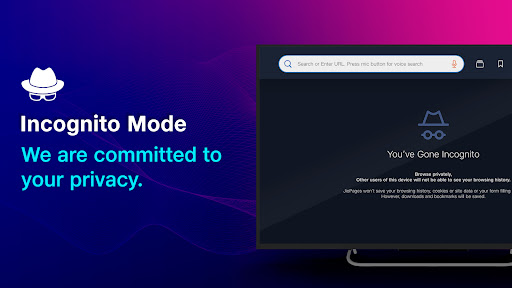
JioSphere (formerly JioPages) brings browsing to your Android smart TV with a fresh, user-friendly design. This Indian web browser is designed to offer a safe, fast, secure, and uninterrupted browsing experience, complete with additional features such as VPN, Ad-blocker, and Voice search for secure and hassle-free browsing.
Highlights:
* VPN
* Ad-blocker
* Incognito mode
* Multiple search engines
* Support for 8+ regional languages
* Regional language news
* Voice search
* Video content
Features:
Digital Privacy:
VPN Feature – Enhance your browsing experience by using our VPN to access global content from the comfort of your living room.
Incognito Mode - Enjoy browsing without leaving a trace of your history on your Android TV.
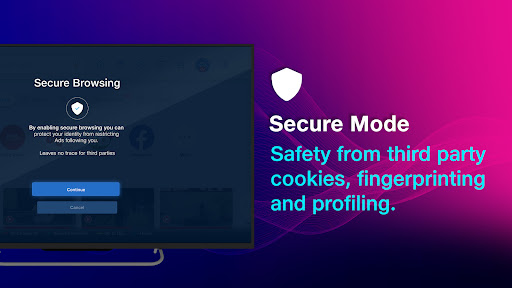
Secure Mode Feature – Protect your personal data and privacy by blocking third-party tracking, cookies, and fingerprinting.
Ad-blocker:
Ad-blocker Feature – Put an end to annoying ads and pop-ups while browsing on your smart TV. Keep track of the number of ads blocked in the menu.
Easy Access:
Quick links – Simplify navigation with quick links to your favorite sites on the JioSphereTV homepage.
Bookmark your tabs for later access on your Android smart TV.
Browse the Internet in Your Regional Language:
Enjoy internet content in your preferred Indian language, with 8+ Indian languages available. Our goal is to continue expanding language support.
News Feeds in Regional Languages:
Stay informed with local, national, and international news in a personalized feed for every Indian.
Video Section:
Take a break from your busy schedule and explore video content in specific categories such as sports, comedy, entertainment, and lifestyle, right on the JioSphere home screen.
Education Mode:
Transform your TV into a productive tool with Education Mode, making learning fun and exciting for your kids.
Voice Search:
Say goodbye to TV remote typing – use our voice search feature for a hassle-free search experience on your TV.
JioSphere is your gateway to the internet on the big screen, brought to you by Jio Platforms Ltd.
Jio Platforms Ltd is dedicated to shaping India's future by offering holistic digital solutions for businesses, institutions, and households, effectively connecting urban and rural areas.
We value your feedback! Please reach out to us at feedback.JioSphere@gmail.com.
Daha fazla göster

1. MEmu yükleyicisini indirin ve kurulumu tamamlayın

2. MEmu'yu başlatın ve ana sayfada Google Play'i açın

3. Google Play'de JioSphere - Web Browser for TV arayın
Install
4. JioSphere - Web Browser for TV indirin ve yükleyin
5. Kurulum tamamlandığında başlamak için simgeye tıklayın

6. JioSphere - Web Browser for TV'i PC'de için MEmu'yu kullanın
MEmu Play, 50 milyon kullanıcısıyla en iyi ücretsiz Android emülatörüdür ve en üst düzey Android uygulama deneyiminin keyfini çıkarır. MEmu'nun sanallaştırma teknolojisi, en zorlu uygulamalar da dahil olmak üzere binlerce uygulamayı bilgisayarınızda sorunsuz bir şekilde çalıştırmanızı sağlar.
Daha büyük ekranla daha iyi grafiklere sahip; Pil veya mobil veri sınırlaması olmaksızın uzun süre.
Keymapping klavye ve fare veya gamepad'in hassas kontrolü için destek verir.
Multi-Instance yöneticisi ile tek bir bilgisayarda aynı anda birden fazla oyun hesabı veya görev gerçekleşilebilir.
Use JioSphere - Web Browser for TV on PC by following steps: