
Simple shopping list
Güncellendi
Mevcut Sürüm
1.4
Sunan

Cep telefonunda Simple shopping list kullanırken fazla şarjlardan endişelenme, kendini küçük ekrandan kurtar ve uygulamayı çok daha büyük bir ekranda kullanmanın tadını çıkar. Şu andan itibaren, klavye ve fare ile uygulamayı tam ekran da kullanmayı dene. MEmu, beklediğin tüm şaşırtıcı özellikleri sunar: hızlı ve kolay kurulum, sezgisel kontroller, bunun dışında pil sınırı, mobil veri ve rahatsız edici aramalar artık yok. Yepyeni MEmu 9, bilgisayarında Simple shopping list kullanmanın en iyi seçimidir. Emilimimizle kodlanan çok örnekli yönetici, aynı anda 2 veya daha fazla hesap açmayı mümkün kılar. Ve en önemlisi, özel emülasyon motorumuz PC'nin tüm potansiyelini serbest bırakabilir, her şeyi pürüzsüz ve eğlenceli hale getirebilir.
Daha fazla göster
Simple shopping list’i MEmu Android Emülatör ile PC’ye indirin. Büyük ekranda oynamanın keyfini çıkarın. Wish to make your grocery shopping simple and effective?
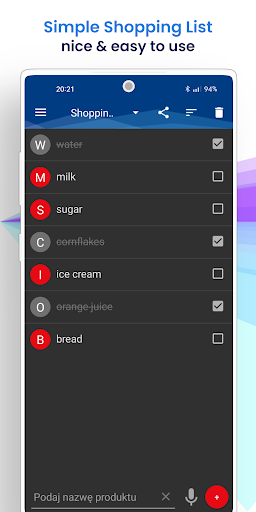
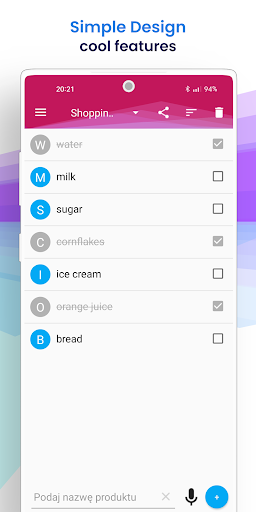
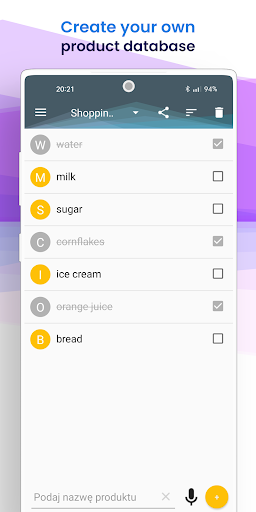
Wish to make your grocery shopping simple and effective? Introducing our easy-to-use and intuitive shopping list app that is fast, efficient, and hassle-free. With our app, you can create multiple shopping lists and stay organized like never before.
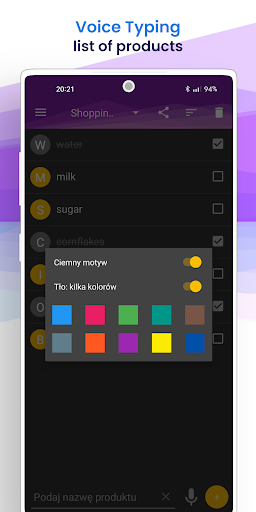
Our app has a modern and sleek design based on material design, making it visually appealing to users. You can also choose from different color themes to suit your preference. With our app, you can effortlessly add new products, and the app's built-in dictionary learns from your previous entries, making future suggestions a breeze.
Our app also has a voice recognition feature that lets you add items to your shopping list by simply speaking their name. Our app is smart enough to recognize separators, and you can use any word as a separator. You can easily tick off the items you have purchased and organize them according to your preferences.
Additionally, our app has a feature that lets you send your shopping list via SMS, making it convenient to share with friends and family. Unlike other shopping list apps that are cluttered with unnecessary features, our app is straightforward, and its sole purpose is to help you create a shopping list quickly and efficiently.
In summary, our app simplifies your grocery shopping experience, making it easy and enjoyable. Try it today and experience the convenience of our simple yet effective shopping list app.
Daha fazla göster

1. MEmu yükleyicisini indirin ve kurulumu tamamlayın

2. MEmu'yu başlatın ve ana sayfada Google Play'i açın

3. Google Play'de Simple shopping list arayın
Install
4. Simple shopping list indirin ve yükleyin
5. Kurulum tamamlandığında başlamak için simgeye tıklayın

6. Simple shopping list'i PC'de için MEmu'yu kullanın
MEmu Play, 50 milyon kullanıcısıyla en iyi ücretsiz Android emülatörüdür ve en üst düzey Android uygulama deneyiminin keyfini çıkarır. MEmu'nun sanallaştırma teknolojisi, en zorlu uygulamalar da dahil olmak üzere binlerce uygulamayı bilgisayarınızda sorunsuz bir şekilde çalıştırmanızı sağlar.
Daha büyük ekranla daha iyi grafiklere sahip; Pil veya mobil veri sınırlaması olmaksızın uzun süre.
Keymapping klavye ve fare veya gamepad'in hassas kontrolü için destek verir.
Multi-Instance yöneticisi ile tek bir bilgisayarda aynı anda birden fazla oyun hesabı veya görev gerçekleşilebilir.
Use Simple shopping list on PC by following steps: