
TikTok Lite - Smaller & Faster
Güncellendi
Mevcut Sürüm
36.9.61
Sunan

Cep telefonunda TikTok Lite - Smaller & Faster kullanırken fazla şarjlardan endişelenme, kendini küçük ekrandan kurtar ve uygulamayı çok daha büyük bir ekranda kullanmanın tadını çıkar. Şu andan itibaren, klavye ve fare ile uygulamayı tam ekran da kullanmayı dene. MEmu, beklediğin tüm şaşırtıcı özellikleri sunar: hızlı ve kolay kurulum, sezgisel kontroller, bunun dışında pil sınırı, mobil veri ve rahatsız edici aramalar artık yok. Yepyeni MEmu 9, bilgisayarında TikTok Lite - Smaller & Faster kullanmanın en iyi seçimidir. Emilimimizle kodlanan çok örnekli yönetici, aynı anda 2 veya daha fazla hesap açmayı mümkün kılar. Ve en önemlisi, özel emülasyon motorumuz PC'nin tüm potansiyelini serbest bırakabilir, her şeyi pürüzsüz ve eğlenceli hale getirebilir.
Daha fazla göster
TikTok Lite - Smaller & Faster’i MEmu Android Emülatör ile PC’ye indirin. Büyük ekranda oynamanın keyfini çıkarın. TikTok Lite - a smaller and faster version of TikTok, designed for users who have less than 3GB of RAM, limited data, or who connect to unstable networks.
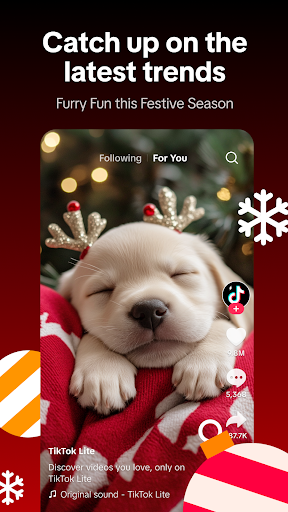
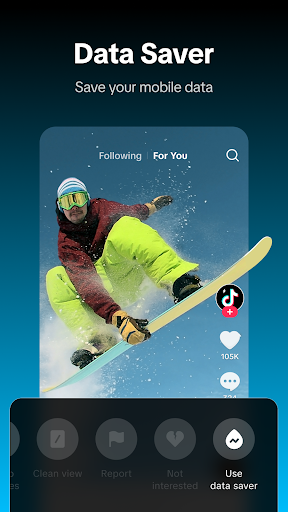
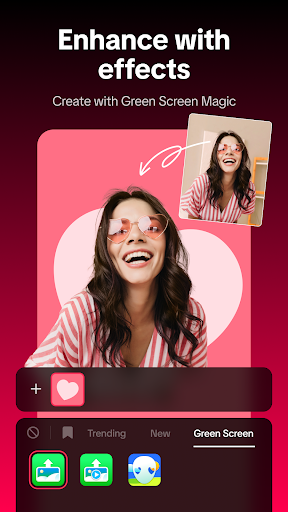
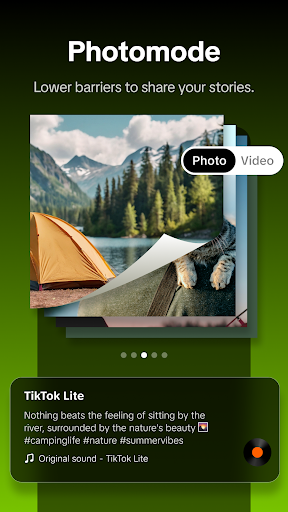
TikTok Lite - a smaller and faster version of TikTok, designed for users who have less than 3GB of RAM, limited data, or who connect to unstable networks. It offers a tailored solution to address users' specific challenges without compromising the TikTok experience. It runs seamlessly on slow networks, reduces data usage, and occupies less mobile space.
Join the TikTok Lite community of billions, explore and share diverse videos that match your preferences, follow incredible creators, and craft your own content with powerful video editing tools! Whether you're a seasoned content creator on or YouTube, Instagram, TikTok, WhatsApp, Facebook, etc., or just looking for some fun, TikTok Lite always has something for you.
Exclusive Feature on Lite Version:
- Data Saver: Save up to 20% on data usage.
- Offline Mode: Support users to continuously consume cache videos on slower or unstable network connections
Exclusive Performance Experience:
1. Smaller App Size: It takes up just about 18MB, making it perfect for devices with limited storage capacity.
2. Lower Data Usage: It is optimized to consume less data, making it ideal for users with limited data traffic or unstable network connections.
3. Faster Performance: Designed to be lightweight, it loads faster and runs more smoothly on devices with lower processing power or limited RAM.
4. Better Compatibility: It is compatible with a wider range of devices, including older models and those with lower specifications.
5. Reduced Load Times: With fewer features and a streamlined design, Lite offers quicker load times, enhancing the overall user experience.
Consumption Features:
- Pinch to zoom to activate Clean view mode, which allows you to minimize content obstruction by hiding all UI text and icons.
- Activate the Auto Scroll feature and enjoy endless streams of your favorite short videos without lifting a finger!
- Tap on the hashtagged topic name that interests you on any video, or use the search feature to discover more content you like.
- Add videos to Favorites or download them for convenient repeat viewing in the future.
- Share video with your in-app friends, or to other platforms like Instagram, Facebook, Whatsapp status, etc.
Video Creation Features:
- Tap the "+" on the bottom menu to create a new video up to 3 minutes long, or upload photos or a video up to 15 minutes directly from your phone library.
- Elevate your videos to the next level with our easy-to-use video editing tools. Add music, effects, filters, voiceovers, and more to make your videos stand out.
- Unleash your imagination with the green screen effect. Transform any background and make your videos stand out!
- Your privacy preferences are respected, and you can decide who can watch your videos. You can also choose whether to allow others to comment, duet, stitch, and download your videos.
- When posting a video, you can easily share it simultaneously to WhatsApp Status, Instagram Story, Facebook, Snapchat, and other platforms with just one click.
- Create side-by-side videos with your favorite content by trying the Duet feature and join the fun!
Social Features:
- You can use your TikTok account to log in to TikTok Lite with one click, or log in and use TikTok Lite with your Facebook account or Google account.
- Use emojis to leave a quick comment or tag a friend. Tap the heart button next to your favorite comment to bring it to the top.
- Follow your favorite creators, engage with their content through likes, comments, and shares
- Use DM to start a one-on-one conversation with text messages, videos, and stickers.
- Tap the "Add Friend" button on the profile page to add familiar friends from your contacts or social apps.
Any feedback? Contact us at https://www.tiktok.com/legal/report/feedback or tweet us @tiktok_us
Your privacy matters. Learn more at TikTok Safety Center: https://www.tiktok.com/safety/en/
Daha fazla göster

1. MEmu yükleyicisini indirin ve kurulumu tamamlayın

2. MEmu'yu başlatın ve ana sayfada Google Play'i açın

3. Google Play'de TikTok Lite - Smaller & Faster arayın
Install
4. TikTok Lite - Smaller & Faster indirin ve yükleyin
5. Kurulum tamamlandığında başlamak için simgeye tıklayın

6. TikTok Lite - Smaller & Faster'i PC'de için MEmu'yu kullanın
MEmu Play, 50 milyon kullanıcısıyla en iyi ücretsiz Android emülatörüdür ve en üst düzey Android uygulama deneyiminin keyfini çıkarır. MEmu'nun sanallaştırma teknolojisi, en zorlu uygulamalar da dahil olmak üzere binlerce uygulamayı bilgisayarınızda sorunsuz bir şekilde çalıştırmanızı sağlar.
Daha büyük ekranla daha iyi grafiklere sahip; Pil veya mobil veri sınırlaması olmaksızın uzun süre.
Keymapping klavye ve fare veya gamepad'in hassas kontrolü için destek verir.
Multi-Instance yöneticisi ile tek bir bilgisayarda aynı anda birden fazla oyun hesabı veya görev gerçekleşilebilir.
Use TikTok Lite - Smaller & Faster on PC by following steps: