TikTok Lite - Smaller & Faster
Updated
Current Version
47.0.52
Offered By

Stop worrying about high battery drain when using TikTok Lite - Smaller & Faster on your phone. Free yourself from the tiny screen and enjoy the app on a much larger display. From now on, get a full-screen experience of your app with the convenience of a keyboard and mouse. MEmu offers you all the surprising features you’d expect: quick installation and easy setup, intuitive controls, and no more worries about battery life, mobile data, or unexpected calls. The all-new MEmu 9 is the choice for using TikTok Lite - Smaller & Faster on your computer. With the MEmu multi-instance manager, you can run two or more accounts at the same time. Most importantly, our exclusive emulation engine unlocks your PC’s full potential, delivering smooth and enjoyable performance.
Show more
Enjoy superb experience of using TikTok Lite - Smaller & Faster on PC with MEMU App Player. It's a powerful free Android emulator which provides you with thousands of android apps for their desktop version. Enjoy connecting with friends and polishing your work with higher efficiency! TikTok Lite - the Compact, Faster version of TikTok, is perfect for users with low-end devices, limited data plans, or unstable networks.
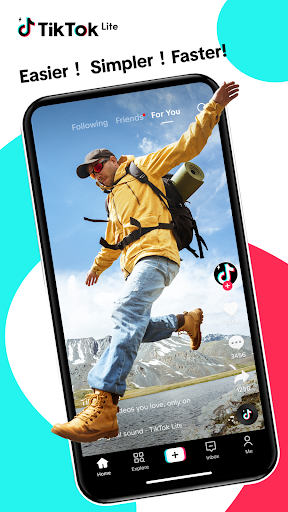
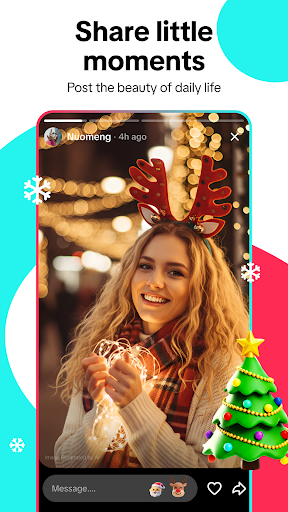
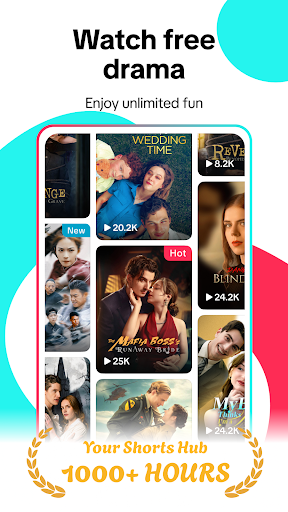
TikTok Lite - the Compact, Faster version of TikTok, is perfect for users with low-end devices, limited data plans, or unstable networks. Enjoy the full TikTok experience—seamless video streaming, trending music video, wide variety of short drama, and social video sharing—optimized for challenging conditions. With reduced data consumption and minimal storage usage, TikTok Lite keeps you connected to friends and the global video community whether you're a seasoned creator on YouTube, Instagram, TikTok, WhatsApp, or Facebook, etc.
TikTok Lite is also a powerful editing tool. Explore and share trending videos, discover incredible creators, and create your own music-powered videos.
Features:
Performance Benefits
- Data Saver: Save up to 20% on data usage while streaming videos.
- Save More Space: Enjoy a lighter app, ideal for devices with limited storage.
- Faster Performance: Lightweight design ensures quick loading and smooth operation on low-RAM devices.
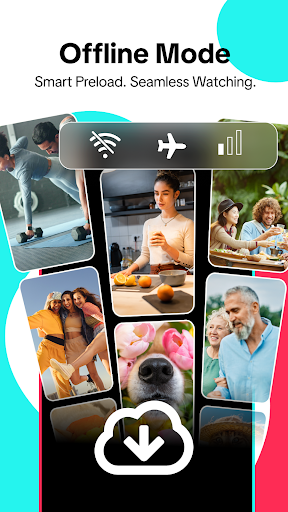
- Offline Mode: Watch cached videos even on slow or unstable networks.
- Reduced Load Times: Streamlined design ensures faster access to your favorite videos.
Explore and Enjoy
- Trending Short Dramas: Dive into our massive collection of hit mini-series! Enjoy sweet romance, dramatic plot twists with strong female leads, emotional family healing, and inspiring underdog journeys.Your perfect bite-sized drama awaits.
- Personalized Feed: Discover videos tailored to your taste—fun, quirky, educational, or trending. Stay updated with the hottest music, topics, and news locally and globally.
- Clean View Mode: Pinch to zoom and hide UI elements for an unobstructed video experience.
- Auto Scroll: Enjoy endless streams of short videos without lifting a finger. - Hashtag Discovery: Tap on hashtags or use the search bar to find more videos you love.
- Favorites & Downloads: Save videos for repeat viewing or download them for offline enjoyment.
- Share Everywhere: Share videos with friends on TikTok or other social media platforms like Instagram, Facebook, Snapchat, and WhatsApp.
Create Like a Pro
- Easy Video Creation: Tap the "+" button to record up to 3-minute videos or upload 15-minute clips from your gallery.
- Advanced Editing Tools: Add music, effects, filters, and voiceovers to make your videos stand out.
- Green Screen Effect: Transform your background and unleash your creativity.
- Privacy Control: Decide who can view, comment, duet, or download your videos.
- Cross-Platform Sharing: Post your videos directly to social media platforms like WhatsApp Status, Instagram Stories, Facebook, Snapchat, and more with one click.
- Duet Feature: Create side-by-side videos with your favorite content and join the fun!
- Photo Mode: Lower the barrier to content creation, making it easier than ever to connect with your audience.
Connect and Engage
- Interactive Comments: Use emojis, tag friends, or like comments to bring them to the top.
- Direct Messaging: Chat seamlessly between TikTok and TikTok Lite. Start one-on-one conversations with text, videos, and stickers.
- Add Friends: Easily connect with friends from other social media apps like YouTube, Instagram, TikTok, WhatsApp, Facebook, etc.
TikTok Lite is an all-in-one app for capturing, editing, discovering, and sharing videos and photos. With TikTok Lite - global video community, it brings the joy of music, videos, and creativity to everyone, no matter the device or network. Join the global video community to share your video creativity to get more likes, or start creating, exploring, and connecting on TikTok Lite.
Any questions for TikTok Lite (THE smaller & faster version of TikTok & global video creativity community)?
Please reach out to us at https://www.tiktok.com/legal/report/feedback or tweet us @tiktok_us.
Your privacy matters. Learn more at https://www.tiktok.com/safety/en/.
Show more

1. Download MEmu installer and finish the setup

2. Start MEmu then open Google Play on the desktop

3. Search TikTok Lite - Smaller & Faster in Google Play
Install
4. Download and Install TikTok Lite - Smaller & Faster
5. On install completion click the icon to start

6. Enjoy using TikTok Lite - Smaller & Faster on PC with MEmu
MEmu Play is the best Android emulator, and 100 million users already enjoy its superb Android app experience. Powered by advanced virtualization technology, it lets you enjoy thousands of Android apps smoothly on your PC—including the most graphics-intensive ones.
Bigger screen with better graphics; Long duration, without limitation of battery or mobile data.
Full Keymapping support for precise control of keyboard and mouse or gamepad.
Multiple game accounts or tasks on single PC at one time with Multi-Instance manager.
Use TikTok Lite - Smaller & Faster on PC by following steps: