PixVerse: AI Video Generator
更新日期
目前版本
2.7.0
提供者

想體驗PixVerse: AI Video Generator,可是手機熒幕太小,一載軟體就變燙,怎麼辦?透過逍遙模擬器,在電腦的大熒幕上暢快體驗!用鍵鼠操作更精準流暢,逍遙模擬器滿足您的所有期待。在電腦上下載安裝PixVerse: AI Video Generator,不用擔心電池當掉,想體驗多久就多久,順暢跑一天~全新的逍遙模擬器9,絕對是您體驗PixVerse: AI Video Generator電腦版的最佳選擇。完美的按鍵映射系統讓PixVerse: AI Video Generator如PC軟體般順手;強大的多開功能可同時執行多個任務;獨家虛擬化技術更能徹底釋放電腦效能,保障長時間穩定運作。我們致力於不讓設備限制您的體驗,助您輕鬆高效,暢快無比!
更多
透過逍遙模擬器,在電腦上下載PixVerse: AI Video Generator,享受大熒幕的暢快體驗。 PixVerse - 在幾秒鐘內將您的想法變成令人驚嘆的 AI 影片!
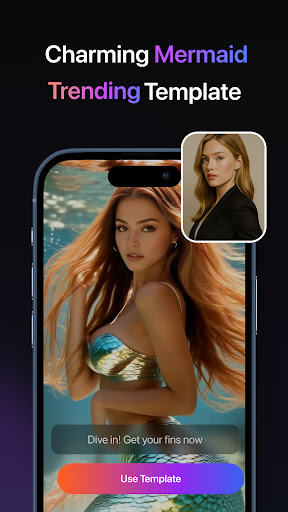
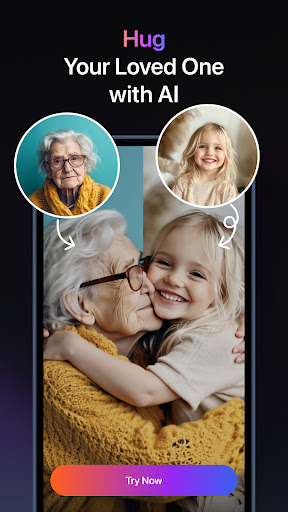
PixVerse - 在幾秒鐘內將您的想法變成令人驚嘆的 AI 影片!
PixVerse 是終極 AI 驅動的影片創作套件,現已升級至 V2.0,讓您輕鬆地將照片、文字和影片轉換為非凡的內容 - 只需 5 秒。透過突破性的新功能釋放更高層次的創造力!
核心特點
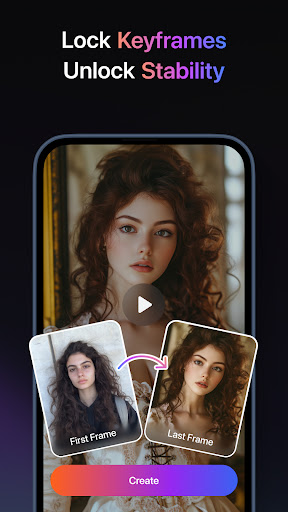
關鍵影格控制
上傳自訂第一幀和最後一幀,以確保無縫視訊生成並增強創意穩定性!
多種創作模式
影像轉影片 – 透過人工智慧驅動的動畫為靜態照片注入活力
文字轉影片 – 輸入提示,觀看 AI 製作的電影傑作
視訊擴展 – 透過人工智慧驅動的連續性無縫擴展剪輯
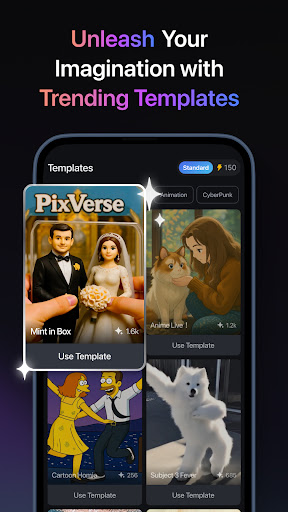
流行的 AI 效果
擁抱溫暖-體驗家庭連結的舒適擁抱
肌肉激增 – 立即塑造輪廓分明、充滿力量的體格
舞蹈革命-將任何姿勢轉變為令人興奮的舞蹈序列
SuitSwagger – 精巧的西裝現在看起來很精緻,無論性別、年齡,甚至物種
....加上不斷更新!利用尖端的創意工具保持領先。
為什麼選擇 PixVerse?
閃電般的速度 – 5 秒內獲得令人驚嘆的結果
戲院級品質 – 水晶般清晰的高畫質輸出讓觀眾驚嘆不已
超真實人工智慧——先進的實體模擬反映了現實世界
加入全球數百萬創作者的行列,用人工智慧魔法重新定義故事敘述。立即下載 PixVerse – 讓想像成為現實!
透過 PixVerse 跨平台繼續您的創意之旅:
官方中心:https://app.pixverse.ai
API 整合:https://platform.pixverse.ai
關注 PixVerse 的病毒式更新:
https://www.tiktok.com/@pixverse
https://www.instagram.com/pixverse_official
https://www.youtube.com/@PixVerse_Official
https://x.com/pixverse_
服務條款:https://docs.pixverse.ai/Terms-of-Service-5a019460172240b09bc101b7a12fafea
隱私權政策:https://docs.pixverse.ai/Privacy-Policy-97a21aaf01f646ad968e8f6a0e1a2400
更多

1. 下載逍遙安裝器並完成設置

2. 啟動逍遙後打開位於桌面上的谷歌商店

3. 在谷歌商店中搜尋PixVerse: AI Video Generator
Install
4. 下載並安裝PixVerse: AI Video Generator
5. 下載完成後點擊圖標來啟動

6. 透過逍遙享受在電腦上體驗PixVerse: AI Video Generator
逍遙安卓是優秀的安卓模擬器,全球超過5000萬用戶的優先選擇。逍遙安卓以虛擬化技術為核心,為用户打造突破手機配備局限的應用平台!
大屏精細展示;無限待機,超越電池和流量限制
鍵鼠,手把操作全面支持,操作更精準
用逍遙多開同時運行多個遊戲、應用。
Use PixVerse: AI Video Generator on PC by following steps: