PixVerse: AI Video Generator
Updated
Current Version
2.7.7
Offered By

Stop worrying about high battery drain when using PixVerse: AI Video Generator on your phone. Free yourself from the tiny screen and enjoy the app on a much larger display. From now on, get a full-screen experience of your app with the convenience of a keyboard and mouse. MEmu offers you all the surprising features you’d expect: quick installation and easy setup, intuitive controls, and no more worries about battery life, mobile data, or unexpected calls. The all-new MEmu 9 is the choice for using PixVerse: AI Video Generator on your computer. With the MEmu multi-instance manager, you can run two or more accounts at the same time. Most importantly, our exclusive emulation engine unlocks your PC’s full potential, delivering smooth and enjoyable performance.
Show more
Enjoy superb experience of using PixVerse: AI Video Generator on PC with MEMU App Player. It's a powerful free Android emulator which provides you with thousands of android apps for their desktop version. Enjoy connecting with friends and polishing your work with higher efficiency! PixVerse - Turn Your Ideas into Stunning AI Videos in Seconds!
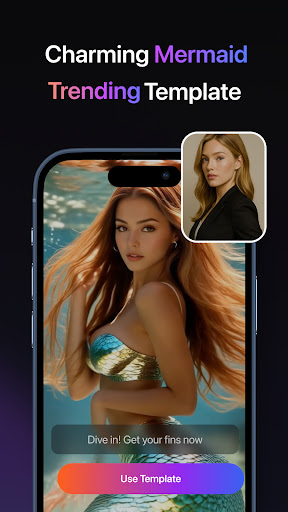
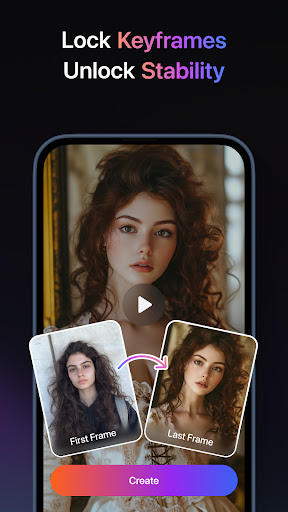
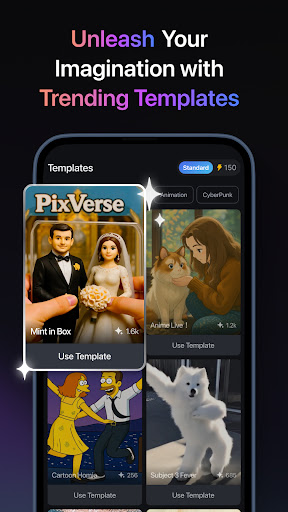
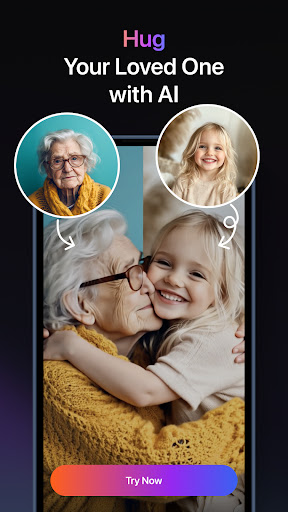
PixVerse - Turn Your Ideas into Stunning AI Videos in Seconds!
PixVerse is the ultimate AI-powered video creation suite, now upgraded to V2.0, empowering you to effortlessly convert photos, text, and videos into extraordinary content—in just 5 seconds. Unleash next-level creativity with groundbreaking new features!
Core Features
Key Frame Control
Upload custom first frame and last frame to ensure seamless video generation and enhanced creative stability!
Multi-Creation Modes
Image to Video – Breathe life into static photos with AI-powered animations
Text to Video – Type a prompt, watch AI craft cinematic masterpieces
Video Extension – Seamlessly extend clips with AI-driven continuity
Trending AI Effects
Embrace Warmth – Experience the comforting hug of family bonds
Muscle Surge – Instantly sculpt a chiseled, powerhouse physique
Dance Revolution – Transform any pose into electrifying dance sequences
SuitSwagger – Craft dapper suits looks now, no matter the gender, age, or even species
…Plus constant updates! Stay ahead with cutting-edge creative tools.
Why PixVerse?
Lightning Speed – Stunning results in 5 seconds flat
Cinematic Quality – Crystal-clear HD output that wows audiences
Hyper-Real AI – Advanced physics simulations mirror the real world
Join millions of creators worldwide and redefine storytelling with AI magic. Download PixVerse now – where imagination becomes reality!
Continue your creative journey with PixVerse across platforms:
Official Hub: https://app.pixverse.ai
API Integration: https://platform.pixverse.ai
Stay ahead with PixVerse's viral-worthy updates:
https://www.tiktok.com/@pixverse
https://www.instagram.com/pixverse_official
https://www.youtube.com/@PixVerse_Official
https://x.com/pixverse_
Terms of Service: https://docs.pixverse.ai/Terms-of-Service-5a019460172240b09bc101b7a12fafea
Privacy Policy: https://docs.pixverse.ai/Privacy-Policy-97a21aaf01f646ad968e8f6a0e1a2400
Show more

1. Download MEmu installer and finish the setup

2. Start MEmu then open Google Play on the desktop

3. Search PixVerse: AI Video Generator in Google Play
Install
4. Download and Install PixVerse: AI Video Generator
5. On install completion click the icon to start

6. Enjoy using PixVerse: AI Video Generator on PC with MEmu
MEmu Play is the best Android emulator, and 100 million users already enjoy its superb Android app experience. Powered by advanced virtualization technology, it lets you enjoy thousands of Android apps smoothly on your PC—including the most graphics-intensive ones.
Bigger screen with better graphics; Long duration, without limitation of battery or mobile data.
Full Keymapping support for precise control of keyboard and mouse or gamepad.
Multiple game accounts or tasks on single PC at one time with Multi-Instance manager.
Use PixVerse: AI Video Generator on PC by following steps: