Dicegeon: Roguelike RPG
Оновлено
Поточна версія
Постачальник

Перестаньте турбуватися про надмірні витрати, використовуючи ххх на своєму мобільному телефоні, звільніться від крихітного екрану і насолоджуйтеся використанням програми на набагато більшому дисплеї. Відтепер отримуйте повний екран свого додатка за допомогою клавіатури та миші. MEmu пропонує вам усі дивовижні функції, які ви очікували: швидка установка та просте налаштування, інтуїтивно зрозумілі елементи керування, більше обмежень від акумулятора, мобільних даних та тривожних дзвінків. Новий MEmu 9 - найкращий вибір використання Dicegeon: Roguelike RPG на вашому комп’ютері. За допомогою нашого поглинання менеджер із кількома примірниками одночасно дозволяє відкрити 2 або більше рахунків. І найголовніше, наш ексклюзивний емуляційний двигун може вивільнити весь потенціал вашого ПК, зробити все гладким і приємним.
Show more
Насолоджуйтесь чудовим досвідом Dicegeon: Roguelike RPG гри на ПК за допомогою програми MEMU App Player. Це потужний безкоштовний емулятор Android, який дозволяє вам грати в тисячі ігор Android. DICEGEON: ROLL THE DICE, FORGE YOUR DESTINY!
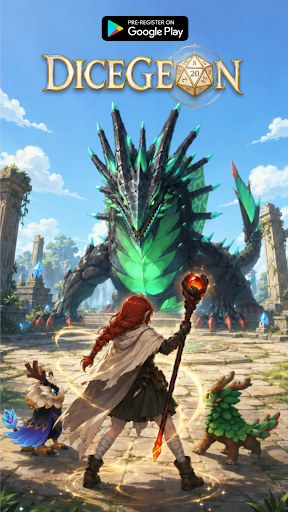
DICEGEON: ROLL THE DICE, FORGE YOUR DESTINY!
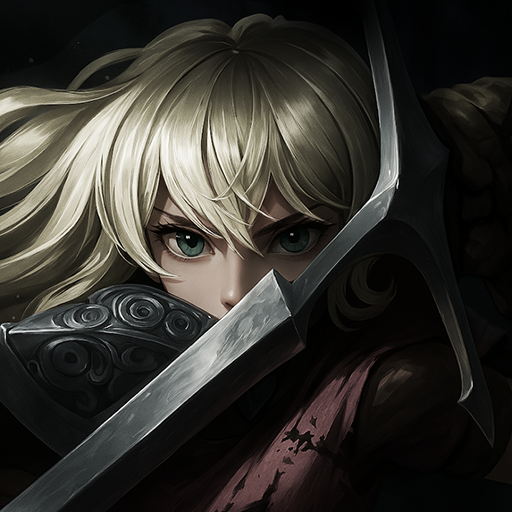
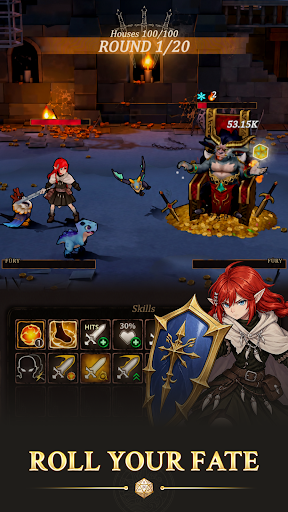
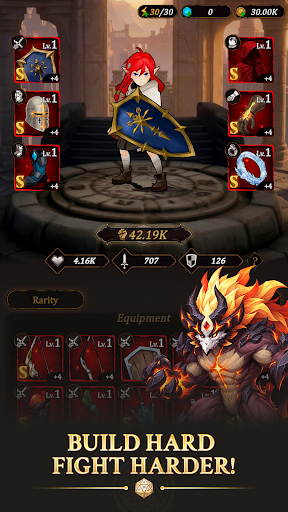
Every legend starts with a single roll! Step into an epic fantasy RPG world where every step brings a fresh thrill: unlock hidden paths, trigger intense turn-based battles, or uncover legendary rewards.
Will you trust pure luck, or mastermind your way to victory?
PRE-REGISTER NOW TO UNLOCK EXCLUSIVE LAUNCH REWARDS!
Be among the first brave adventurers to enter Dicegeon! Pre-register today to receive an exclusive character skin on your very first day of downloading the game, giving you a stylish power-up for your journey right from Day 1!
KEY FEATURES
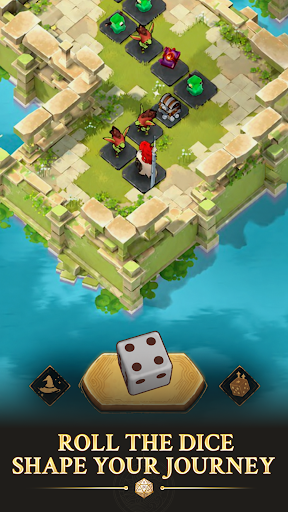
- Roll, Move & Conquer: Cast the dice to navigate dynamic campaign maps. Every tile forces a strategic choice—battle fierce monsters, trigger random events, or claim high-tier loot.
- Ascend the Infinite Tower: Test your limits in the Tower challenge! Climb endless floors filled with escalating bosses, exclusive rewards, and ultimate bragging rights.
- Forge & Equip Legendary Gear: Gear up your hero with powerful weapon and armor sets. Refine your build to crush enemies and adapt to any challenge.
- Deep Talent Tree Progression: Permanently enhance your hero's core stats and stats-boosting Talents to unlock game-changing perks for future runs.
- Loyal Pet Companions: Collect and upgrade cute yet lethal Pets! Bring them into battle to unleash unique active skills and passive buffs.
- Endless Roguelike Replayability: Ever-changing maps, unpredictable events, and distinct reward pools make every single run feel entirely unique.
A MUST-PLAY FOR FANTASY RPG FANS
Easy to pick up, impossible to master. Dicegeon delivers the perfect blend of casual dice-rolling excitement, deep strategy, and satisfying hero progression.
Pre-register TODAY, claim your special rewards at launch, and prepare for adventure!
Join our community for early news, launch updates & exclusive perks:
Facebook: https://www.facebook.com/dicegeon
Discord: https://discord.gg/ppEtwN3Ywj
Show more

1. Download MEmu installer and finish the setup

2. Start MEmu then open Google Play on the desktop

3. Search Dicegeon: Roguelike RPG in Google Play
Install
4. Download and Install Dicegeon: Roguelike RPG
5. On install completion click the icon to start

6. Enjoy playing Dicegeon: Roguelike RPG on PC with MEmu
MEmu App Player є кращим безкоштовним емулятором Android, і 50 мільйонів людей вже користуються його чудовим ігровим досвідом Android. Технологія віртуалізації MEmu дає вам змогу відтворювати тисячі ігор Android на вашому комп'ютері, навіть найбільш насичених графікою.
Bigger screen with better graphics; Long duration, without limitation of battery or mobile data.
Full Keymapping support for precise control of keyboard and mouse or gamepad.
Multiple game accounts or tasks on single PC at one time with Multi-Instance manager.
Play Dicegeon: Roguelike RPG on PC by following steps: