Dicegeon: Roguelike RPG
Updated
Current Version
Offered By

With your passion for Dicegeon: Roguelike RPG, you shouldn’t have to limit yourself to the small screen of a phone. Play like a pro and take full control of the game using a keyboard and mouse. MEmu gives you everything you’re looking for. Download and play Dicegeon: Roguelike RPG on PC. Play as long as you want — no more worries about battery life, mobile data, or unexpected calls. The all-new MEmu 9 is the best way to play Dicegeon: Roguelike RPG on PC. With our expertly designed keymapping system, Dicegeon: Roguelike RPG feels just like a real PC game. The MEmu multi-instance manager lets you run two or more accounts on the same device at the same time. Most importantly, our exclusive emulation engine unlocks your PC’s full potential, delivering smooth and seamless performance.
Show more
Download Dicegeon: Roguelike RPG on PC with MEmu Android Emulator. Enjoy playing on big screen. DICEGEON: ROLL THE DICE, FORGE YOUR DESTINY!
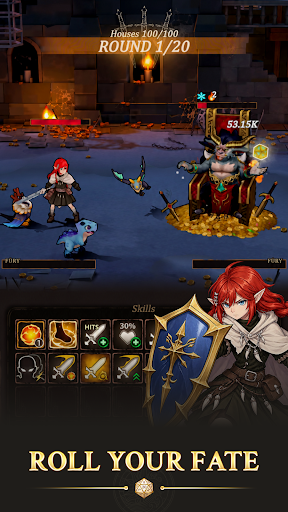
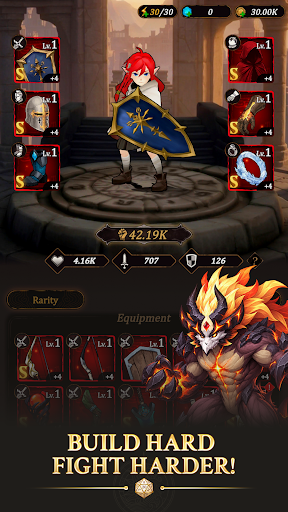
DICEGEON: ROLL THE DICE, FORGE YOUR DESTINY!
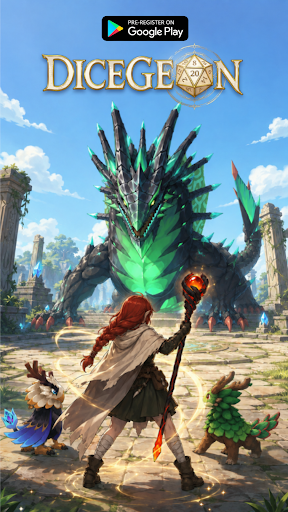
Every legend starts with a single roll! Step into an epic fantasy RPG world where every step brings a fresh thrill: unlock hidden paths, trigger intense turn-based battles, or uncover legendary rewards.
Will you trust pure luck, or mastermind your way to victory?
PRE-REGISTER NOW TO UNLOCK EXCLUSIVE LAUNCH REWARDS!
Be among the first brave adventurers to enter Dicegeon! Pre-register today to receive an exclusive character skin on your very first day of downloading the game, giving you a stylish power-up for your journey right from Day 1!
KEY FEATURES
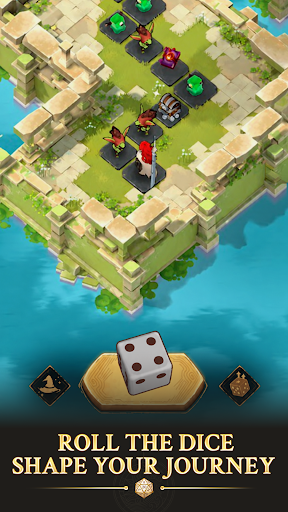
- Roll, Move & Conquer: Cast the dice to navigate dynamic campaign maps. Every tile forces a strategic choice—battle fierce monsters, trigger random events, or claim high-tier loot.
- Ascend the Infinite Tower: Test your limits in the Tower challenge! Climb endless floors filled with escalating bosses, exclusive rewards, and ultimate bragging rights.
- Forge & Equip Legendary Gear: Gear up your hero with powerful weapon and armor sets. Refine your build to crush enemies and adapt to any challenge.
- Deep Talent Tree Progression: Permanently enhance your hero's core stats and stats-boosting Talents to unlock game-changing perks for future runs.
- Loyal Pet Companions: Collect and upgrade cute yet lethal Pets! Bring them into battle to unleash unique active skills and passive buffs.
- Endless Roguelike Replayability: Ever-changing maps, unpredictable events, and distinct reward pools make every single run feel entirely unique.
A MUST-PLAY FOR FANTASY RPG FANS
Easy to pick up, impossible to master. Dicegeon delivers the perfect blend of casual dice-rolling excitement, deep strategy, and satisfying hero progression.
Pre-register TODAY, claim your special rewards at launch, and prepare for adventure!
Join our community for early news, launch updates & exclusive perks:
Facebook: https://www.facebook.com/dicegeon
Discord: https://discord.gg/ppEtwN3Ywj
Show more

1. Download MEmu installer and finish the setup

2. Start MEmu then open Google Play on the desktop

3. Search Dicegeon: Roguelike RPG in Google Play
Install
4. Download and Install Dicegeon: Roguelike RPG
5. On install completion click the icon to start

6. Enjoy playing Dicegeon: Roguelike RPG on PC with MEmu
MEmu Play is the best Android emulator and 100 million people already enjoy its superb Android gaming experience. The MEmu virtualization technology empowers you to play thousands of Android games smoothly on your PC, even the most graphic-intensive ones.
Bigger screen with better graphics; Long duration, without limitation of battery or mobile data.
Full Keymapping support for precise control of keyboard and mouse or gamepad.
Multiple game accounts or tasks on single PC at one time with Multi-Instance manager.
Play Dicegeon: Roguelike RPG on PC by following steps: