
Zombie War: Idle Defense
Оновлено
Поточна версія
Постачальник

Перестаньте турбуватися про надмірні витрати, використовуючи ххх на своєму мобільному телефоні, звільніться від крихітного екрану і насолоджуйтеся використанням програми на набагато більшому дисплеї. Відтепер отримуйте повний екран свого додатка за допомогою клавіатури та миші. MEmu пропонує вам усі дивовижні функції, які ви очікували: швидка установка та просте налаштування, інтуїтивно зрозумілі елементи керування, більше обмежень від акумулятора, мобільних даних та тривожних дзвінків. Новий MEmu 9 - найкращий вибір використання Zombie War: Idle Defense на вашому комп’ютері. За допомогою нашого поглинання менеджер із кількома примірниками одночасно дозволяє відкрити 2 або більше рахунків. І найголовніше, наш ексклюзивний емуляційний двигун може вивільнити весь потенціал вашого ПК, зробити все гладким і приємним.
Show more
Насолоджуйтесь чудовим досвідом Zombie War: Idle Defense гри на ПК за допомогою програми MEMU App Player. Це потужний безкоштовний емулятор Android, який дозволяє вам грати в тисячі ігор Android. ZOMBIE TOWER DEFENSE – IDLE RPG SURVIVAL WAR!
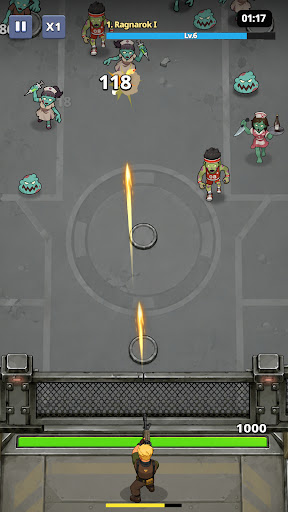

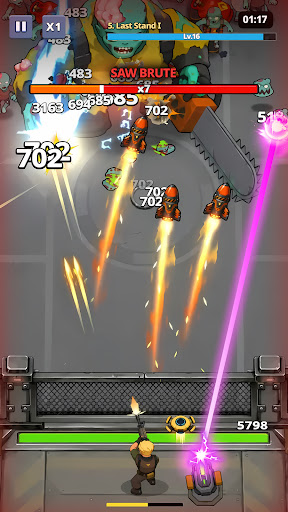
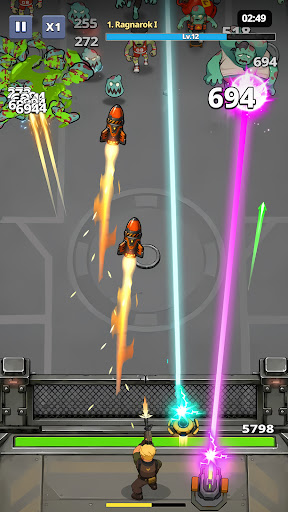
ZOMBIE TOWER DEFENSE – IDLE RPG SURVIVAL WAR!
Step into a brutal zombie tower defense (TD) survival game, where your mission is simple: build, upgrade, and survive endless zombie waves.
In this addictive idle RPG defense game, every decision matters. Place your defenses, upgrade your towers, and hold the line against increasingly powerful zombie hordes and mutant bosses.
CLASSIC TOWER DEFENSE GAMEPLAY
Experience modern TD strategy gameplay with simple controls but deep tactical depth.
Position your defense units wisely and stop waves of relentless zombies before they break through your base.
Build and upgrade defensive towers
Stop waves of zombie enemies
Face stronger mutant bosses each stage
Optimize your defense strategy for survival
IDLE RPG PROGRESSION SYSTEM
Your defense never stops fighting!
Even when you are offline, your system continues in idle battle mode, earning resources and rewards automatically.
AFK rewards system
Continuous upgrade progression
Unlock stronger defense units
Boost damage, speed, and survivability
Come back stronger after every session.
ENDLESS ZOMBIE SURVIVAL WAVES
Face an unstoppable apocalypse of:
Zombie swarms
Fast infected units
Armored mutant zombies
Giant boss monsters
Each wave becomes harder, forcing you to constantly adapt your tower defense strategy.
DEEP UPGRADE SYSTEM
This is not just survival — it’s evolution.
Upgrade towers to higher tiers
Increase attack speed and damage
Unlock special defense abilities
Improve AFK idle income
Build the ultimate zombie-killing setup
This is a true upgrade game experience where progression never stops.
MULTIPLE GAME MODES
Campaign Mode: Progress through zombie outbreak zones
Endless Mode: Test how long you can survive
Boss Challenge: Fight massive zombie bosses
Daily Missions: Earn rewards and upgrade faster
SURVIVE THE ZOMBIE APOCALYPSE
The world has fallen. Only your strategy stands between humanity and extinction.
Build your defenses. Upgrade your power. Survive the endless zombie invasion.
Download now and become the ultimate zombie defense commander.
Show more

1. Download MEmu installer and finish the setup

2. Start MEmu then open Google Play on the desktop

3. Search Zombie War: Idle Defense in Google Play
Install
4. Download and Install Zombie War: Idle Defense
5. On install completion click the icon to start

6. Enjoy playing Zombie War: Idle Defense on PC with MEmu
MEmu App Player є кращим безкоштовним емулятором Android, і 50 мільйонів людей вже користуються його чудовим ігровим досвідом Android. Технологія віртуалізації MEmu дає вам змогу відтворювати тисячі ігор Android на вашому комп'ютері, навіть найбільш насичених графікою.
Bigger screen with better graphics; Long duration, without limitation of battery or mobile data.
Full Keymapping support for precise control of keyboard and mouse or gamepad.
Multiple game accounts or tasks on single PC at one time with Multi-Instance manager.
Play Zombie War: Idle Defense on PC by following steps: