
Zombie War: Idle Defense
Updated
Current Version
Offered By

With your passion for Zombie War: Idle Defense, you shouldn’t have to limit yourself to the small screen of a phone. Play like a pro and take full control of the game using a keyboard and mouse. MEmu gives you everything you’re looking for. Download and play Zombie War: Idle Defense on PC. Play as long as you want — no more worries about battery life, mobile data, or unexpected calls. The all-new MEmu 9 is the best way to play Zombie War: Idle Defense on PC. With our expertly designed keymapping system, Zombie War: Idle Defense feels just like a real PC game. The MEmu multi-instance manager lets you run two or more accounts on the same device at the same time. Most importantly, our exclusive emulation engine unlocks your PC’s full potential, delivering smooth and seamless performance.
Show more
Download Zombie War: Idle Defense on PC with MEmu Android Emulator. Enjoy playing on big screen. ZOMBIE TOWER DEFENSE – IDLE RPG SURVIVAL WAR!
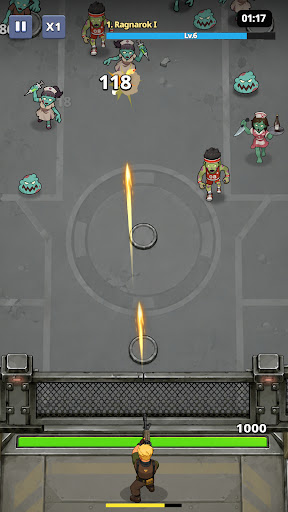
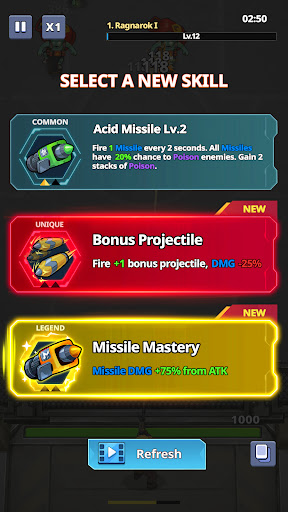
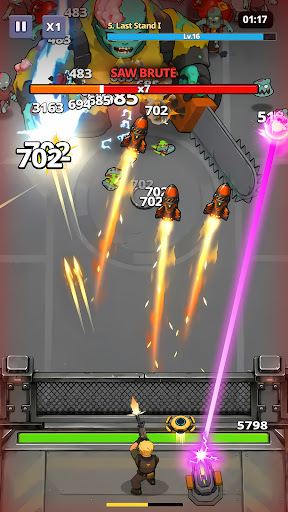
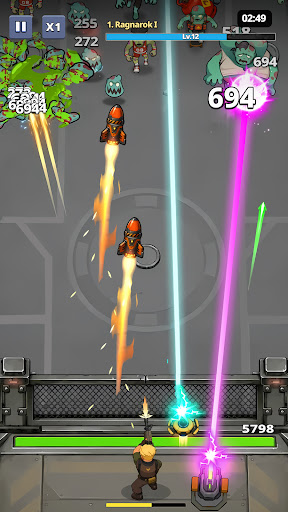
ZOMBIE TOWER DEFENSE – IDLE RPG SURVIVAL WAR!
Step into a brutal zombie tower defense (TD) survival game, where your mission is simple: build, upgrade, and survive endless zombie waves.
In this addictive idle RPG defense game, every decision matters. Place your defenses, upgrade your towers, and hold the line against increasingly powerful zombie hordes and mutant bosses.
CLASSIC TOWER DEFENSE GAMEPLAY
Experience modern TD strategy gameplay with simple controls but deep tactical depth.
Position your defense units wisely and stop waves of relentless zombies before they break through your base.
Build and upgrade defensive towers
Stop waves of zombie enemies
Face stronger mutant bosses each stage
Optimize your defense strategy for survival
IDLE RPG PROGRESSION SYSTEM
Your defense never stops fighting!
Even when you are offline, your system continues in idle battle mode, earning resources and rewards automatically.
AFK rewards system
Continuous upgrade progression
Unlock stronger defense units
Boost damage, speed, and survivability
Come back stronger after every session.
ENDLESS ZOMBIE SURVIVAL WAVES
Face an unstoppable apocalypse of:
Zombie swarms
Fast infected units
Armored mutant zombies
Giant boss monsters
Each wave becomes harder, forcing you to constantly adapt your tower defense strategy.
DEEP UPGRADE SYSTEM
This is not just survival — it’s evolution.
Upgrade towers to higher tiers
Increase attack speed and damage
Unlock special defense abilities
Improve AFK idle income
Build the ultimate zombie-killing setup
This is a true upgrade game experience where progression never stops.
MULTIPLE GAME MODES
Campaign Mode: Progress through zombie outbreak zones
Endless Mode: Test how long you can survive
Boss Challenge: Fight massive zombie bosses
Daily Missions: Earn rewards and upgrade faster
SURVIVE THE ZOMBIE APOCALYPSE
The world has fallen. Only your strategy stands between humanity and extinction.
Build your defenses. Upgrade your power. Survive the endless zombie invasion.
Download now and become the ultimate zombie defense commander.
Show more

1. Download MEmu installer and finish the setup

2. Start MEmu then open Google Play on the desktop

3. Search Zombie War: Idle Defense in Google Play
Install
4. Download and Install Zombie War: Idle Defense
5. On install completion click the icon to start

6. Enjoy playing Zombie War: Idle Defense on PC with MEmu
MEmu Play is the best Android emulator and 100 million people already enjoy its superb Android gaming experience. The MEmu virtualization technology empowers you to play thousands of Android games smoothly on your PC, even the most graphic-intensive ones.
Bigger screen with better graphics; Long duration, without limitation of battery or mobile data.
Full Keymapping support for precise control of keyboard and mouse or gamepad.
Multiple game accounts or tasks on single PC at one time with Multi-Instance manager.
Play Zombie War: Idle Defense on PC by following steps: