PDF Reader: Smart AI Assistant
Оновлено
Поточна версія
1.0.1
Постачальник

Перестаньте турбуватися про надмірні витрати, використовуючи ххх на своєму мобільному телефоні, звільніться від крихітного екрану і насолоджуйтеся використанням програми на набагато більшому дисплеї. Відтепер отримуйте повний екран свого додатка за допомогою клавіатури та миші. MEmu пропонує вам усі дивовижні функції, які ви очікували: швидка установка та просте налаштування, інтуїтивно зрозумілі елементи керування, більше обмежень від акумулятора, мобільних даних та тривожних дзвінків. Зовсім новий MEmu 9 – найкращий вибір для використання Єдина Школа на вашому комп’ютері. За допомогою нашого поглинання менеджер із кількома примірниками одночасно дозволяє відкрити 2 або більше рахунків. І найголовніше, наш ексклюзивний емуляційний двигун може вивільнити весь потенціал вашого ПК, зробити все гладким і приємним.
Show more
Насолоджуйтесь чудовим досвідом використання PDF Reader: Smart AI Assistant на ПК за допомогою MEmu Play. Це потужний безкоштовний емулятор Android, який пропонує тисячі програм Android для настільних комп'ютерів. Насолоджуйтесь спілкуванням з друзями та покращенням своєї роботи з більшою ефективністю! PDF Reader: Smart AI Assistant is an easy-to-use PDF app for reading, editing, scanning, converting, and organizing your documents.
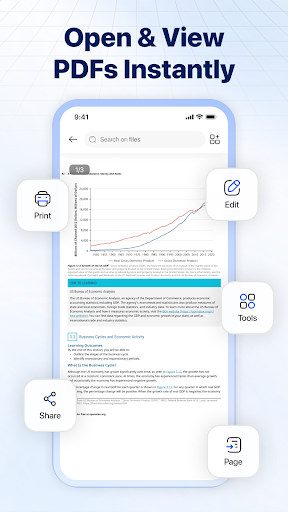
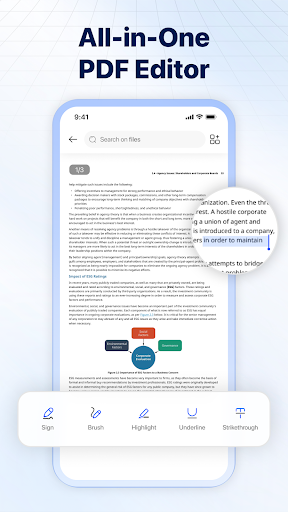
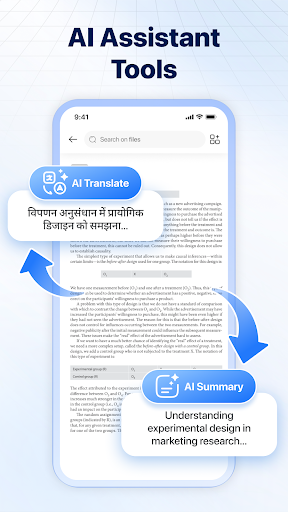
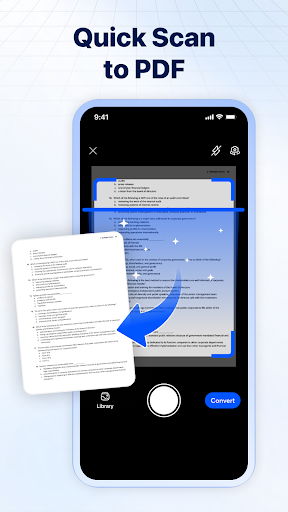
PDF Reader: Smart AI Assistant is an easy-to-use PDF app for reading, editing, scanning, converting, and organizing your documents. Bring your everyday PDF tasks together in one convenient place and work with your files whenever you need them.
Read PDF Documents
Access your PDF files quickly with a simple and convenient reader.
︎ Open and view PDF documents
︎ Search for text inside PDF files
︎ Browse and organize your PDF files
PDF Editing & Tools
Handle everyday PDF tasks without switching between different applications.
︎ Edit and annotate PDF documents
︎ Highlight important content
︎ Merge multiple PDFs into one file
︎ Split large PDF files into smaller documents
︎ Convert PDF pages into images
︎ Create PDF files from images
︎ Add signatures to PDF files
Scan Documents
Turn paper documents into digital files using your phone.
Scan receipts, notes, forms, contracts, and other documents with your camera. Create PDF files from your scans and easily save, organize, or share them when needed.
Smart AI Assistant
Make working with documents more convenient with smart AI features.
︎ Get quick summaries of document content
︎ Translate PDF content into other languages
︎ Work with lengthy documents more efficiently
File Management
Keep your files easy to find and manage.
︎ Browse documents in one place
︎ Search for files quickly
︎ Share files whenever needed
︎ Lock or unlock files to secure sensitive data
Your Everyday PDF Toolkit
Whether you are studying, working with business documents, scanning paperwork, or simply managing files on the go, PDF Reader: Smart AI Assistant gives you the tools you need for everyday PDF tasks.
Read PDFs, edit and annotate documents, scan paper files, convert images, and use smart AI features—all from one convenient PDF app.
We appreciate your feedback and suggestions. Your support helps us continue improving the app and delivering a better PDF experience.
Show more

1. Download MEmu installer and finish the setup

2. Start MEmu then open Google Play on the desktop

3. Search PDF Reader: Smart AI Assistant in Google Play
Install
4. Download and Install PDF Reader: Smart AI Assistant
5. On install completion click the icon to start

6. Enjoy using PDF Reader: Smart AI Assistant on PC with MEmu
MEmu App Player є кращим безкоштовним емулятором Android, і 50 мільйонів людей вже користуються його чудовим ігровим досвідом Android. Технологія віртуалізації MEmu дає вам змогу відтворювати тисячі ігор Android на вашому комп'ютері, навіть найбільш насичених графікою.
Bigger screen with better graphics; Long duration, without limitation of battery or mobile data.
Full Keymapping support for precise control of keyboard and mouse or gamepad.
Multiple game accounts or tasks on single PC at one time with Multi-Instance manager.
Use PDF Reader: Smart AI Assistant on PC by following steps: