PDF Reader: Viewer, PDF Editor
Оновлено
Поточна версія
1.2.1
Постачальник

Перестаньте турбуватися про надмірні витрати, використовуючи ххх на своєму мобільному телефоні, звільніться від крихітного екрану і насолоджуйтеся використанням програми на набагато більшому дисплеї. Відтепер отримуйте повний екран свого додатка за допомогою клавіатури та миші. MEmu пропонує вам усі дивовижні функції, які ви очікували: швидка установка та просте налаштування, інтуїтивно зрозумілі елементи керування, більше обмежень від акумулятора, мобільних даних та тривожних дзвінків. Зовсім новий MEmu 9 – найкращий вибір для використання Єдина Школа на вашому комп’ютері. За допомогою нашого поглинання менеджер із кількома примірниками одночасно дозволяє відкрити 2 або більше рахунків. І найголовніше, наш ексклюзивний емуляційний двигун може вивільнити весь потенціал вашого ПК, зробити все гладким і приємним.
Show more
Насолоджуйтесь чудовим досвідом використання PDF Reader: Viewer, PDF Editor на ПК за допомогою MEmu Play. Це потужний безкоштовний емулятор Android, який пропонує тисячі програм Android для настільних комп'ютерів. Насолоджуйтесь спілкуванням з друзями та покращенням своєї роботи з більшою ефективністю! Щоденна робота з PDF-файлами має бути простою.
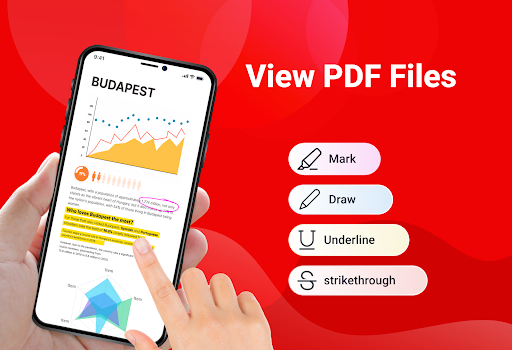
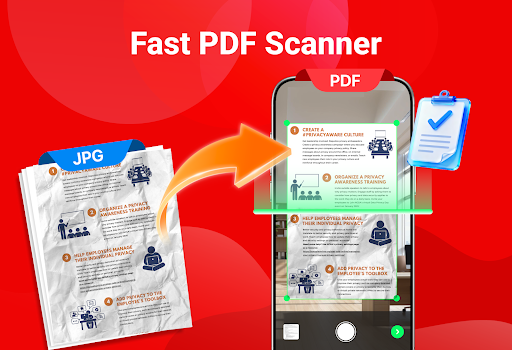
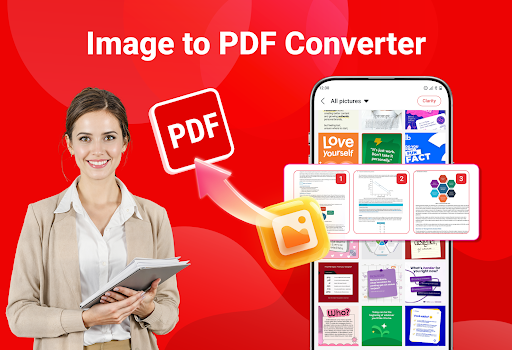
Щоденна робота з PDF-файлами має бути простою. PDF Reader пропонує прості інструменти для відкриття, сканування та керування документами, коли вам це потрібно. Шукаєте простий спосіб роботи з PDF-файлами на телефоні? PDF Reader до ваших послуг.
За допомогою PDF Reader ви можете швидко відкривати PDF-файли та насолоджуватися плавним читанням із чітким текстом та легкою прокруткою. Завантажте програму PDF Reader: Viewer, PDF Editor зараз!
ОСНОВНІ ХАРАКТЕРИСТИКИ
Читання PDF-файлів на телефоні
Сканування документів у PDF
Конвертування зображень у PDF
Легке розділення або об'єднання PDF-файлів
Створення ZIP-файлів
Друк PDF-документів
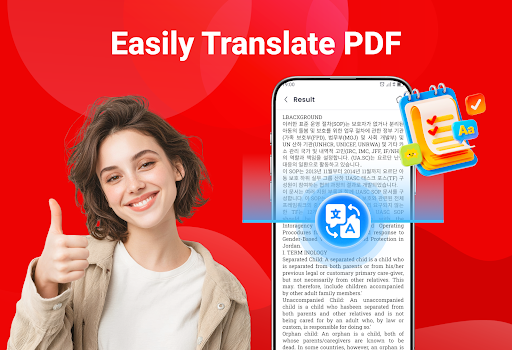
Переклад PDF-вмісту
Сканування документів у PDF
Використовуйте камеру телефону, щоб сканувати документи, квитанції або нотатки та зберігати їх як PDF-файли лише за кілька секунд. Це дозволяє легко перетворювати паперові документи на цифрові файли.
Зображення у PDF
Легко конвертуйте фотографії у PDF-файли. Виберіть зображення з вашої галереї, розташуйте їх у потрібному порядку та створіть чистий PDF-документ лише кількома дотиками.
Розділення PDF-файлів
Якщо вам потрібні лише певні сторінки, ви можете розділити PDF-файл і зберегти вибрані сторінки як новий файл. Це допоможе вам зберегти лише те, що важливо.
Об'єднання PDF-файлів
Об'єднайте кілька PDF-документів в один файл, щоб все було організовано та легше ділитися.
Створення ZIP-файлів
Стисніть PDF-файли в ZIP-папку, щоб заощадити місце для зберігання та пришвидшити обмін.
Друк PDF-документів
Друкуйте свої PDF-файли безпосередньо з програми. Виберіть потрібні сторінки та легко друкуйте їх без зайвих кроків.
Переклад PDF-вмісту
Перекладайте PDF-файли, щоб розуміти вміст іншими мовами, що допоможе вам зручніше читати та використовувати документи.
Завантажте програму PDF Reader: Viewer, PDF Editor сьогодні та легко виконуйте всі свої завдання з PDF. Якщо у вас є якісь запитання або вам потрібна підтримка, звертайтеся до нас у будь-який час.
Show more

1. Download MEmu installer and finish the setup

2. Start MEmu then open Google Play on the desktop

3. Search PDF Reader: Viewer, PDF Editor in Google Play
Install
4. Download and Install PDF Reader: Viewer, PDF Editor
5. On install completion click the icon to start

6. Enjoy using PDF Reader: Viewer, PDF Editor on PC with MEmu
MEmu App Player є кращим безкоштовним емулятором Android, і 50 мільйонів людей вже користуються його чудовим ігровим досвідом Android. Технологія віртуалізації MEmu дає вам змогу відтворювати тисячі ігор Android на вашому комп'ютері, навіть найбільш насичених графікою.
Bigger screen with better graphics; Long duration, without limitation of battery or mobile data.
Full Keymapping support for precise control of keyboard and mouse or gamepad.
Multiple game accounts or tasks on single PC at one time with Multi-Instance manager.
Use PDF Reader: Viewer, PDF Editor on PC by following steps: