Bluey's Happy Snaps
تازہ کاری
موجودہ ورژن
پیشکش بذریعہ

Bluey's Happy Snaps کھیلنے کے اپنے پورے جنون کے دوران آپ کے ہاتھ آپ کے فون کی ایک چھوٹی سی اسکرین تک محدود نہیں ہونے چاہئیں۔ پرو کی طرح کھیلیں اور کی بورڈ اور ماؤس کے سہارے اپنے گیم پر مکمل کنٹرول حاصل کریں۔ MEmu آپ کو وہ تمام چیزیں پیش کرتا ہے جس کی آپ امید کرتے ہیں۔ پی سی پر Bluey's Happy Snaps ڈاؤن لوڈ کریں اور کھیلیں۔ جتنی دیر تک آپ چاہیں کھیلیں، بیٹری، موبائل ڈیٹا کی کوئی حد نہیں ہے اور پریشان کن کالز نہیں ہیں۔ نئے برانڈ کا MEmu 9 پی سی پر Bluey's Happy Snaps کھیلنے کا بہترین اختیار ہے۔ ہماری مہارت کی مدد سے تیار کردہ، شاندار پری سیٹ کی میپنگ سسٹم Bluey's Happy Snaps کو ایک ریئل پی سی گیم بناتا ہے۔ MEmu کثیر نظیری منیجرایک ہی ڈیوائس پر 2 یا زیادہ اکاؤنٹس پلے کرنا ممکن بناتا ہے۔ اور سب سے اہم بات یہ ہے کہ، ہمارا خصوصی ایمولیشن انجن آپ کے پی سی کی مکمل طاقت ریلیز کرتے ہوئے ہر چیز ہموار بنا سکتا ہے۔
مزید دکھائیں
MEmu Play کے ساتھ PC پر Bluey's Happy Snaps ڈاؤن لوڈ کریں۔ بڑی اسکرین پر کھیلنے کا لطف اٹھائیں۔ SAY CHEESE!


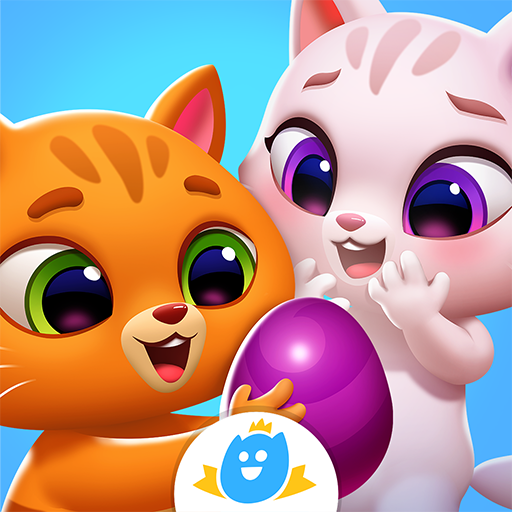
SAY CHEESE!Bluey and Bingo have found Dad's old camera (back from when he was cool). Take it with you around the world of Bluey and snap photos of the games they play and wildlife they discover. Each snapshot is saved to Bluey's scrapbook, where players can keep their favorite moments.SHARE THE FUN!Share the adventure side-by-side! A second player can join in to explore and strike a pose while the main player leads the adventure behind the camera. You can even play with toys together along the way!Bluey's Happy Snaps has no in-game purchases and no online play.PLAY GAMESJoin everyone's favorite Blue Heeler in Bluey's Happy Snaps, a playful interactive adventure inspired by the hit TV series. Explore familiar locations, play with loads of toys, or chase cheeky bin chickens, and enjoy fun activities with Bluey, Bingo, and friends.PLAY FOR REAL LIFE!Throughout the game there are playful tips to keep the fun going into the real world. From birdwatching in your own backyard to setting up play moments with your favourite toys. Kids can explore, pretend, and discover in the game, then keep the fun going âfor real life.CAPTURE, COLLECT & PLAY!Using your camera, unlock stickers and decorations to personalize your scrapbook. Color-in, arrange snapshots, and build a one-of-a-kind keepsake filled with Bluey fun. As they progress through locations, players also encounter "For Real Life" activity ideas that spark play both in the game and beyond the screen.
مزید دکھائیں

1. MEmu انسٹالر ڈاؤن لوڈ کریں اور سیٹ اپ مکمل کریں

2. MEmu شروع کریں اسکے بعد ڈیسکٹاپ پر Google Play کھولیں

3. Google Play میں Bluey's Happy Snaps تلاش کریں
Install
4. Bluey's Happy Snaps ڈاؤن لوڈ کریں اور انسٹال کریں
5. انسٹال مکمل ہونے کے بعد سٹارٹ کرنے کے لیے آئیکن پر کلک کریں

6. MEmu کے ساتھ پی سی پر Bluey's Happy Snaps کھیلنے کا لطف لیں
MEmu پلے بہترین اینڈرائڈ ایمولیٹر ہے اور 100 ملین لوگ اس کے زبردست اینڈرائڈ گیمنگ تجربہ سے لطف اندوز ہو رہے ہیں۔ MEmu کی ورچولائزیشن ٹیکنالوجی آپ کو اپنے PC پر ہزاروں اینڈرائڈ گیمز یہاں تک کہ انتہائی گرافک والے گیمز باسہولت کھیلنے کی طاقت دیتی ہے۔
بہتر گرافکس کے ساتھ بڑی اسکرین؛ طویل دورانیہ، بیٹری یا لامحدود موبائل ڈیٹا کے بغیر۔
کی بورڈ اور ماؤس یا گیم پیڈ کے عین مطابق کنٹرول کے لیے کی میپنگ کا پورا سپورٹ۔
کثیر مثالی منیجر کے ساتھ بیک وقت ایک پی سی پر متعدد گیم اکاؤنٹس یا ٹاسکس۔
پی سی پر درج ذیل مراحل پر عمل کرتے ہوئے Bluey's Happy Snaps کھیلیں: