Bluey's Happy Snaps
Updated
Current Version
Offered By

With your passion for Bluey's Happy Snaps, you shouldn’t have to limit yourself to the small screen of a phone. Play like a pro and take full control of the game using a keyboard and mouse. MEmu gives you everything you’re looking for. Download and play Bluey's Happy Snaps on PC. Play as long as you want — no more worries about battery life, mobile data, or unexpected calls. The all-new MEmu 9 is the best way to play Bluey's Happy Snaps on PC. With our expertly designed keymapping system, Bluey's Happy Snaps feels just like a real PC game. The MEmu multi-instance manager lets you run two or more accounts on the same device at the same time. Most importantly, our exclusive emulation engine unlocks your PC’s full potential, delivering smooth and seamless performance.
Show more
Download Bluey's Happy Snaps on PC with MEmu Android Emulator. Enjoy playing on big screen. SAY CHEESE!
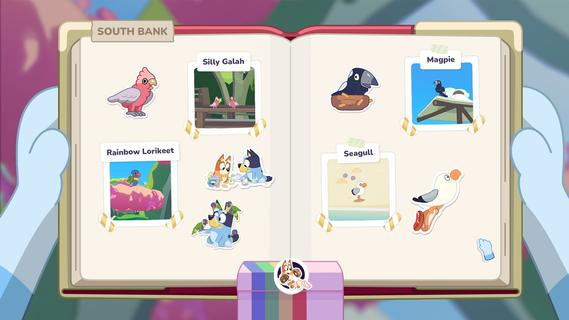

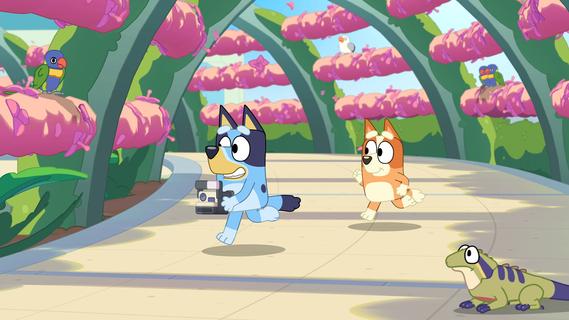
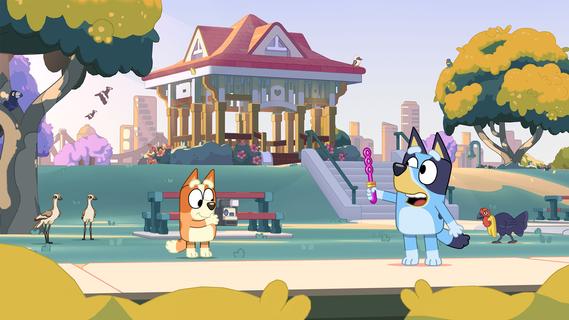
SAY CHEESE! Bluey and Bingo have found Dad's old camera (back from when he was cool). Take it with you around the world of Bluey and snap photos of the games they play and wildlife they discover. Each snapshot is saved to Bluey's scrapbook, where players can keep their favorite moments. SHARE THE FUN! Share the adventure side-by-side! A second player can join in to explore and strike a pose while the main player leads the adventure behind the camera. You can even play with toys together along the way! Bluey's Happy Snaps has no in-game purchases and no online play. PLAY GAMES Join everyone's favorite Blue Heeler in Bluey's Happy Snaps, a playful interactive adventure inspired by the hit TV series. Explore familiar locations, play with loads of toys, or chase cheeky bin chickens, and enjoy fun activities with Bluey, Bingo, and friends. PLAY FOR REAL LIFE! Throughout the game there are playful tips to keep the fun going into the real world. From birdwatching in your own backyard to setting up play moments with your favourite toys. Kids can explore, pretend, and discover in the game, then keep the fun going “for real life. CAPTURE, COLLECT & PLAY! Using your camera, unlock stickers and decorations to personalize your scrapbook. Color-in, arrange snapshots, and build a one-of-a-kind keepsake filled with Bluey fun. As they progress through locations, players also encounter "For Real Life" activity ideas that spark play both in the game and beyond the screen.
Show more

1. Download MEmu installer and finish the setup

2. Start MEmu then open Google Play on the desktop

3. Search Bluey's Happy Snaps in Google Play
Install
4. Download and Install Bluey's Happy Snaps
5. On install completion click the icon to start

6. Enjoy playing Bluey's Happy Snaps on PC with MEmu
MEmu Play is the best Android emulator and 100 million people already enjoy its superb Android gaming experience. The MEmu virtualization technology empowers you to play thousands of Android games smoothly on your PC, even the most graphic-intensive ones.
Bigger screen with better graphics; Long duration, without limitation of battery or mobile data.
Full Keymapping support for precise control of keyboard and mouse or gamepad.
Multiple game accounts or tasks on single PC at one time with Multi-Instance manager.
Play Bluey's Happy Snaps on PC by following steps: