
All Video Downloader
تازہ کاری
موجودہ ورژن
1.5.4
پیشکش بذریعہ

اپنے موبائل فون پر All Video Downloader کا استعمال کرتے وقت زیادہ چارج ہونے کی فکر نہ کریں، خود کو چھوٹی اسکرین سے آزاد کریں اور ایپ کو زیادہ بڑے ڈسپلے پر استعمال کرنے کا لطف اٹھائیں۔ اس کے بعد سے کی بورڈ اور ماؤس کے ساتھ اپنے ایپ کا فل اسکرین کا تجربہ حاصل کریں۔ MEmu آپ کو وہ تمام حیران کن خصوصیات پیش کرتا ہے جن کی آپ کو توقع کرتے ہیں: فوری انسٹال اور آسان سیٹ اپ، وجدانی کنٹرول، مزید بیٹری، موبائل ڈیٹا کی کوئی حد نہیں اور اب مزید پریشان کن کالز نہیں۔ نئے برانڈ کا MEmu 9 آپ کے کمپیوٹر پر All Video Downloader استعمال کرنے کے لیے بہترین اختیار ہے۔ MEmu کثیر نظیری منیجر بیک وقت 2 یا اس سے زیادہ اکاؤنٹس کھولنا ممکن بناتا ہے۔ اور سب اہم بات، ہمارا خصوصی ایمولیشن انجن آپ کے پی سی کی پوری طاقت ریلیز کرتے ہوئے ہر چیز ہموار اور قابل تفریح بناتا ہے۔
مزید دکھائیں
Download All Video Downloader on PC with MEmu Android Emulator. Enjoy playing on big screen. The purpose of an All Video Downloader app is to provide users with a convenient and efficient way to download videos from various online platforms.
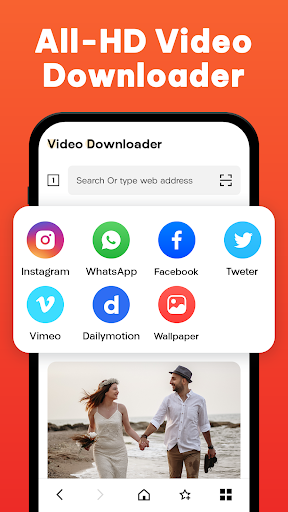
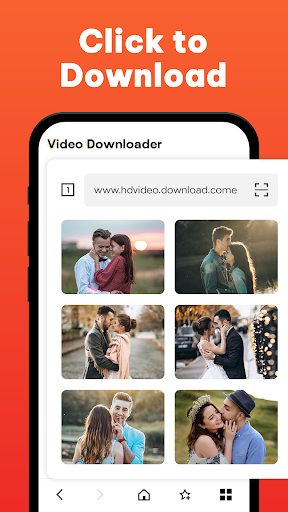
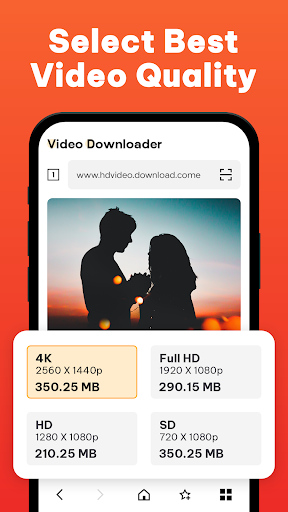
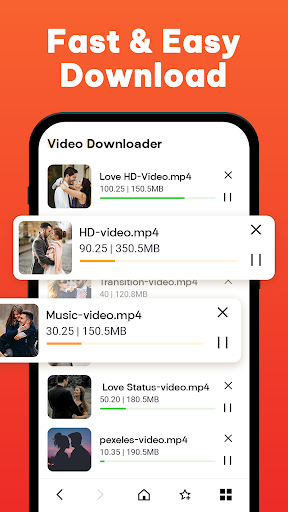
The purpose of an All Video Downloader app is to provide users with a convenient and efficient way to download videos from various online platforms.
With the increasing availability of high-speed internet connections, streaming videos has become a preferred method of consuming content. However, there are situations when we might not have a stable internet connection or want to watch videos offline, such as during travel or in areas with limited connectivity.
These apps typically offer a user-friendly interface that allows users to easily search, browse, and download videos from supported platforms. Users can simply copy and paste the video URL into the app or use the integrated search functionality to find the desired video. Once the video is found, the app provides options to select the desired video quality and format before initiating the download process.
Once the download is initiated, the app efficiently fetches the video data and saves it locally on the user's device. The downloaded videos can be stored in a designated folder within the app or directly in the device's media library, making them easily accessible for offline viewing.
These apps often provide additional features to enhance the user experience. For instance, they may offer the ability to download videos in batches, allowing users to download multiple videos simultaneously. Some apps also include video conversion capabilities, enabling users to convert videos into different formats that are compatible with their devices.
Fow Download videos follow the general steps:
- Open the Video Downloader app.
- Search for the video you want to download and open it.
- Copy the video's URL from the address bar.
- Paste the video's URL into the video downloader app's search bar.
- The app will analyze the video and provide options for downloading it in various formats and resolutions.
- Select the desired format and resolution and start the download.
- The video will be downloaded to your device's storage and can be viewed in this app.
In this App Thru you can download videos at a fast speed and play videos in HD.
Main Features
- Auto-detect videos and fast download with one click.
- Pause, resume, delete, and share downloads.
- Support to download files to your SD card.
- Support all formats, MP3, M4A, MP4, M4V, MOV, AVI, WMV, DOC, XLS, PDF, TXT, etc.
- Download videos and social media clips in HD quality from all social webs.
- Browse without leaving any trace with the built-in browser.
- Download videos with no limitation.
- Ultrafast download speed
- Check progress in the download bar.
Disclaimer:
We are not responsible for any intellectual property violation that results from unauthorized reposts of videos.
This app is not officially associated with Instagram, Facebook, Twitter, etc.
Downloading files protected by copyright is prohibited and regulated by the law of the country.
This app doesn't support downloading YouTube videos due to the policy of the Play Store.
We will keep working hard to optimize the app and improve the user experience.
Please give us your feedback and app rating.
Because your feedback and app rating encourage me to make the next changes.
Thank you very much for downloading this app....
مزید دکھائیں

1. MEmu انسٹالر ڈاؤن لوڈ کریں اور سیٹ اپ مکمل کریں

2. MEmu شروع کریں اسکے بعد ڈیسکٹاپ پر Google Play کھولیں

3. Google Play میں All Video Downloader تلاش کریں
Install
4. All Video Downloader ڈاؤن لوڈ کریں اور انسٹال کریں
5. انسٹال مکمل ہونے کے بعد سٹارٹ کرنے کے لیے آئیکن پر کلک کریں

6. MEmu کے ساتھ پی سی پر All Video Downloader کھیلنے کا لطف لیں
MEmu پلے بہترین اینڈرائڈ ایمولیٹر ہے اور 100 ملین لوگ اس کے زبردست اینڈرائڈ گیمنگ تجربہ سے لطف اندوز ہو رہے ہیں۔ MEmu کی ورچولائزیشن ٹیکنالوجی آپ کو اپنے PC پر ہزاروں اینڈرائڈ گیمز یہاں تک کہ انتہائی گرافک والے گیمز باسہولت کھیلنے کی طاقت دیتی ہے۔
بہتر گرافکس کے ساتھ بڑی اسکرین؛ طویل دورانیہ، بیٹری یا لامحدود موبائل ڈیٹا کے بغیر۔
کی بورڈ اور ماؤس یا گیم پیڈ کے عین مطابق کنٹرول کے لیے کی میپنگ کا پورا سپورٹ۔
کثیر مثالی منیجر کے ساتھ بیک وقت ایک پی سی پر متعدد گیم اکاؤنٹس یا ٹاسکس۔
پی سی پر درج ذیل مراحل پر عمل کرتے ہوئے پر All Video Downloader استعمال کریں: u003c/p>