iFoto: AI Photo Studio
تازہ کاری
موجودہ ورژن
3.6.2
پیشکش بذریعہ

اپنے موبائل فون پر iFoto: AI Photo Studio کا استعمال کرتے وقت زیادہ چارج ہونے کی فکر نہ کریں، خود کو چھوٹی اسکرین سے آزاد کریں اور ایپ کو زیادہ بڑے ڈسپلے پر استعمال کرنے کا لطف اٹھائیں۔ اس کے بعد سے کی بورڈ اور ماؤس کے ساتھ اپنے ایپ کا فل اسکرین کا تجربہ حاصل کریں۔ MEmu آپ کو وہ تمام حیران کن خصوصیات پیش کرتا ہے جن کی آپ کو توقع کرتے ہیں: فوری انسٹال اور آسان سیٹ اپ، وجدانی کنٹرول، مزید بیٹری، موبائل ڈیٹا کی کوئی حد نہیں اور اب مزید پریشان کن کالز نہیں۔ نئے برانڈ کا MEmu 9 آپ کے کمپیوٹر پر iFoto: AI Photo Studio استعمال کرنے کے لیے بہترین اختیار ہے۔ MEmu کثیر نظیری منیجر بیک وقت 2 یا اس سے زیادہ اکاؤنٹس کھولنا ممکن بناتا ہے۔ اور سب اہم بات، ہمارا خصوصی ایمولیشن انجن آپ کے پی سی کی پوری طاقت ریلیز کرتے ہوئے ہر چیز ہموار اور قابل تفریح بناتا ہے۔
مزید دکھائیں
Download iFoto: AI Photo Studio on PC with MEmu Android Emulator. Enjoy playing on big screen. Effortlessly create, edit, and organize perfect product shots with just a few taps.
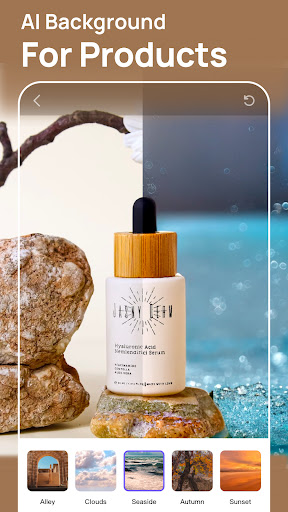

Effortlessly create, edit, and organize perfect product shots with just a few taps. It’s why thousands of creators and online sellers choose iFoto to get their listings live 4x faster and make more sales.
All within the mobile app, you can:
-Optimize product image creation tailored specifically for e-commerce platforms like Amazon, Shopify, eBay, and Etsy.
-Tailor profile images to enhance your web page and social media presence, aligning with your brand identity.
-Craft curated narratives to effectively showcase your store, lifestyle, or personal brand, ensuring professional presentation.
-Implement easy access for viewers to browse, download, and contribute to your photo collections.
-Streamline and amplify promotional efforts to maximize visibility and engagement across platforms.
Explore the many features of iFoto and see how you can streamline photo editing without sacrificing quality.
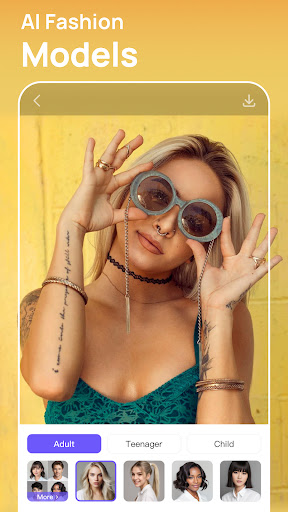
-AI Fashion Models: Transform fashion mannequins into lifelike models with diverse professional looks, bringing your products to life.
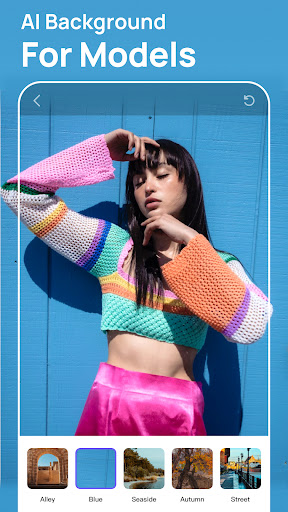
-AI Background Changer: Generate AI backgrounds that seamlessly blend your products into any scene you imagine, with professional photo quality.
-Free Background Removal: Truly free of charge, with a monthly allowance of 10,000 images per user.
-Product Recoloring: Easily alter the color of clothing or other products to create a complete set from a single photo, offering more variety with less effort.
-Photo Enhancer: Instantly improves image quality and scalability, making them more pleasing to the eye and versatile for various uses.
-Image Recopyright: Free yourself from copyright concerns. We help you confirm and secure the right to use specific imagery, providing peace of mind in a copyright-intense world.
-Face Swap: Swap faces in your existing photos instantly with AI. No portrait rights worries.
-Cleanup Pictures: Remove unwanted objects from photos, people, text, and defects from any picture. It's extremely easy in just a few clicks.
-Terms of Use: https://www.ifoto.ai/terms
-Privacy Policy :https://www.ifoto.ai/privacy-policy
About iFoto Pro subscriptions:
Try iFoto Pro with a free trial. You'll be charged a subscription fee when the trial ends only, except if you cancel the subscription before. iFoto Pro subscriptions are charged monthly or annually to your google play account
مزید دکھائیں

1. MEmu انسٹالر ڈاؤن لوڈ کریں اور سیٹ اپ مکمل کریں

2. MEmu شروع کریں اسکے بعد ڈیسکٹاپ پر Google Play کھولیں

3. Google Play میں iFoto: AI Photo Studio تلاش کریں
Install
4. iFoto: AI Photo Studio ڈاؤن لوڈ کریں اور انسٹال کریں
5. انسٹال مکمل ہونے کے بعد سٹارٹ کرنے کے لیے آئیکن پر کلک کریں

6. MEmu کے ساتھ پی سی پر iFoto: AI Photo Studio کھیلنے کا لطف لیں
MEmu پلے بہترین اینڈرائڈ ایمولیٹر ہے اور 100 ملین لوگ اس کے زبردست اینڈرائڈ گیمنگ تجربہ سے لطف اندوز ہو رہے ہیں۔ MEmu کی ورچولائزیشن ٹیکنالوجی آپ کو اپنے PC پر ہزاروں اینڈرائڈ گیمز یہاں تک کہ انتہائی گرافک والے گیمز باسہولت کھیلنے کی طاقت دیتی ہے۔
بہتر گرافکس کے ساتھ بڑی اسکرین؛ طویل دورانیہ، بیٹری یا لامحدود موبائل ڈیٹا کے بغیر۔
کی بورڈ اور ماؤس یا گیم پیڈ کے عین مطابق کنٹرول کے لیے کی میپنگ کا پورا سپورٹ۔
کثیر مثالی منیجر کے ساتھ بیک وقت ایک پی سی پر متعدد گیم اکاؤنٹس یا ٹاسکس۔
پی سی پر درج ذیل مراحل پر عمل کرتے ہوئے پر iFoto: AI Photo Studio استعمال کریں: u003c/p>