
iFoto: AI Photo Studio
Diupdate
Versi Saat Ini
3.6.2
Ditawarkan Oleh

Hentilah khawatir tentang biaya berlebihan saat menggunakan iFoto: AI Photo Studio di ponsel Anda, bebaskan diri Anda dari layar kecil dan nikmati menggunakan aplikasi pada tampilan yang lebih besar. Mulai sekarang, dapatkan pengalaman full-screen di aplikasi Anda dengan keyboard dan mouse. MEmu menyediakan semua fitur mengejutkan yang Anda harapkan: cepat menginstal dan mudah menggunakan, kontrol intuitif, tidak ada lagi batasan baterai, data seluler dan panggilan yang mengganggu. MEmu 9 yang baru adalah pilihan terbaik untuk menggunakan iFoto: AI Photo Studio di komputer Anda. Bersandi dengan absorpsi kami, manajer multi-instance memungkinkan pembukaan 2 akun atau lebih pada saat yang bersamaan. Dan yang paling penting, mesin emulasi eksklusif kami dapat melepaskan potensi penuh PC Anda, menjadikan semuanya lancar dan menyenangkan.
Tampilkan Lebih banyak
Unduh iFoto: AI Photo Studio di PC dengan Emulator Android MEmu. Nikmati permainan pada layar yang besar. Effortlessly create, edit, and organize perfect product shots with just a few taps.
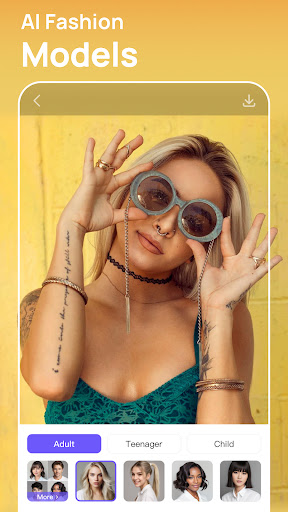
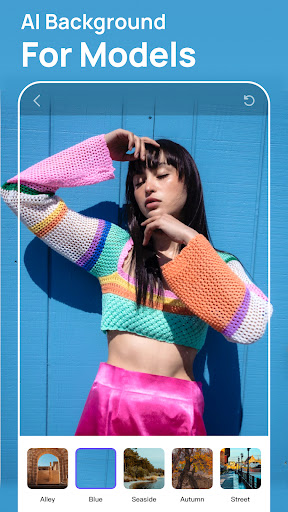


Effortlessly create, edit, and organize perfect product shots with just a few taps. It’s why thousands of creators and online sellers choose iFoto to get their listings live 4x faster and make more sales.
All within the mobile app, you can:
-Optimize product image creation tailored specifically for e-commerce platforms like Amazon, Shopify, eBay, and Etsy.
-Tailor profile images to enhance your web page and social media presence, aligning with your brand identity.
-Craft curated narratives to effectively showcase your store, lifestyle, or personal brand, ensuring professional presentation.
-Implement easy access for viewers to browse, download, and contribute to your photo collections.
-Streamline and amplify promotional efforts to maximize visibility and engagement across platforms.
Explore the many features of iFoto and see how you can streamline photo editing without sacrificing quality.
-AI Fashion Models: Transform fashion mannequins into lifelike models with diverse professional looks, bringing your products to life.
-AI Background Changer: Generate AI backgrounds that seamlessly blend your products into any scene you imagine, with professional photo quality.
-Free Background Removal: Truly free of charge, with a monthly allowance of 10,000 images per user.
-Product Recoloring: Easily alter the color of clothing or other products to create a complete set from a single photo, offering more variety with less effort.
-Photo Enhancer: Instantly improves image quality and scalability, making them more pleasing to the eye and versatile for various uses.
-Image Recopyright: Free yourself from copyright concerns. We help you confirm and secure the right to use specific imagery, providing peace of mind in a copyright-intense world.
-Face Swap: Swap faces in your existing photos instantly with AI. No portrait rights worries.
-Cleanup Pictures: Remove unwanted objects from photos, people, text, and defects from any picture. It's extremely easy in just a few clicks.
-Terms of Use: https://www.ifoto.ai/terms
-Privacy Policy :https://www.ifoto.ai/privacy-policy
About iFoto Pro subscriptions:
Try iFoto Pro with a free trial. You'll be charged a subscription fee when the trial ends only, except if you cancel the subscription before. iFoto Pro subscriptions are charged monthly or annually to your google play account
Tampilkan Lebih banyak

1. Unduh dan instal MEmu APP

2. Menjalankan MEmu lalu buka Google Play di halaman

3. Cari iFoto: AI Photo Studio di Google Play
Install
4. Unduh dan instal iFoto: AI Photo Studio
5. Setelah insatl APP selesai,klik ikon untuk mulai

6. Nikmati bermain iFoto: AI Photo Studio di PC dengan MEmu
MEmu Play adalah emulator Android gratis terbaik dan 50 Juta orang sudah menikmati pengalaman luar biasa dalam Aplikasi Android. Teknologi virtualisasi MEmu memberi kekuasaan untuk memainkan ribuan Aplikasi Android dengan lancar di PC anda, bahkan Aplikasi dengan grafis yang paling tinggi.
Layar lebih besar dengan grafis yang lebih baik; durasi panjang, tanpa batasan baterai atau data seluler.
Didukung penuh oleh Pemetaan tombol yang lengkap untuk keakuratan kontrol keyboard dan mouse maupun gamepad.
Membuka beberapa akun game atau tugas di waktu yang sama hanya pada satu PC, dengan Multi-Instance manager.
Use iFoto: AI Photo Studio on PC by following steps:






![Brica BPRO5 AE3[S] PC](https://dl.memuplay.com/new_market/img/com.dawnwin.OD186Cam.icon.2024-12-31-01-18-04.png)