Microsoft OneDrive
تازہ کاری
موجودہ ورژن
7.20
پیشکش بذریعہ

اپنے موبائل فون پر Microsoft OneDrive کا استعمال کرتے وقت زیادہ چارج ہونے کی فکر نہ کریں، خود کو چھوٹی اسکرین سے آزاد کریں اور ایپ کو زیادہ بڑے ڈسپلے پر استعمال کرنے کا لطف اٹھائیں۔ اس کے بعد سے کی بورڈ اور ماؤس کے ساتھ اپنے ایپ کا فل اسکرین کا تجربہ حاصل کریں۔ MEmu آپ کو وہ تمام حیران کن خصوصیات پیش کرتا ہے جن کی آپ کو توقع کرتے ہیں: فوری انسٹال اور آسان سیٹ اپ، وجدانی کنٹرول، مزید بیٹری، موبائل ڈیٹا کی کوئی حد نہیں اور اب مزید پریشان کن کالز نہیں۔ نئے برانڈ کا MEmu 9 آپ کے کمپیوٹر پر Microsoft OneDrive استعمال کرنے کے لیے بہترین اختیار ہے۔ MEmu کثیر نظیری منیجر بیک وقت 2 یا اس سے زیادہ اکاؤنٹس کھولنا ممکن بناتا ہے۔ اور سب اہم بات، ہمارا خصوصی ایمولیشن انجن آپ کے پی سی کی پوری طاقت ریلیز کرتے ہوئے ہر چیز ہموار اور قابل تفریح بناتا ہے۔
مزید دکھائیں
Download Microsoft OneDrive on PC with MEmu Android Emulator. Enjoy playing on big screen. Microsoft OneDrive gives you more storage space for your photos and files.
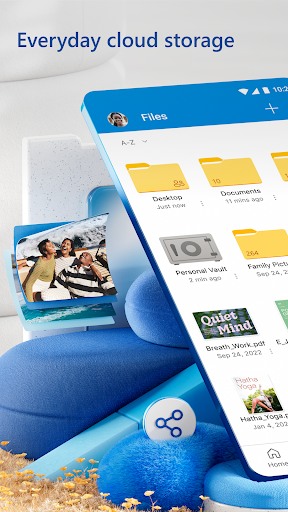
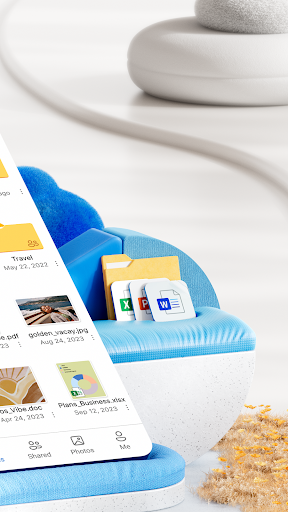
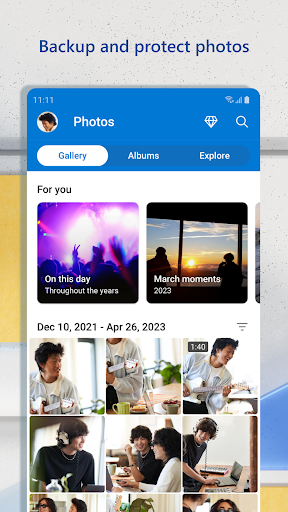
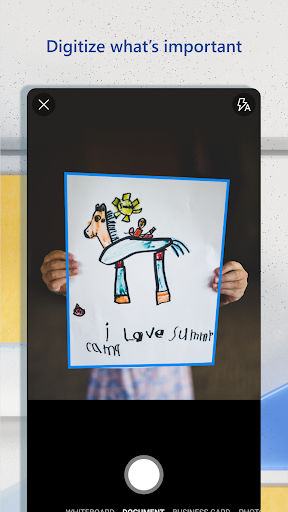
Microsoft OneDrive gives you more storage space for your photos and files. OneDrive’s cloud storage will secure photos, videos, files and keep them safe. Keep your files protected, synced, and accessible on all your devices. The OneDrive app lets you view and share photos files, photos, and videos with friends and family for safe and free storage. Plus, you can use the app to automatically back up your phone’s photos and videos. Start with 5 GB of free storage space or upgrade to a Microsoft 365 subscription to get up to 1 TB or 100 GB of cloud storage.
Microsoft OneDrive offers the following features:
Back up photos & videos
• More storage for all of your important files. Upload photos, videos, documents & more
• Automatic photo backup & secure photo storage when you turn on Camera Upload
• Find photos in the photo locker easily with automatic tagging
• View & share photos on your phone, computer & online
• Free storage & photo locker will secure photos & keep them safe
• Upload videos & keep them in secure photo storage
File sharing and access
• Secure photo storage for all of your photos, videos & albums
• Share files, photos, videos & albums with friends & family
• Share photos & upload videos easily
• Get notifications when a shared document is edited
• Secure folder settings offer password-protected or expiring sharing links*
• Access selected OneDrive files on the app without being online
Security
• All OneDrive files are encrypted at rest & in transit
• Personal Vault: protect important files with identity verification in secure folder storage
• Secure photos, upload videos & keep them safe with secure photo storage
• Restore files with version history
• Stay protected with ransomware detection & recovery*
Collaboration with Microsoft
• Share files across platforms & share photos in the photo locker
• Use Microsoft Office apps to edit & collaborate in real time on Word, Excel, PowerPoint & OneNote files stored in OneDrive
• Back up, view & save Office documents
Document scanning
• Scan, sign, markup & send docs right from the OneDrive mobile app
• Keep documents safe in a secure folder
Search
• Search photos by what’s in them (i.e. beach, snow, etc.)
• Search docs by name or content
The OneDrive app for Android offers 5 GB of free cloud storage to sync photos and files across your devices, share photos and docs, and keep your digital life backed up in the cloud.
Microsoft 365 Personal & Family Subscription
• Subscriptions begin at $6.99 a month in the US, and can vary by region
• More storage with 1 TB per person for up 6 people with the Family subscription
• OneDrive premium features accessible for everyone in the plan
• Share files, folders and photos for specific time windows for added security
• Protect your passwords with password-protected sharing links
• Secure file sharing app with added ransomware detection and recovery security features
• File Restore: Recover files up to 30 days after malicious attacks, file corruption, or accidental edits or deletions
• Share up to 10x more content a day with friends and family
• Access premium versions of Word, Excel, PowerPoint, OneNote, Outlook and OneDrive
Microsoft 365 subscriptions and OneDrive standalone subscriptions purchased from the app will be charged to your Google Play store account and will automatically renew within 24 hours prior to the end of the current subscription period, unless auto-renewal is disabled beforehand.
To manage your subscriptions or to disable auto-renewal, after purchase, go to your Google Play store account settings. A subscription cannot be canceled or refunded during the active subscription period.
For you to sign into your work or school account on OneDrive, your organization needs to have a qualifying OneDrive, SharePoint Online or Microsoft 365 business subscription plan
Privacy policy: http://go.microsoft.com/fwlink/p/?LinkId=253457
Consumer health privacy policy: https://go.microsoft.com/fwlink/?linkid=2259814
مزید دکھائیں

1. MEmu انسٹالر ڈاؤن لوڈ کریں اور سیٹ اپ مکمل کریں

2. MEmu شروع کریں اسکے بعد ڈیسکٹاپ پر Google Play کھولیں

3. Google Play میں Microsoft OneDrive تلاش کریں
Install
4. Microsoft OneDrive ڈاؤن لوڈ کریں اور انسٹال کریں
5. انسٹال مکمل ہونے کے بعد سٹارٹ کرنے کے لیے آئیکن پر کلک کریں

6. MEmu کے ساتھ پی سی پر Microsoft OneDrive کھیلنے کا لطف لیں
MEmu پلے بہترین اینڈرائڈ ایمولیٹر ہے اور 100 ملین لوگ اس کے زبردست اینڈرائڈ گیمنگ تجربہ سے لطف اندوز ہو رہے ہیں۔ MEmu کی ورچولائزیشن ٹیکنالوجی آپ کو اپنے PC پر ہزاروں اینڈرائڈ گیمز یہاں تک کہ انتہائی گرافک والے گیمز باسہولت کھیلنے کی طاقت دیتی ہے۔
بہتر گرافکس کے ساتھ بڑی اسکرین؛ طویل دورانیہ، بیٹری یا لامحدود موبائل ڈیٹا کے بغیر۔
کی بورڈ اور ماؤس یا گیم پیڈ کے عین مطابق کنٹرول کے لیے کی میپنگ کا پورا سپورٹ۔
کثیر مثالی منیجر کے ساتھ بیک وقت ایک پی سی پر متعدد گیم اکاؤنٹس یا ٹاسکس۔
پی سی پر درج ذیل مراحل پر عمل کرتے ہوئے پر Microsoft OneDrive استعمال کریں: u003c/p>