BlooDoChallenge
Đã cập nhật
Phiên bản hiện tại
2.4.2213
Cung cấp bởi

Bạn không cần phải lo lắng về việc sạc quá mức khi sử dụng BlooDoChallenge trên điện thoại của bạn, không phải sử dụng trên màn hình nhỏ bé và tận hưởng ứng dụng trên màn hình lớn hơn rất nhiều. Từ bây giờ, bạn hãy trải nghiệm ứng dụng của bạn toàn màn hình bằng bàn phím và chuột. MEmu cung cấp cho bạn tất cả các tính năng đáng ngạc nhiên mà bạn mong đợi: cài đặt nhanh, cài đặt dễ dàng, điều khiển trực quan, không còn giới hạn về pin, dữ liệu di động và các cuộc gọi làm phiền. MEmu 9 hoàn toàn mới là sự lựa chọn tốt nhất để sử dụng BlooDoChallenge trên máy tính của bạn. Được mã hóa với sự hợp nhất của chúng tôi, trình quản lý multi-instance giúp mở 2 tài khoản trở lên cùng một lúc. Và điều quan trọng nhất là, công cụ mô phỏng độc quyền của chúng tôi có thể tận dụng hết toàn bộ tiềm năng trên PC của bạn, giúp mọi thứ vận hành trơn tru và thú vị.
Nhiều hơn
Tải BlooDoChallenge trên PC với Trình giả lập Android MEmu. Tận hưởng trải nghiệm chơi game trên màn hình lớn Welcome!
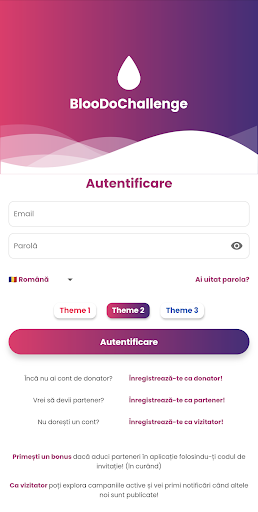
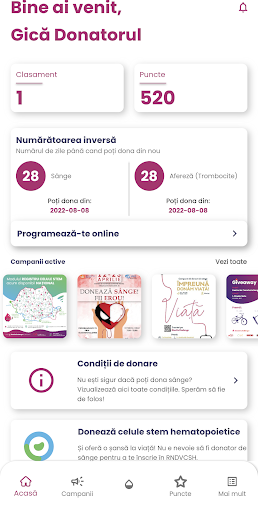
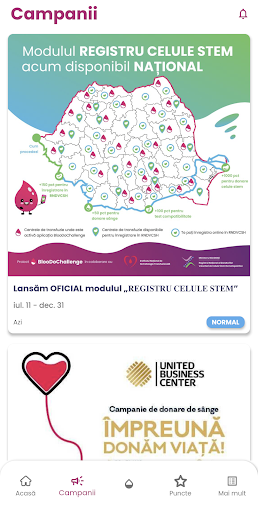
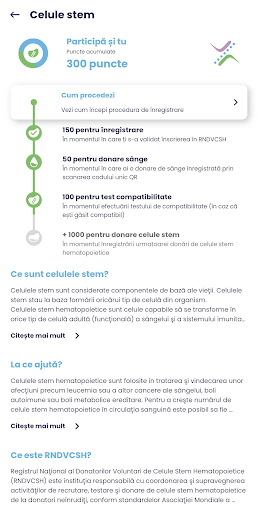
Welcome! Through this application we digitize the donor's card.
We offer you the following features that we would like you to try:
- The blood bank informs you when blood is urgently needed
- You schedule yourself to donate, you no longer stand in line and you help ensure the safety and smoothness of the donation process
- Accumulate points after registering blood donation (40/50 - men/women) or apheresis (50)
- You use your accumulated points to access the offers of our partners (enter the application to meet them)
- You use your accumulated points to compete in the donor ranking
- The blood bank notifies you about the status of the validation of the donated blood unit - validated (the analyzes came out well, the blood can be used), unvalidated (improper diet before donation), unvalidated with recall (if after the analyzes something suspicious was found and retesting is needed, to be informed as soon as possible)
- We send you a thank you note the 2nd day in the morning after the donation, according to law 63/2019
- Find out how many days are left until the next blood donation (70/90 days - men/women) or apheresis (30 days)
- Manual registration of blood or apheresis donations previous to the application (manually registered in the donation history screen)
- Scheduling the mobile collection that will be used both by blood banks and by companies that organize blood donation campaigns at their headquarters
- You will be notified about 7 days before you can donate again
- We inform you in the application who are the organizers of campaigns, raffles, mobile collections and what are your personal data that reach them to let you decide the level of participation
If you have questions, suggestions or want to contribute, we will be happy if you write to us (also here we announce the latest news):
- facebook page: https://www.facebook.com/bloodochallenge
- facebook public group: https://www.facebook.com/groups/289267915787035
- instagram: https://www.instagram.com/bloodochallenge/
- twitter: https://twitter.com/do_bloo
- email: contact@bloodochallenge.com
Life is in your blood, pass it on!
Nhiều hơn

1. Tải trình cài đặt MEmu và hoàn tất cài đặt

2. Khởi động MEmu, sau đó mở Google Play trên trang chủ

3. Tìm kiếm BlooDoChallenge trong Google Play
Install
4. Tải và Cài Đặt BlooDoChallenge
5. Khi cài đặt hoàn tất, nhấp vào biểu tượng để bắt đầu

6. Trải nghiệm BlooDoChallenge trên PC của bạn bằng MEmu
MEmu Play là trình giả lập Android miễn phí tốt nhất, với 50 triệu người dùng trải nghiệm ứng dụng Android tuyệt vời. Công nghệ ảo hóa của MEmu cho phép bạn chạy mượt mà hàng ngàn ứng dụng Android trên máy tính, ngay cả những ứng dụng đòi hỏi cấu hình cao nhất.
Màn hình lớn hơn cùng với đồ hoạ tốt hơn; thời lượng dài, không giới hạn về pin hoặc dữ liệu di động
Hỗ trợ đầy đủ Keymapping cho việc kiểm soát chính xác bàn phím và chuột hoặc gamepad
Nhiều tài khoản trò chơi hoặc tác vụ cùng lúc trên một PC với Quản lý Đa năng
Use BlooDoChallenge on PC by following steps: