Samsung Shop: Smart Appliances
Đã cập nhật
Phiên bản hiện tại
1.0.52
Cung cấp bởi

Bạn không cần phải lo lắng về việc sạc quá mức khi sử dụng Samsung Shop: Smart Appliances trên điện thoại của bạn, không phải sử dụng trên màn hình nhỏ bé và tận hưởng ứng dụng trên màn hình lớn hơn rất nhiều. Từ bây giờ, bạn hãy trải nghiệm ứng dụng của bạn toàn màn hình bằng bàn phím và chuột. MEmu cung cấp cho bạn tất cả các tính năng đáng ngạc nhiên mà bạn mong đợi: cài đặt nhanh, cài đặt dễ dàng, điều khiển trực quan, không còn giới hạn về pin, dữ liệu di động và các cuộc gọi làm phiền. MEmu 9 hoàn toàn mới là sự lựa chọn tốt nhất để sử dụng Samsung Shop: Smart Appliances trên máy tính của bạn. Được mã hóa với sự hợp nhất của chúng tôi, trình quản lý multi-instance giúp mở 2 tài khoản trở lên cùng một lúc. Và điều quan trọng nhất là, công cụ mô phỏng độc quyền của chúng tôi có thể tận dụng hết toàn bộ tiềm năng trên PC của bạn, giúp mọi thứ vận hành trơn tru và thú vị.
Nhiều hơn
Tải Samsung Shop: Smart Appliances trên PC với Trình giả lập Android MEmu. Tận hưởng trải nghiệm chơi game trên màn hình lớn Shop Galaxy Z Fold6 and Z Flip6, Galaxy Wearables including the new Galaxy Watch Ultra and Galaxy Buds3 Pro and look out for in-app deals!
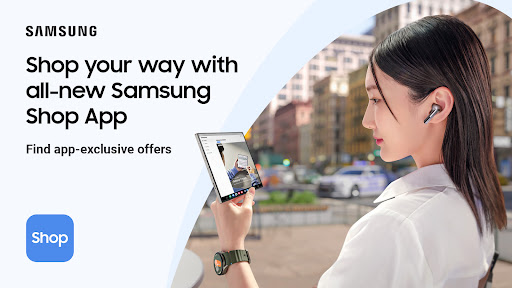
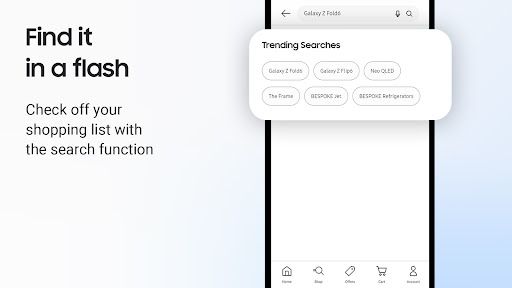
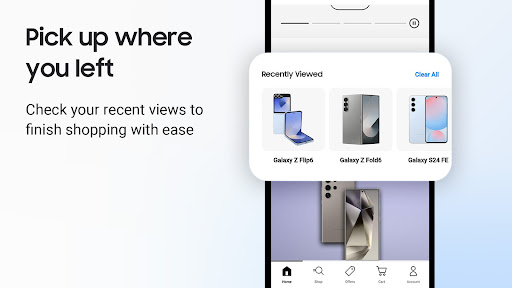
Shop Galaxy Z Fold6 and Z Flip6, Galaxy Wearables including the new Galaxy Watch Ultra and Galaxy Buds3 Pro and look out for in-app deals!
Download Samsung Shop App today for a free and exciting way to shop online and save on your new favourite electronics.
THE ALL-NEW WAY TO SHOP
The Samsung Shop App has been upgraded to deliver you more personalized content like product recommendations and special offers for registered products.
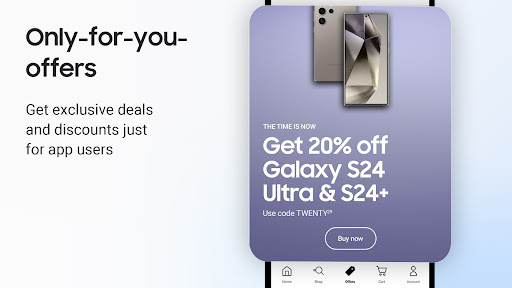
IN-APP EXCLUSIVE OFFERS
Take advantage of Samsung's exciting deals and benefits you won't find at any other store.
NEXT-GENERATION PRODUCTS
Get the details on the latest lineup including Galaxy Z Fold6 and Z Flip6, Galaxy Wearables including the new Galaxy Watch Ultra and Galaxy Buds3 Pro!
EASY WAYS TO PAY
Enjoy a quick checkout process with your choice of payment methods: Samsung Pay, card, Affirm and more. Easily track your package after purchase.
MADE FOR YOU
The redesigned app makes it even easier to match your shopping to your lifestyle. Register products to get just-for-you deals and recommendations.
GET SUPPORT ANY TIME
We offer a 24/7 chat support service, allowing you to access exclusive expert assistance. Seek guidance on your devices and appliances, like how to set up SamsungTV or how to boost your productivity with SmartThings.
FLEX YOUR CREATIVITY
Check out the Samsung Design Studio, a service that gives you the power to DIY your devices with custom colors and accessories.
THE FINE PRINT
Subject to offer availability on the Samsung Shop App. Offers may be changed or cancelled at any time without notice. Terms and Conditions apply, open the app for details.
Contact: https://www.samsung.com/uk/support/contact/
Terms and Conditions: https://www.samsung.com/uk/estore/static/link_terms_and_conditions_of_sale/
Nhiều hơn

1. Tải trình cài đặt MEmu và hoàn tất cài đặt

2. Khởi động MEmu, sau đó mở Google Play trên trang chủ

3. Tìm kiếm Samsung Shop: Smart Appliances trong Google Play
Install
4. Tải và Cài Đặt Samsung Shop: Smart Appliances
5. Khi cài đặt hoàn tất, nhấp vào biểu tượng để bắt đầu

6. Trải nghiệm Samsung Shop: Smart Appliances trên PC của bạn bằng MEmu
MEmu Play là trình giả lập Android miễn phí tốt nhất, với 50 triệu người dùng trải nghiệm ứng dụng Android tuyệt vời. Công nghệ ảo hóa của MEmu cho phép bạn chạy mượt mà hàng ngàn ứng dụng Android trên máy tính, ngay cả những ứng dụng đòi hỏi cấu hình cao nhất.
Màn hình lớn hơn cùng với đồ hoạ tốt hơn; thời lượng dài, không giới hạn về pin hoặc dữ liệu di động
Hỗ trợ đầy đủ Keymapping cho việc kiểm soát chính xác bàn phím và chuột hoặc gamepad
Nhiều tài khoản trò chơi hoặc tác vụ cùng lúc trên một PC với Quản lý Đa năng
Use Samsung Shop: Smart Appliances on PC by following steps: