
Volleyball Hub
Đã cập nhật
Phiên bản hiện tại
26.5.2
Cung cấp bởi

Bạn không cần phải lo lắng về việc sạc quá mức khi sử dụng Volleyball Hub trên điện thoại của bạn, không phải sử dụng trên màn hình nhỏ bé và tận hưởng ứng dụng trên màn hình lớn hơn rất nhiều. Từ bây giờ, bạn hãy trải nghiệm ứng dụng của bạn toàn màn hình bằng bàn phím và chuột. MEmu cung cấp cho bạn tất cả các tính năng đáng ngạc nhiên mà bạn mong đợi: cài đặt nhanh, cài đặt dễ dàng, điều khiển trực quan, không còn giới hạn về pin, dữ liệu di động và các cuộc gọi làm phiền. MEmu 9 hoàn toàn mới là sự lựa chọn tốt nhất để sử dụng Volleyball Hub trên máy tính của bạn. Được mã hóa với sự hợp nhất của chúng tôi, trình quản lý multi-instance giúp mở 2 tài khoản trở lên cùng một lúc. Và điều quan trọng nhất là, công cụ mô phỏng độc quyền của chúng tôi có thể tận dụng hết toàn bộ tiềm năng trên PC của bạn, giúp mọi thứ vận hành trơn tru và thú vị.
Nhiều hơn
Tận hưởng trải nghiệm tuyệt vời khi sử dụng Volleyball Hub trên PC với MEmu Play. Đây là trình giả lập Android miễn phí mạnh mẽ, cung cấp cho bạn hàng ngàn ứng dụng Android trên máy tính. Thỏa sức kết nối với bạn bè và hoàn thiện công việc với hiệu suất cao hơn! App Description.
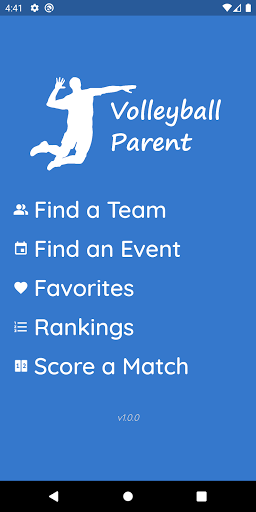
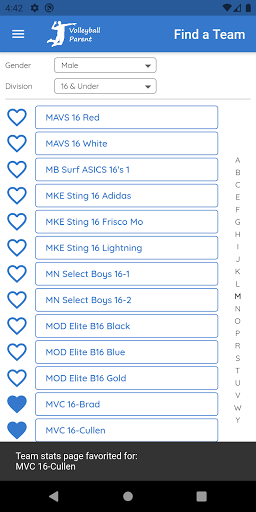
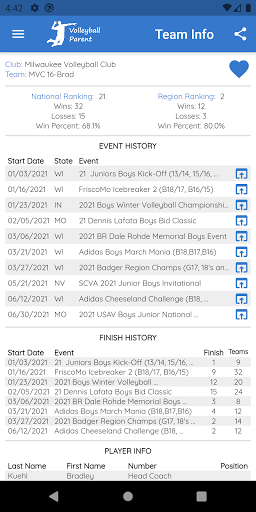
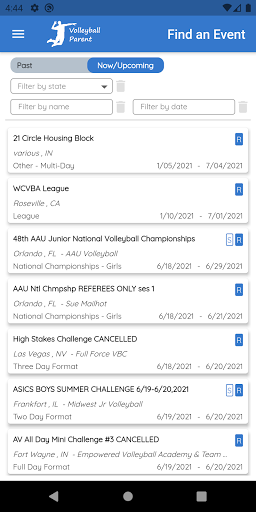
App Description
Elevate Your Tournament Experience with Volleyball Hub
Stop wasting time refreshing browser tabs and squinting at tiny text on complex websites. Whether you are a parent, player, coach, or referee, your tournament weekends just got a lot smoother.
Volleyball Hub is the ultimate companion for the club volleyball season, designed to put everything you need right at your fingertips. If your life revolves around the gym from Friday night to Sunday afternoon, this is the tool you’ve been waiting for.
Why Choose Volleyball Hub?
We know the drill: hunting through multiple platforms just to find a court number or a start time is frustrating. Volleyball Hub bridges the gap by pulling data from the industry's major providers—Advanced Event Systems (AES) and SportWrench—into one clean, lightning-fast interface.
Key Features to Keep You Game-Ready:
- One Dashboard, Total Control: No more jumping between different URLs. Access all your tournaments in a single, unified app.
- Favorite Your Teams: Follow your specific club teams or your favorite players. Once favorited, their schedules and results are always just one tap away.
- Live Schedules & Brackets: Get real-time updates on play schedules, court assignments, and match results. Know exactly where you need to be and when.
- Effortless Navigation: Designed for the fast-paced environment of a loud gym. Our "Couple of Taps" philosophy means you spend less time on your phone and more time cheering.
- Historical Results: Quickly look back at previous match scores and finishes to track your team's progress throughout the weekend.
Save Time. Reduce Stress.
Tournament weekends are exhausting enough. Why deal with the headache of clunky websites that aren't optimized for your phone?
Volleyball Hub is built by people who understand the sport. We’ve stripped away the clutter to give you a high-performance experience that mirrors the intensity on the court. From the first whistle of pool play to the final point of the gold medal match, stay informed and ahead of the game.
Download Volleyball Hub today and change the way you track the game!
Currently supporting all tournaments hosted via Advanced Event Systems (AES) and SportWrench.
Nhiều hơn

1. Tải trình cài đặt MEmu và hoàn tất cài đặt

2. Khởi động MEmu, sau đó mở Google Play trên trang chủ

3. Tìm kiếm Volleyball Hub trong Google Play
Install
4. Tải và Cài Đặt Volleyball Hub
5. Khi cài đặt hoàn tất, nhấp vào biểu tượng để bắt đầu

6. Trải nghiệm Volleyball Hub trên PC của bạn bằng MEmu
MEmu Play là trình giả lập Android miễn phí tốt nhất, với 50 triệu người dùng trải nghiệm ứng dụng Android tuyệt vời. Công nghệ ảo hóa của MEmu cho phép bạn chạy mượt mà hàng ngàn ứng dụng Android trên máy tính, ngay cả những ứng dụng đòi hỏi cấu hình cao nhất.
Màn hình lớn hơn cùng với đồ hoạ tốt hơn; thời lượng dài, không giới hạn về pin hoặc dữ liệu di động
Hỗ trợ đầy đủ Keymapping cho việc kiểm soát chính xác bàn phím và chuột hoặc gamepad
Nhiều tài khoản trò chơi hoặc tác vụ cùng lúc trên một PC với Quản lý Đa năng
Use Volleyball Hub on PC by following steps: