Wifi Speed Test - Speed Check
Đã cập nhật
Phiên bản hiện tại
2.3.4
Cung cấp bởi

Bạn không cần phải lo lắng về việc sạc quá mức khi sử dụng Wifi Speed Test - Speed Check trên điện thoại của bạn, không phải sử dụng trên màn hình nhỏ bé và tận hưởng ứng dụng trên màn hình lớn hơn rất nhiều. Từ bây giờ, bạn hãy trải nghiệm ứng dụng của bạn toàn màn hình bằng bàn phím và chuột. MEmu cung cấp cho bạn tất cả các tính năng đáng ngạc nhiên mà bạn mong đợi: cài đặt nhanh, cài đặt dễ dàng, điều khiển trực quan, không còn giới hạn về pin, dữ liệu di động và các cuộc gọi làm phiền. MEmu 9 hoàn toàn mới là sự lựa chọn tốt nhất để sử dụng Wifi Speed Test - Speed Check trên máy tính của bạn. Được mã hóa với sự hợp nhất của chúng tôi, trình quản lý multi-instance giúp mở 2 tài khoản trở lên cùng một lúc. Và điều quan trọng nhất là, công cụ mô phỏng độc quyền của chúng tôi có thể tận dụng hết toàn bộ tiềm năng trên PC của bạn, giúp mọi thứ vận hành trơn tru và thú vị.
Nhiều hơn
Tải Wifi Speed Test - Speed Check trên PC với Trình giả lập Android MEmu. Tận hưởng trải nghiệm chơi game trên màn hình lớn WiFi Speed Test - The Ultimate Internet Speed Test tool.
WiFi Speed Test - The Ultimate Internet Speed Test tool
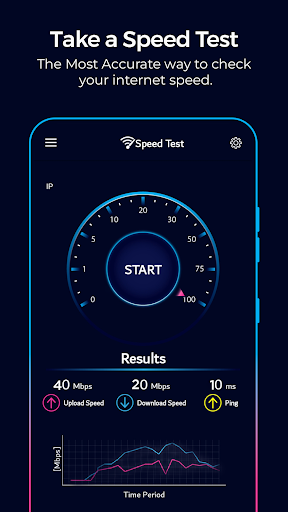
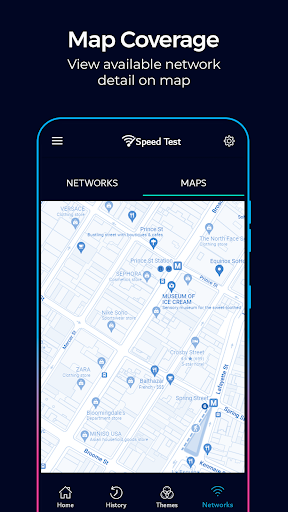
Introducing WiFi Speed Test, your go-to app for analyzing, monitoring, and optimizing your internet connection. Network analyzer tool goes beyond a basic speed test, offering advanced features to improve your online experience.
Precise Internet Speed Test
Effortlessly check your WiFi or mobile data speed with our accurate internet speed test. Measure download, upload speeds, and ping to gain insights into your network’s performance.
⭐Key feature of WiFi Analyzer Offers⭐
✅ Wifi ping test - Increased network delays between your device and the internet.
✅ Jitter Test - Measure variations in network delays.
✅ Download Speed test - Assess how fast you can receive data.
✅ Upload Speed test - Check how quickly you can send data online.
Advanced Network Analyzer Tools
The app features a built-in WiFi analyzer that offers a deeper look into your wireless network, showing signal strength, interference levels, and more. Perfect for optimizing your home or office WiFi performance.
Comprehensive WiFi Analyzer
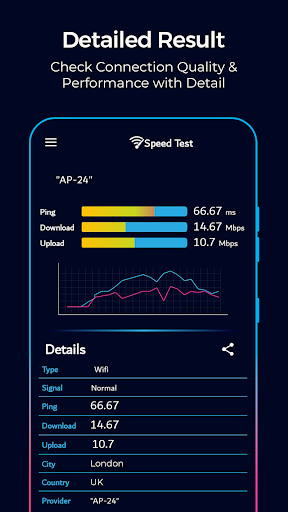
Using the network analyzer, you’ll gain access to essential details such as your IP address, the name of your internet service provider, and the type of connection you're using whether it's WiFi, Ethernet, or mobile data. Internet Speed Test user-friendly interface is designed for simplicity and efficiency, making it easy to view and understand this information. With just a few taps, you can stay updated on your network's vital stats, ensuring you're always aware of your internet's performance and connection quality.
Monitor Your Data Usage with wifi analyzer
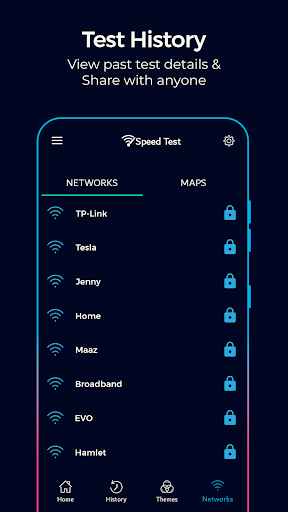
Stay on top of your data consumption with our built-in data tracker. Internet Speed Test helps you monitor how much data you’re using to avoid surprises and manage your plan effectively. Track daily usage with ease!
Internet Speed Test Ideal for Everyone
Whether you're a tech-savvy individual, a professional who depends on uninterrupted connectivity, or simply someone who appreciates a fast and stable internet connection, WiFi Speed Test is the essential tool for your digital tool kit. Equip yourself with the ability to optimize your network, your WiFi analyzer the built-in scanner, and make smarter choices about your online experience.
Try internet speed meter Now
Download WiFi Speed Test today and experience top-tier wifi speed tester, network analyzer, and optimization tools, all in one app! Empower yourself to make informed decisions about your internet usage.
Nhiều hơn

1. Tải trình cài đặt MEmu và hoàn tất cài đặt

2. Khởi động MEmu, sau đó mở Google Play trên trang chủ

3. Tìm kiếm Wifi Speed Test - Speed Check trong Google Play
Install
4. Tải và Cài Đặt Wifi Speed Test - Speed Check
5. Khi cài đặt hoàn tất, nhấp vào biểu tượng để bắt đầu

6. Trải nghiệm Wifi Speed Test - Speed Check trên PC của bạn bằng MEmu
MEmu Play là trình giả lập Android miễn phí tốt nhất, với 50 triệu người dùng trải nghiệm ứng dụng Android tuyệt vời. Công nghệ ảo hóa của MEmu cho phép bạn chạy mượt mà hàng ngàn ứng dụng Android trên máy tính, ngay cả những ứng dụng đòi hỏi cấu hình cao nhất.
Màn hình lớn hơn cùng với đồ hoạ tốt hơn; thời lượng dài, không giới hạn về pin hoặc dữ liệu di động
Hỗ trợ đầy đủ Keymapping cho việc kiểm soát chính xác bàn phím và chuột hoặc gamepad
Nhiều tài khoản trò chơi hoặc tác vụ cùng lúc trên một PC với Quản lý Đa năng
Use Wifi Speed Test - Speed Check on PC by following steps: