Zoe Blueprint
Đã cập nhật
Phiên bản hiện tại
5.7.0
Cung cấp bởi

Bạn không cần phải lo lắng về việc sạc quá mức khi sử dụng Zoe Blueprint trên điện thoại của bạn, không phải sử dụng trên màn hình nhỏ bé và tận hưởng ứng dụng trên màn hình lớn hơn rất nhiều. Từ bây giờ, bạn hãy trải nghiệm ứng dụng của bạn toàn màn hình bằng bàn phím và chuột. MEmu cung cấp cho bạn tất cả các tính năng đáng ngạc nhiên mà bạn mong đợi: cài đặt nhanh, cài đặt dễ dàng, điều khiển trực quan, không còn giới hạn về pin, dữ liệu di động và các cuộc gọi làm phiền. MEmu 9 hoàn toàn mới là sự lựa chọn tốt nhất để sử dụng Zoe Blueprint trên máy tính của bạn. Được mã hóa với sự hợp nhất của chúng tôi, trình quản lý multi-instance giúp mở 2 tài khoản trở lên cùng một lúc. Và điều quan trọng nhất là, công cụ mô phỏng độc quyền của chúng tôi có thể tận dụng hết toàn bộ tiềm năng trên PC của bạn, giúp mọi thứ vận hành trơn tru và thú vị.
Nhiều hơn
Tải Zoe Blueprint trên PC với Trình giả lập Android MEmu. Tận hưởng trải nghiệm chơi game trên màn hình lớn Zoe Blueprint digitally tracks hours volunteered by all our user types.
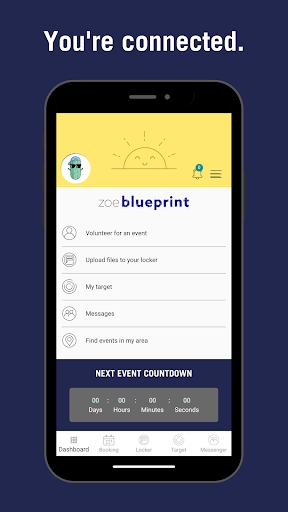
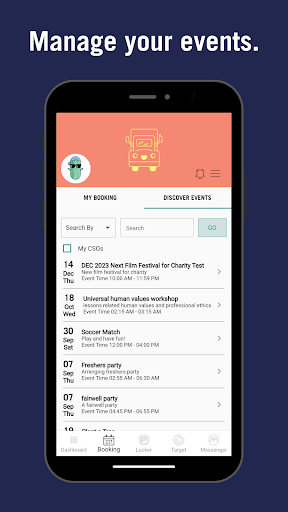
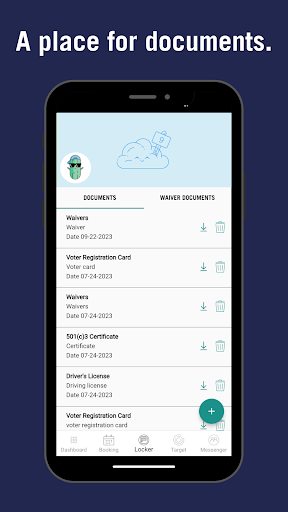
Zoe Blueprint digitally tracks hours volunteered by all our user types. Using one single Zoe Social Impact Platform or Z-SIP tracking good is a snap. Our Z-SIP helps organizers and volunteers track the good they do. From event management to volunteer scheduling, we’ve got everything covered to make your event a success.
And we don’t stop there. At Zoe Blueprint we're the "S" in ESG (Environmental Social Governance). We make launching, updating, or enhancing your Z-SIP simple, easy, productive and sharable.
How It Works
Zoe Blueprint is so much more than just an event planning app – we are a comprehensive volunteering platform that provides educators, students, and volunteers with a single portal into their charitable efforts.
Organizations need to simply set up their account (see Log In) and create an Event using shifts to identify volunteer options. Once that is created and published organizations can send the link located on www.zoeblueprint.com/site/events to all their volunteers and event attendees directly via email or social media.
Volunteers will create their www.zoeblueprint.com/registration account and volunteer. Once they have requested to volunteer with the organization, they automatically follow the organization and their events and shifts. Attendees can use the same event link to register for themselves plus family and friends.
It’s a win for everyone!
The Blueprint We All Need
In Greek, the word, “Zoe,” means life. In English, the definition of a “blueprint” is a plan. Planning life is exactly what Zoe Blueprint is here to help you do.
Our platform can be used for:
• Events Management
• Checking in and communicating with Employees
• Managing Volunteers before, during and after your Events
• Connecting with other CSO’s (Community Service Organization’s)
• Searching for CSO’s and Events in your area
Zoe Blueprint makes it easy to showcase your events and expand your volunteer attendee reach using our fun and easy to navigate app.
Together, we can pave the way for a better world. It all starts with Zoe Blueprint – turn your vision into a plan, and bring that plan to life. Get started today and bring your generosity to life!
The Best Way to Volunteer
Zoe Blueprint makes it easy to find and sign up with meaningful events locally and on the road while easily keeping track of your community service through an intuitive app. Connect with fellow volunteers, explore your true giving potential, focus on the things that matter to you and embrace life!
Download Zoe Blueprint today on your Android device! iOS coming soon.
Nhiều hơn

1. Tải trình cài đặt MEmu và hoàn tất cài đặt

2. Khởi động MEmu, sau đó mở Google Play trên trang chủ

3. Tìm kiếm Zoe Blueprint trong Google Play
Install
4. Tải và Cài Đặt Zoe Blueprint
5. Khi cài đặt hoàn tất, nhấp vào biểu tượng để bắt đầu

6. Trải nghiệm Zoe Blueprint trên PC của bạn bằng MEmu
MEmu Play là trình giả lập Android miễn phí tốt nhất, với 50 triệu người dùng trải nghiệm ứng dụng Android tuyệt vời. Công nghệ ảo hóa của MEmu cho phép bạn chạy mượt mà hàng ngàn ứng dụng Android trên máy tính, ngay cả những ứng dụng đòi hỏi cấu hình cao nhất.
Màn hình lớn hơn cùng với đồ hoạ tốt hơn; thời lượng dài, không giới hạn về pin hoặc dữ liệu di động
Hỗ trợ đầy đủ Keymapping cho việc kiểm soát chính xác bàn phím và chuột hoặc gamepad
Nhiều tài khoản trò chơi hoặc tác vụ cùng lúc trên một PC với Quản lý Đa năng
Use Zoe Blueprint on PC by following steps: