Legends of Amberland - RPG
更新日期
当前版本
1.3.0
提供者

爱玩Legends of Amberland - RPG的你,双手不应该被束缚在手机的小屏幕上。像职业选手一样用键盘和滑鼠来全面控制你的游戏吧。在电脑上下载、安装Legends of Amberland - RPG并尽情游玩。再也不用担心剩余电量、流量消耗和烦人的来电。全新的逍遥模拟器8是你在电脑上游玩Legends of Amberland - RPG的好选择!我们用心准备,完美的按键映射系统让Legends of Amberland - RPG宛如电脑游戏;
更多
透过逍遥模拟器,在电脑上下载Legends of Amberland - RPG,享受大荧屏的畅快体验。 《Legends of Amberland》是一款经典复古的老派RPG,一款可完全离线游玩的回合制地牢探险游戏。
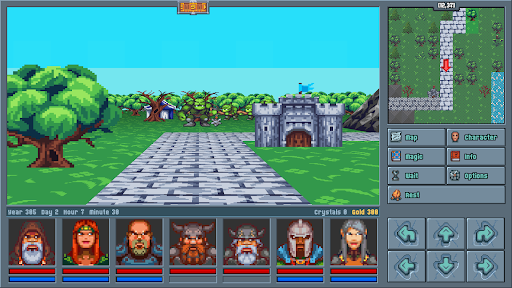
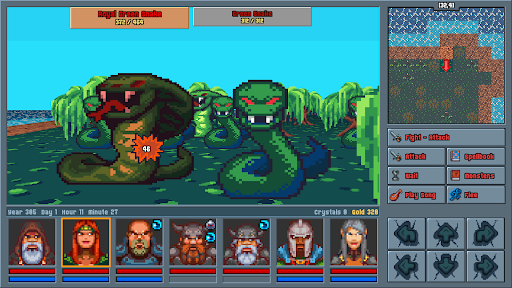
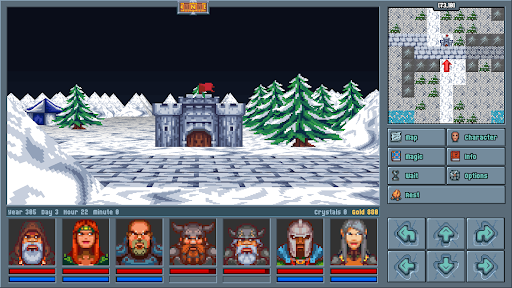
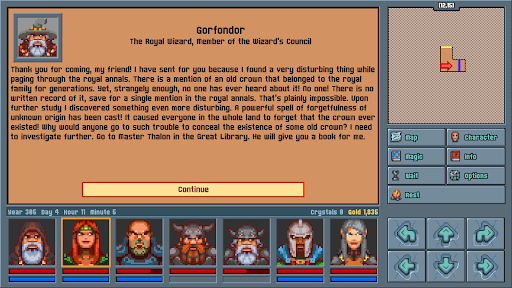
《Legends of Amberland》是一款经典复古的老派RPG,一款可完全离线游玩的回合制地牢探险游戏。没有广告,没有内购,也没有无尽的刷刷刷,这是一款纯粹的买断制单机RPG冒险,专为真正的角色扮演游戏爱好者打造。
你的史诗任务
一位皇家巫师发现了一顶被遗忘的王冠:一道神秘的遗忘咒语,让整个王国都忘记了它的存在。他召集了一支由七位英雄组成的队伍,去寻找王冠,并查明是谁将它从所有人的记忆中抹去。一场轻松、英勇、充满童话色彩的冒险就此展开,在这段沉浸式的单人旅程中,你将穿越一个生机勃勃的开放世界。
致敬90年代经典CRPG
灵感源自PC游戏的黄金时代,《Legends of Amberland》将第一人称、格子移动与回合制RPG战斗带到你的手机上。如果你是玩着经典地下城探险游戏和队伍制RPG长大的,这款游戏正是为你而生。
组建你的队伍
创建并带领最多7名英雄组成的小队,可亲自挑选,也可使用预设角色。选择职业,探索广阔的非线性大世界,按任意顺序完成任务,体验最纯正的老派传统CRPG。
快节奏、公平、不肝
100%回合制战斗,完全按照你自己的节奏游玩。
旅行快捷,背包管理轻松,没有任何重复刷怪。
剧情丰富的冒险,提供25至40小时的游戏内容。
经典像素画风,基调轻松、英勇又幽默。
100%离线角色扮演游戏
随时随地畅玩:《Legends of Amberland》完全无需网络连接。一次购买,永久畅玩的买断制RPG,绝无微交易、广告、开箱和氪金变强(pay-to-win)。
原作由Silver Lemur Games打造。
你的经典地牢冒险,今天启程!
更多

1. 下载逍遥安装器并完成设置

2. 启动逍遥后打开位于桌面上的谷歌商店

3. 在谷歌商店中搜索Legends of Amberland - RPG
Install
4. 下载并安装Legends of Amberland - RPG
5. 下载完成后点击图标来启动

6. 通过逍遥在电脑上享受Legends of Amberland - RPG
逍遥安卓是优秀的安卓模拟器,全球超过5000万用户的优先选择。逍遥安卓以虚拟化技术为核心,为用户打造突破手机配置局限的游戏平台!
大屏精细展示;无限待机,超越电池和流量限制
键鼠、手把操作全面支持,操作更精准
用逍遥多开同时运行多个游戏、应用。
Play Legends of Amberland - RPG on PC by following steps: