Legends of Amberland - RPG
Updated
Current Version
1.1.0
Offered By

With your passion for Legends of Amberland - RPG, you shouldn’t have to limit yourself to the small screen of a phone. Play like a pro and take full control of the game using a keyboard and mouse. MEmu gives you everything you’re looking for. Download and play Legends of Amberland - RPG on PC. Play as long as you want — no more worries about battery life, mobile data, or unexpected calls. The all-new MEmu 9 is the best way to play Legends of Amberland - RPG on PC. With our expertly designed keymapping system, Legends of Amberland - RPG feels just like a real PC game. The MEmu multi-instance manager lets you run two or more accounts on the same device at the same time. Most importantly, our exclusive emulation engine unlocks your PC’s full potential, delivering smooth and seamless performance.
Show more
Download Legends of Amberland - RPG on PC with MEmu Android Emulator. Enjoy playing on big screen. Legends of Amberland is a classic old-school RPG - a turn-based dungeon crawler you can play fully offline.
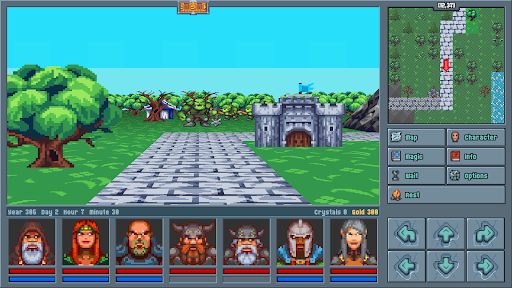
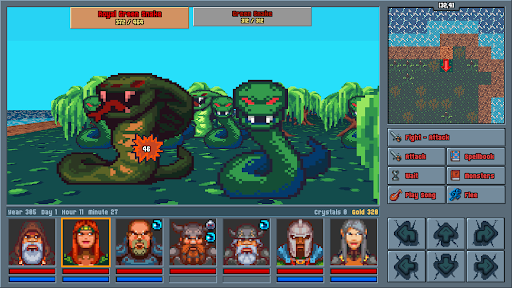
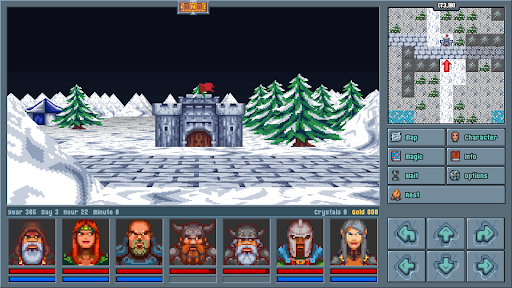
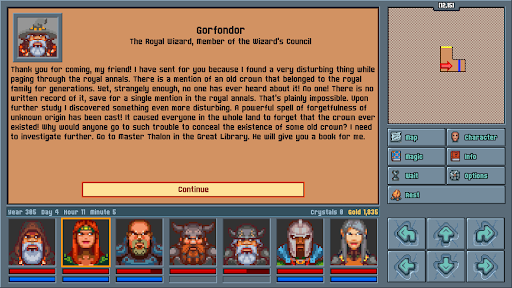
Legends of Amberland is a classic old-school RPG - a turn-based dungeon crawler you can play fully offline. With no ads, no in-app purchases, and no endless grind, this is a pure, premium RPG adventure built for true fans of role playing games.
YOUR EPIC QUEST
A royal wizard uncovers a forgotten crown, hidden from an entire kingdom by a mysterious spell of forgetfulness. He summons a party of seven heroes to find it and discover who erased it from memory. So begins a light, heroic, fairy-tale adventure across a living open world in this immersive single player journey.
A LOVE LETTER TO 90s CRPGs
Inspired by the golden age of PC gaming, Legends of Amberland brings first-person, grid-based movement and turn-based RPG combat straight to your phone. If you grew up on classic dungeon crawlers and party-based RPG mechanics, this game was made for you.
BUILD YOUR PARTY
Create and lead a squad of up to 7 heroes, hand-picked or pre-made. Choose your classes, explore a massive non-linear overworld, and tackle quests in any order you want - a traditional CRPG experience in the truest old-school tradition.
FAST, FAIR, NO GRIND
- Combat is 100% turn based, letting you play completely at your own pace.
- Travel is quick, inventory management is painless, and there is zero repetitive grinding.
- A rich, story driven adventure offering 25–40 hours of gameplay.
- Classic pixel art visuals with a light, heroic, and humorous tone.
100% OFFLINE ROLE PLAYING GAME
Play anytime, anywhere - Legends of Amberland runs entirely without an internet connection. It's a pay-once premium RPG with absolutely no microtransactions, no ads, no loot boxes, and no pay-to-win.
Originally created by Silver Lemur Games.
Your classic dungeon quest begins today.
Show more

1. Download MEmu installer and finish the setup

2. Start MEmu then open Google Play on the desktop

3. Search Legends of Amberland - RPG in Google Play
Install
4. Download and Install Legends of Amberland - RPG
5. On install completion click the icon to start

6. Enjoy playing Legends of Amberland - RPG on PC with MEmu
MEmu Play is the best Android emulator and 100 million people already enjoy its superb Android gaming experience. The MEmu virtualization technology empowers you to play thousands of Android games smoothly on your PC, even the most graphic-intensive ones.
Bigger screen with better graphics; Long duration, without limitation of battery or mobile data.
Full Keymapping support for precise control of keyboard and mouse or gamepad.
Multiple game accounts or tasks on single PC at one time with Multi-Instance manager.
Play Legends of Amberland - RPG on PC by following steps: