CATO-CloudGame Play PC Game
更新日期
当前版本
1.24.0
提供者

想体验CATO-CloudGame Play PC Game,可是手机屏幕太小,用一会就变烫,怎么办?使用逍遥模拟器,在电脑的大屏幕上畅快体验!在电脑上下载安装CATO-CloudGame Play PC Game,不用担心电量问题,想体验多久就多久,顺畅用一天~全新的逍遥模拟器9,绝对是您体验CATO-CloudGame Play PC Game电脑版的好选择。完美的按键映射系统让CATO-CloudGame Play PC Game如PC端般运行;强大的多开功能可同时使用多个应用;独家虚拟化技术更能彻底发挥电脑效能,保障长时间稳定运作。我们致力于不让设备限制您的体验,用起来轻松高效,畅快无比!
更多
使用逍遙模擬器在電腦上享受CATO-CloudGame Play PC Game的卓越體驗。這是一款功能強大的免費安卓模擬器,為您提供數千款安卓應用程式的桌面版本。與好友互動,有效率完成工作,盡情享受! 使用 Cato 云游戏,在手机上畅玩 PC 游戏和 AAA 级大作!
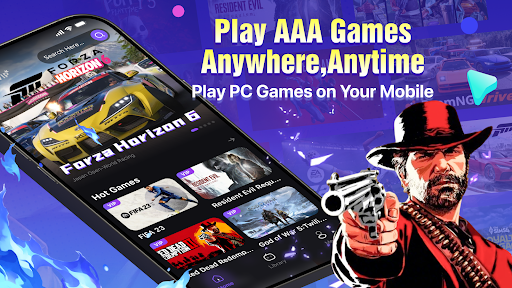

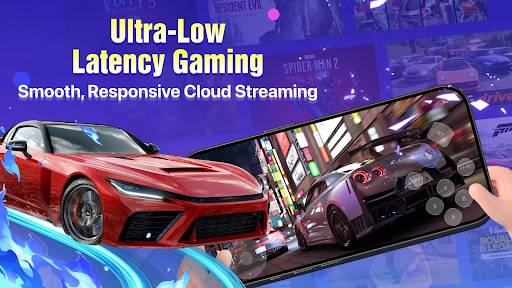

使用 Cato 云游戏,在手机上畅玩 PC 游戏和 AAA 级大作!
Cato 将您的手机变成强大的云游戏平台。无需下载、无需安装、无需昂贵的硬件设备。随时随地享受沉浸式云游戏体验。
即刻畅玩 – 无需下载
将您的移动设备变成便携式游戏机。告别漫长的下载、游戏更新和存储空间限制。只需登录,选择游戏,即可立即开始游戏。
海量游戏库,每周更新
探索 Cato 的海量热门游戏。我们的游戏库每周都会新增游戏,为您带来无限的游戏可能和新鲜体验。
畅玩《朋友聚会》、《侠盗猎车手5》、《FIFA 23》、《病娇模拟器》、《生化危机:安魂曲》、《荒野大镖客2》、《FC 26》、《BeamNG.drive》、《极限竞速:地平线6》、《漫威蜘蛛侠2》、《WWE 2K26》、《模拟人生4》、《战神5》等众多热门游戏。
经济实惠的高性能云游戏
无需购买昂贵的游戏电脑或游戏主机,即可在移动设备上体验主机级和PC级的游戏体验。Cato采用优化的云游戏技术,提供惊艳的画面、流畅的游戏体验、超低延迟和稳定的游戏串流性能,让您随时随地享受优质的云游戏体验。
灵活的操控方式,轻松上手
多种游戏方式让每个人都能轻松入门。Cato支持蓝牙手柄、键盘和鼠标输入,为玩家带来更舒适、更专业的移动游戏体验。
新用户可享受免费试用,所有玩家均可获得每日奖励和专属福利。
为什么选择 Cato?
• 在手机上畅玩 PC 游戏和 AAA 级大作
• 无需下载或安装
• 节省宝贵的存储空间
• 低延迟云游戏
• 随时随地畅玩
• 每周新增游戏
体验游戏未来
立即下载 Cato,开启指尖上的 PC 游戏世界。
联系我们:
Discord:https://discord.gg/T98baNQFW
Telegram:https://t.me/catocloudgame
TikTok:https://www.tiktok.com/@cato_cloudgame
YouTube:https://www.youtube.com/@Cato-r9t
更多

1. 下载逍遥安装器并完成设置

2. 启动逍遥后打开位于桌面上的谷歌商店

3. 在谷歌商店中搜索CATO-CloudGame Play PC Game
Install
4. 下载并安装CATO-CloudGame Play PC Game
5. 下载完成后点击图标来启动

6. 通过逍遥在电脑上享受CATO-CloudGame Play PC Game
逍遥安卓是优秀的安卓模拟器,全球超过5000万用户的优先选择。逍遥安卓以虚拟化技术为核心,为用户打造突破手机配置局限的游戏平台!
大屏精细展示;无限待机,超越电池和流量限制
键鼠、手把操作全面支持,操作更精准
用逍遥多开同时运行多个游戏、应用。
Use CATO-CloudGame Play PC Game on PC by following steps: