CATO-CloudGame Play PC Game
Updated
Current Version
1.24.0
Offered By

Stop worrying about high battery drain when using CATO-CloudGame Play PC Game on your phone. Free yourself from the tiny screen and enjoy the app on a much larger display. From now on, get a full-screen experience of your app with the convenience of a keyboard and mouse. MEmu offers you all the surprising features you’d expect: quick installation and easy setup, intuitive controls, and no more worries about battery life, mobile data, or unexpected calls. The all-new MEmu 9 is the choice for using CATO-CloudGame Play PC Game on your computer. With the MEmu multi-instance manager, you can run two or more accounts at the same time. Most importantly, our exclusive emulation engine unlocks your PC’s full potential, delivering smooth and enjoyable performance.
Show more
Enjoy superb experience of using CATO-CloudGame Play PC Game on PC with MEMU App Player. It's a powerful free Android emulator which provides you with thousands of android apps for their desktop version. Enjoy connecting with friends and polishing your work with higher efficiency! Play PC Games & AAA Games on Mobile with Cato Cloud Gaming!
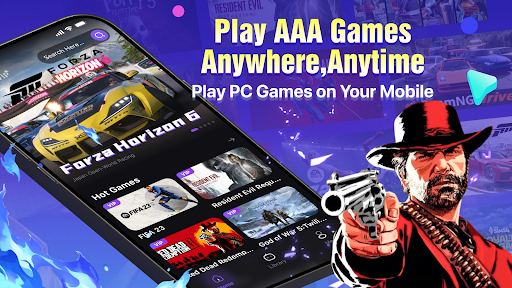

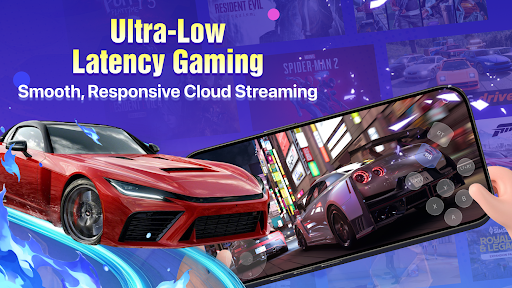
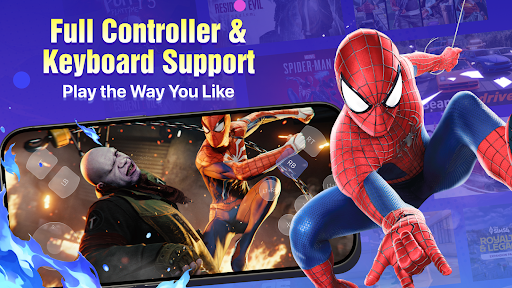
Play PC Games & AAA Games on Mobile with Cato Cloud Gaming!
Cato turns your phone into a powerful cloud gaming platform. No downloads, no installations, and no expensive gaming hardware required. Enjoy immersive cloud gaming anytime, anywhere.
Instant Play – No Downloads Required
Turn your mobile device into a portable gaming console. Say goodbye to lengthy downloads, game updates, and storage limitations. Simply log in, choose a game, and start playing instantly.
Massive Game Library, Updated Weekly
Explore a huge collection of popular games with Cato. Our game library continues to expand with new titles added every week, giving you endless gaming possibilities and fresh experiences.
Enjoy popular titles such as Tomodachi Life, GTA V, FIFA 23, Yandere Simulator, Resident Evil Requiem, Red Dead Redemption 2, FC 26, BeamNG.drive, Forza Horizon 6, Marvel's Spider-Man 2, WWE 2K26, The Sims 4, God of War 5, and many more exciting games.
Affordable High-Performance Cloud Gaming
Experience console-quality and PC-quality gaming on your mobile device without purchasing an expensive gaming PC or console.Powered by optimized cloud gaming technology, Cato delivers stunning graphics, smooth gameplay, ultra-low latency, and stable game streaming performance, allowing you to enjoy a premium cloud gaming experience wherever you go.
Flexible Controls, Easy to Play
Multiple play options make it easy for everyone to get started. Cato supports Bluetooth controllers, keyboards, and mouse input, giving players a more comfortable and professional gaming experience on mobile.
New users can enjoy a free trial, while daily rewards and exclusive benefits are available to all players.
Why Choose Cato?
• Play PC Games & AAA Games on your phone
• No downloads or installations required
• Save valuable storage space
• Low-latency cloud gaming
• Play anytime, anywhere
• New games added every week
Experience the Future of Gaming
Download Cato today and unlock a world of PC gaming at your fingertips.
Contact Us:
Discord: https://discord.gg/T98baNQFW
Telegram: https://t.me/catocloudgame
TikTok: https://www.tiktok.com/@cato_cloudgame
YouTube: https://www.youtube.com/@Cato-r9t
Show more

1. Download MEmu installer and finish the setup

2. Start MEmu then open Google Play on the desktop

3. Search CATO-CloudGame Play PC Game in Google Play
Install
4. Download and Install CATO-CloudGame Play PC Game
5. On install completion click the icon to start

6. Enjoy using CATO-CloudGame Play PC Game on PC with MEmu
MEmu Play is the best Android emulator, and 100 million users already enjoy its superb Android app experience. Powered by advanced virtualization technology, it lets you enjoy thousands of Android apps smoothly on your PC—including the most graphics-intensive ones.
Bigger screen with better graphics; Long duration, without limitation of battery or mobile data.
Full Keymapping support for precise control of keyboard and mouse or gamepad.
Multiple game accounts or tasks on single PC at one time with Multi-Instance manager.
Use CATO-CloudGame Play PC Game on PC by following steps:































