Uber Lite
更新日期
当前版本
1732031205
提供者

想体验Uber Lite,可是手机屏幕太小,用一会就变烫,怎么办?使用逍遥模拟器,在电脑的大屏幕上畅快体验!在电脑上下载安装Uber Lite,不用担心电量问题,想体验多久就多久,顺畅用一天~全新的逍遥模拟器9,绝对是您体验Uber Lite电脑版的好选择。完美的按键映射系统让Uber Lite如PC端般运行;强大的多开功能可同时使用多个应用;独家虚拟化技术更能彻底发挥电脑效能,保障长时间稳定运作。我们致力于不让设备限制您的体验,用起来轻松高效,畅快无比!
更多
透过逍遥模拟器,在电脑上下载Uber Lite,享受大荧屏的畅快体验。 Uber Lite is a new, simple way to request a ride.
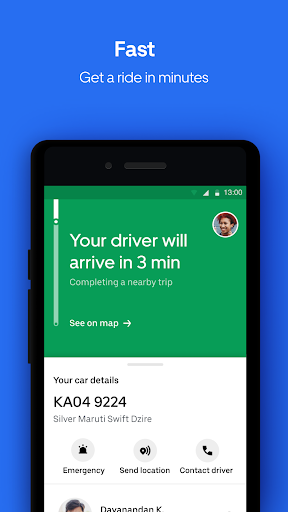
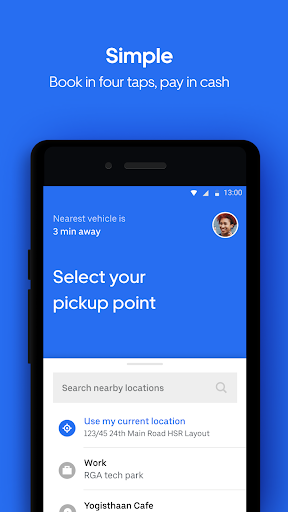
Uber Lite is a new, simple way to request a ride. This simpler version of the Uber app works on any android phone while saving storage space and data. Plus, it’s easy to learn and use, and it’s designed to work even in low connectivity areas.
What’s Uber Lite?
It’s Uber. Get the same reliable rides on a simple new app
It’s simple to learn and use. Call an Uber in 4 taps, with little or no typing, and pay in cash
It’s light. At just 5 MBs to download, the app is the size of a few selfies and is designed to work on any Android device
It’s reliable. You can download and use the app without wifi or a strong connection
It’s safe. The app has easy-to-use safety features, including the ability to share your trip status so loved ones can follow your ride in real time.
Requesting a personal ride has never been easier on Uber Lite— Here’s how it works in four steps:
Open the app
Confirm where you are and tap to select your destination
Choose a vehicle type
Confirm your ride
What happens after you request?
Your location and destination information is shared with your driver so they know where to pick you up and drop you off.
Once you've requested a ride, the app will show you all the information you need about your upcoming trip, including your driver’s name, picture, contact information, vehicle details, progress toward your destination, and their time to arrival.
When your trip is over, pay in cash. Uber Lite does not accept digital forms of payment at this time.
Affordable, Everyday Ride Options:
Choose a ride the suits your needs. Uber Lite will display upfront prices and auto-sort vehicles starting with the most affordable, at the time of your request.
Need a simple way to get from A to B quickly? Try UberGO or UberAuto, two of our most affordable ride options.
Want to elevate your experience? Take a high-end vehicle with Premier. There are even vehicle options for riders traveling with a big group or in need of a vehicle with accessibility features.
Uber Lite: A ride that goes anywhere, an app that works everywhere
See if Uber is available in your city at https://www.uber.com/cities
Follow us on Twitter at https://twitter.com/uber
Like us on Facebook at https://www.facebook.com/uber
Have a question? Visit uber.com/help
更多

1. 下载逍遥安装器并完成设置

2. 启动逍遥后打开位于桌面上的谷歌商店

3. 在谷歌商店中搜索Uber Lite
Install
4. 下载并安装Uber Lite
5. 下载完成后点击图标来启动

6. 通过逍遥在电脑上享受Uber Lite
逍遥安卓是优秀的安卓模拟器,全球超过5000万用户的优先选择。逍遥安卓以虚拟化技术为核心,为用户打造突破手机配置局限的游戏平台!
大屏精细展示;无限待机,超越电池和流量限制
键鼠、手把操作全面支持,操作更精准
用逍遥多开同时运行多个游戏、应用。
Use Uber Lite on PC by following steps: