Cast to TV - Screen Mirroring
تم التحديث
الإصدار الحالي
1.4
تقديم

لا داعي للقلق بشأن الشحن الزائد عند استخدام Cast to TV - Screen Mirroring على هاتفك. تحرر من قيود الشاشة الصغيرة واستمتع به على شاشة أكبر باستخدام لوحة المفاتيح والفأرة. يوفر MEmu جميع الميزات الرائعة التي تتوقعها: تثبيت سريع، إعداد سهل، أدوات تحكم بديهية، ودون قيود على عمر البطارية، أو استخدام البيانات، أو المكالمات الواردة. يُعد MEmu 9 الجديد الخيار الأمثل لتجربة Cast to TV - Screen Mirroring على جهاز الكمبيوتر. بفضل تقنية التشفير الفريدة، يتيح لك مدير الحسابات المتعددة تشغيل حسابين أو أكثر في وقت واحد. والأهم من ذلك، أن محرك المحاكاة الفريد يستغل أداء جهاز الكمبيوتر بالكامل، مما يُحسّن تجربة التطبيق ويجعل كل شيء سلسًا للغاية.
أظهر المزيد
قم بتنزيل Cast to TV - Screen Mirroring على الكمبيوتر بإستخدام جهاز مقلد أندروز MEmu.استمتع بمتعة اللعب على الشاشة الكبيرة. Screen Mirroring supports screen mirroring or casting a variety of file types (including videos, pictures, and music) from phone to TV or other DLNA device.
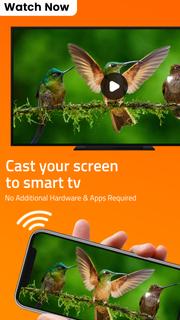
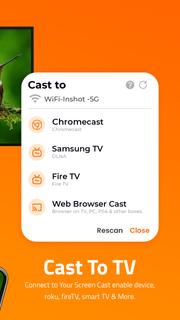
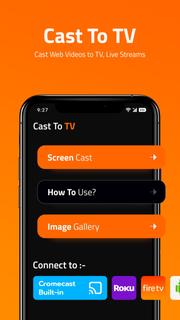
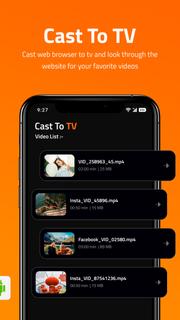
Screen Mirroring supports screen mirroring or casting a variety of file types (including videos, pictures, and music) from phone to TV or other DLNA device.Are you still worried because the screen is too small to see the subtitles? Are you still suffering from unclear images and loss of perception and experience?Screen Mirroring solves all your problems easily. Whether it's screen mirroring or file casting, just open this TV Cast app, the phone to TV, it's that easy!Product Features:Screen mirroring: Screen mirroring lets you mirror what’s on your phone’s screen to a bigger screen, like a smart TV.File casting: upload pictures, videos, audios, and other files in the mobile phone to multimedia devices such as TV or computerMobile phone control TV: play/pause, fast forward/rewind, volume, previous song/next song, etc.Change the play order of the files in the current folder (sequence/random/single loop)Share documents in a business meetingShare movies and music with your friendsHOW TO USE:Connect your mobile device & TV To The Same Wi-Fi Network.Select a TV device that you want to stream to.There are various types of compatible devices. With Screen Mirroring, you can connect your phone to:1. Roku TV2. Amazon Fire TV3. Android TV4. Chromecast, etc.Cast to RokuSearch and connect to Roku TV, you can quickly mirror your phone screen to Roku, greatly improving your movie viewing experience. Just find your favorite video on your phone and connect to Roku.Cast to Amazon Fire TVTo cast videos or files from your phone to Amazon Fire TV, connect your mobile device and TV to the same Wi-Fi network. Whether it's a game or a movie, easily cast to TV screen.Cast phone video to ChromecastUse TV cast to cast videos to Chromecast, and watch movies on a large screen more clearly. Under the same Wi-Fi network, open the TV cast app to automatically search and connect devices.Share and feedback your voiceWe are committed to creating an application that fully fits the user experience. If you have any comments or suggestions, we would be happy for you to contact us at any time. We will sincerely accept your suggestions to improve the product. Welcome to exchange visits at any time, email: [email protected]Terms of Use:https://dairyqueenvision.blogspot.com/2022/02/cast-to-tv-terms.html
أظهر المزيد

1. قم بتنزيل برنامج MEmu واكمال تثبيته

2. قم بتشغيل برنامج MEmu وفتح Google Play على الصفحة الرئيسية

3. ابح Cast to TV - Screen Mirroring في Google Play
Install
4. تنزيل وتثبيت Cast to TV - Screen Mirroring
5. انقر على الرمز للتشغيل بعد اكتمال التثبيت

6. استخدم MEmu لتجربة Cast to TV - Screen Mirroring على جهاز الكمبيوتر الخاص بك.
تطبيق MEmuهو افضل محاكى اندرويد مجانى وبالفعل 50 مليون شخص يستمتعون حاليا بتجربه اللعب عليه. تمكّنك تقنية MEmu الافتراضية من تشغيل آلاف ألعاب Android بسلاسة على الكمبيوتر الشخصي ، حتى أكثرها استخدامًا للرسومات.
شاشة أكبر وجرافيك افضل ووقت أطول بدون حدود البطارية وباقة التليفون
لوحة مفاتيح كاملة تدعم تحكم كامل عن طريق لوحة المفاتيح و الفأره وجيم باد
عدة العاب وحسابات ومهمات علي جهاز الكمبيوتر في وقت معين عن طريق Memu متعدد النوافذ
Use Cast to TV - Screen Mirroring on PC by following steps: