Cast to TV - Screen Mirroring
Обновлено
Текущая версия
1.4
Продавец

Перестаньте беспокоиться о быстром разряде батареи при использовании Cast to TV - Screen Mirroring на вашем телефоне. Освободитесь от крошечного экрана и наслаждайтесь приложением на гораздо большем экране. Теперь вы можете работать с приложением в полноэкранном режиме с удобством клавиатуры и мыши. MEmu предлагает вам все ожидаемые удивительные функции: быструю установку и простую настройку, интуитивно понятное управление и больше никаких забот о времени автономной работы, мобильном трафике или неожиданных звонках. Совершенно новый MEmu 9 — идеальный выбор для использования Cast to TV - Screen Mirroring на вашем компьютере. С помощью менеджера нескольких экземпляров MEmu вы можете одновременно использовать два или более аккаунтов. И самое главное, наш эксклюзивный движок эмуляции раскрывает весь потенциал вашего ПК, обеспечивая плавную и приятную работу.
Показать больше
Скачайте Cast to TV - Screen Mirroring на ПК с помощью Андроид эмулятора MEmu. Наслаждайтесь на большом экране. Screen Mirroring supports screen mirroring or casting a variety of file types (including videos, pictures, and music) from phone to TV or other DLNA device.
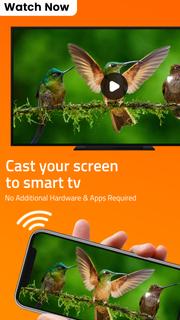
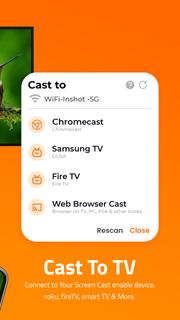
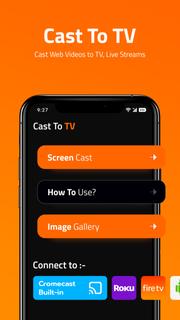
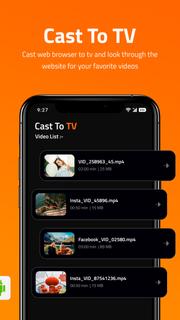
Screen Mirroring supports screen mirroring or casting a variety of file types (including videos, pictures, and music) from phone to TV or other DLNA device.Are you still worried because the screen is too small to see the subtitles? Are you still suffering from unclear images and loss of perception and experience?Screen Mirroring solves all your problems easily. Whether it's screen mirroring or file casting, just open this TV Cast app, the phone to TV, it's that easy!Product Features:Screen mirroring: Screen mirroring lets you mirror what’s on your phone’s screen to a bigger screen, like a smart TV.File casting: upload pictures, videos, audios, and other files in the mobile phone to multimedia devices such as TV or computerMobile phone control TV: play/pause, fast forward/rewind, volume, previous song/next song, etc.Change the play order of the files in the current folder (sequence/random/single loop)Share documents in a business meetingShare movies and music with your friendsHOW TO USE:Connect your mobile device & TV To The Same Wi-Fi Network.Select a TV device that you want to stream to.There are various types of compatible devices. With Screen Mirroring, you can connect your phone to:1. Roku TV2. Amazon Fire TV3. Android TV4. Chromecast, etc.Cast to RokuSearch and connect to Roku TV, you can quickly mirror your phone screen to Roku, greatly improving your movie viewing experience. Just find your favorite video on your phone and connect to Roku.Cast to Amazon Fire TVTo cast videos or files from your phone to Amazon Fire TV, connect your mobile device and TV to the same Wi-Fi network. Whether it's a game or a movie, easily cast to TV screen.Cast phone video to ChromecastUse TV cast to cast videos to Chromecast, and watch movies on a large screen more clearly. Under the same Wi-Fi network, open the TV cast app to automatically search and connect devices.Share and feedback your voiceWe are committed to creating an application that fully fits the user experience. If you have any comments or suggestions, we would be happy for you to contact us at any time. We will sincerely accept your suggestions to improve the product. Welcome to exchange visits at any time, email: [email protected]Terms of Use:https://dairyqueenvision.blogspot.com/2022/02/cast-to-tv-terms.html
Показать больше

1. Скачать инсталлятор MEmu и завершайте установку

2. Запускайте MEmu, затем откройте Google Play на главной странице

3. Ищите Cast to TV - Screen Mirroring в Google Play
Install
4. Скачайте и установите Cast to TV - Screen Mirroring
5. При завершении установки, нажмите на значок для старта

6. Наслаждайтесь Cast to TV - Screen Mirroring на своем компьютере с помощью MEmu.
MEmu Play — лучший бесплатный эмулятор Android, превосходный опыт работы с которым оценили 50 миллионов пользователей. Технология виртуализации MEmu позволяет без проблем запускать тысячи Android-приложений на вашем компьютере, даже самые требовательные.
Большой экран с лучшей графикой; Большая продолжительность, без ограничения батареи или мобильных данных.
Полная поддержка установки клавиш для точного управления клавиатурой и мышью или геймпадом.
Несколько игровых учетных записей или задач на одном компьютере одновременно с менеджером нескольких экземпляров.
Use Cast to TV - Screen Mirroring on PC by following steps: