Cast to TV - Screen Mirroring
更新日
現在のバージョン
1.4
提供元

スマートフォンは不要!パソコンと同じようにキーボードとマウスで操作できます。MEmu Playは、あなたが待ち望んでいたすべての楽しみをお届けします。バッテリー残量や小さな画面を気にすることなく、Cast to TV - Screen Mirroringをご利用ください。最新のMEmu 9は、Cast to TV - Screen MirroringをPCで体験するのに最適です!完璧なキーマッピングシステムにより、PCのようなスムーズな操作性を実現します。マルチインスタンス機能により、複数のアプリケーションを同時に実行できます。独自の仮想化エンジンがPCのパフォーマンスを最大限に引き出します。アプリを使用するだけでなく、高品質な体験を得ることができます。
もっと見る
Cast to TV - Screen MirroringをPCでダウンロード!大画面でより楽しむ。電源が落ちてしまうとか通信料が足りないとかの問題を心配する必要がなく、PCの大画面でより快適にゲームを楽しましょう! Screen Mirroring supports screen mirroring or casting a variety of file types (including videos, pictures, and music) from phone to TV or other DLNA device.
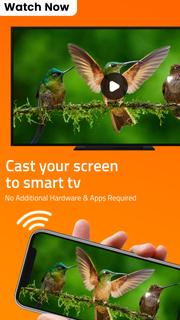
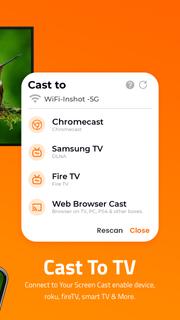
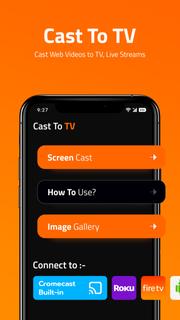
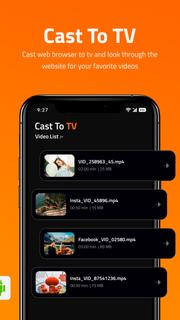
Screen Mirroring supports screen mirroring or casting a variety of file types (including videos, pictures, and music) from phone to TV or other DLNA device.Are you still worried because the screen is too small to see the subtitles? Are you still suffering from unclear images and loss of perception and experience?Screen Mirroring solves all your problems easily. Whether it's screen mirroring or file casting, just open this TV Cast app, the phone to TV, it's that easy!Product Features:Screen mirroring: Screen mirroring lets you mirror what’s on your phone’s screen to a bigger screen, like a smart TV.File casting: upload pictures, videos, audios, and other files in the mobile phone to multimedia devices such as TV or computerMobile phone control TV: play/pause, fast forward/rewind, volume, previous song/next song, etc.Change the play order of the files in the current folder (sequence/random/single loop)Share documents in a business meetingShare movies and music with your friendsHOW TO USE:Connect your mobile device & TV To The Same Wi-Fi Network.Select a TV device that you want to stream to.There are various types of compatible devices. With Screen Mirroring, you can connect your phone to:1. Roku TV2. Amazon Fire TV3. Android TV4. Chromecast, etc.Cast to RokuSearch and connect to Roku TV, you can quickly mirror your phone screen to Roku, greatly improving your movie viewing experience. Just find your favorite video on your phone and connect to Roku.Cast to Amazon Fire TVTo cast videos or files from your phone to Amazon Fire TV, connect your mobile device and TV to the same Wi-Fi network. Whether it's a game or a movie, easily cast to TV screen.Cast phone video to ChromecastUse TV cast to cast videos to Chromecast, and watch movies on a large screen more clearly. Under the same Wi-Fi network, open the TV cast app to automatically search and connect devices.Share and feedback your voiceWe are committed to creating an application that fully fits the user experience. If you have any comments or suggestions, we would be happy for you to contact us at any time. We will sincerely accept your suggestions to improve the product. Welcome to exchange visits at any time, email: [email protected]Terms of Use:https://dairyqueenvision.blogspot.com/2022/02/cast-to-tv-terms.html
もっと見る

1. MEmuインストーラーをダウンロードしてセットアップを完了する

2. MEmuを起動し、デスクトップでのPlayストアを開く

3. PlayストアでCast to TV - Screen Mirroringを検索する
Install
4. Cast to TV - Screen Mirroringをダウンロードしてインストールする
5. インストールが完了したら、アイコンをクリックしてスタート

6. MEmuを使ってパソコンでCast to TV - Screen Mirroringを体験する
MEmu Playは現在、最高の無料Androidエミュレーターであり、5,000万人のユーザーが優れたAndroidアプリ体験を楽しんでいます。MEmuの仮想化テクノロジーにより、数千ものAndroidアプリをコンピューターでスムーズに実行できます。
大画面でより精細;無限の待機、電池とドラフィックの極限を超え
キーボード・マウス・コントローラーを全力でサポート、より快適
マルチインスタンスで複数のゲームを同時に実行
Use Cast to TV - Screen Mirroring on PC by following steps: