Arvin® - AI Logo Maker
تم التحديث
الإصدار الحالي
1.0.8
تقديم

لا داعي للقلق بشأن الشحن الزائد عند استخدام Arvin® - AI Logo Maker على هاتفك. تحرر من قيود الشاشة الصغيرة واستمتع به على شاشة أكبر باستخدام لوحة المفاتيح والفأرة. يوفر MEmu جميع الميزات الرائعة التي تتوقعها: تثبيت سريع، إعداد سهل، أدوات تحكم بديهية، ودون قيود على عمر البطارية، أو استخدام البيانات، أو المكالمات الواردة. يُعد MEmu 9 الجديد الخيار الأمثل لتجربة Arvin® - AI Logo Maker على جهاز الكمبيوتر. بفضل تقنية التشفير الفريدة، يتيح لك مدير الحسابات المتعددة تشغيل حسابين أو أكثر في وقت واحد. والأهم من ذلك، أن محرك المحاكاة الفريد يستغل أداء جهاز الكمبيوتر بالكامل، مما يُحسّن تجربة التطبيق ويجعل كل شيء سلسًا للغاية.
أظهر المزيد
قم بتنزيل Arvin® - AI Logo Maker على الكمبيوتر بإستخدام جهاز مقلد أندروز MEmu.استمتع بمتعة اللعب على الشاشة الكبيرة. Ready to create a professional logo for your brand?
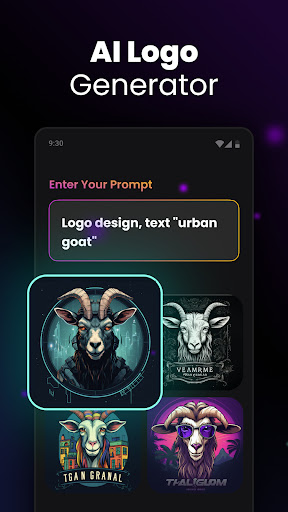
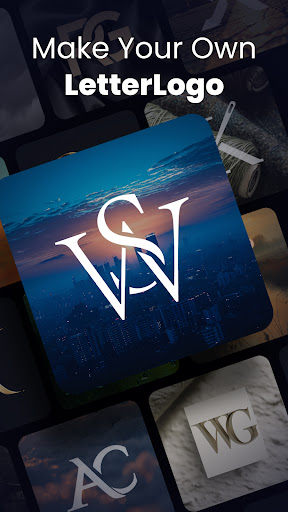
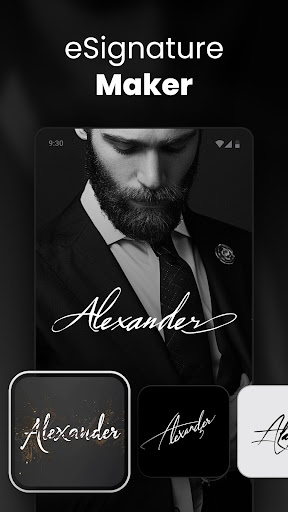
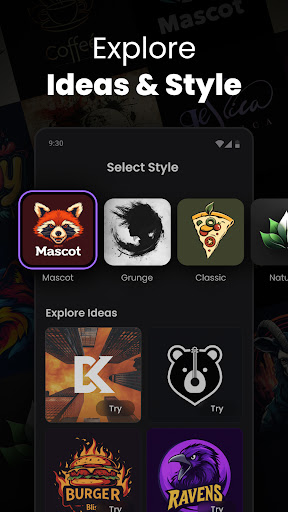
Ready to create a professional logo for your brand? Meet Arvin, your AI-powered logo maker that makes designing logos easier.
Imagine sitting at your desk, struggling to come up with a logo that captures your brand's identity. Those days are now behind you. With Arvin, your new logo buddy, you can generate quality logos quickly. No design experience required.
Here's why Arvin is an efficient logo maker:
Super Easy to Use
Whether you're a total beginner or a design pro, Arvin has your back. Just describe your vision, and Arvin turns it into a quality logo. Need a personal avatar, product icon, or brand emblem? Arvin does it all efficiently.
Full Creative control
Want a minimalist design or something more intricate? Arvin lets you tweak & adjust every detail. With this logo maker, you're in control of every aspect - colors, fonts, layouts, and more.
Logos for Every Need
Arvin isn't just a business logo maker. Looking for social media avatars or product icons? No problem. Arvin has you covered, no matter what kind of logo you need.
Share & Use Anywhere
Once your logo is finished, sharing it is simple. Arvin ensures your logo looks great on your website, business cards, and any other platform.
Unleash Your Creativity
Arvin goes beyond logos. Dive into different visual styles & let your imagination run wild. The possibilities are extensive with this AI-powered logo maker.
Here's how it works:
Tell Arvin Your Vision
Give a quick description of your brand, and Arvin® will take care of the rest.
Instant Logo Creation
In a matter of seconds, Arvin generates multiple logo designs for you to choose from.
Customize It Your Way
Liked one of the designs? Personalize it further with your choice of colors, fonts, and layouts.
Download & Show Off
Once you're satisfied, download your logo in any format & start using it right away!
So why settle for a generic logo when you can create something memorable with Arvin? Whether you're starting a new business or refreshing your brand, this AI-powered logo maker will help you design a professional logo.
Ready to give your brand the logo it deserves? Arvin is available for logo design. With Arvin, creating a quality logo is just the beginning. Let's make something memorable together.
Privacy Policy: https://idealabs.mobi/privacy-policy
Terms of Use: https://idealabs.mobi/terms-of-service
Feedback: contact.arvin@idealabs.mobi
أظهر المزيد

1. قم بتنزيل برنامج MEmu واكمال تثبيته

2. قم بتشغيل برنامج MEmu وفتح Google Play على الصفحة الرئيسية

3. ابح Arvin® - AI Logo Maker في Google Play
Install
4. تنزيل وتثبيت Arvin® - AI Logo Maker
5. انقر على الرمز للتشغيل بعد اكتمال التثبيت

6. استخدم MEmu لتجربة Arvin® - AI Logo Maker على جهاز الكمبيوتر الخاص بك.
تطبيق MEmuهو افضل محاكى اندرويد مجانى وبالفعل 50 مليون شخص يستمتعون حاليا بتجربه اللعب عليه. تمكّنك تقنية MEmu الافتراضية من تشغيل آلاف ألعاب Android بسلاسة على الكمبيوتر الشخصي ، حتى أكثرها استخدامًا للرسومات.
شاشة أكبر وجرافيك افضل ووقت أطول بدون حدود البطارية وباقة التليفون
لوحة مفاتيح كاملة تدعم تحكم كامل عن طريق لوحة المفاتيح و الفأره وجيم باد
عدة العاب وحسابات ومهمات علي جهاز الكمبيوتر في وقت معين عن طريق Memu متعدد النوافذ
Use Arvin® - AI Logo Maker on PC by following steps: