Arvin® - AI Logo Maker
更新日
現在のバージョン
2.0.2
提供元

スマートフォンは不要!パソコンと同じようにキーボードとマウスで操作できます。MEmu Playは、あなたが待ち望んでいたすべての楽しみをお届けします。バッテリー残量や小さな画面を気にすることなく、Arvin® - AI Logo Makerをご利用ください。最新のMEmu 9は、Arvin® - AI Logo MakerをPCで体験するのに最適です!完璧なキーマッピングシステムにより、PCのようなスムーズな操作性を実現します。マルチインスタンス機能により、複数のアプリケーションを同時に実行できます。独自の仮想化エンジンがPCのパフォーマンスを最大限に引き出します。アプリを使用するだけでなく、高品質な体験を得ることができます。
もっと見る
Arvin® - AI Logo MakerをPCでダウンロード!大画面でより楽しむ。電源が落ちてしまうとか通信料が足りないとかの問題を心配する必要がなく、PCの大画面でより快適にゲームを楽しましょう! Ready to create a professional logo for your brand?
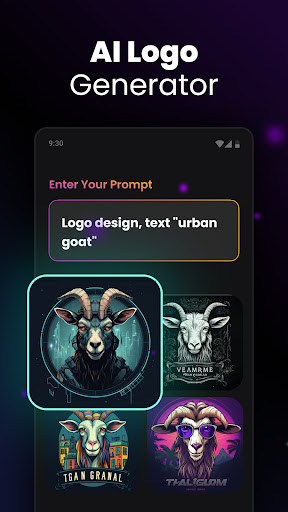
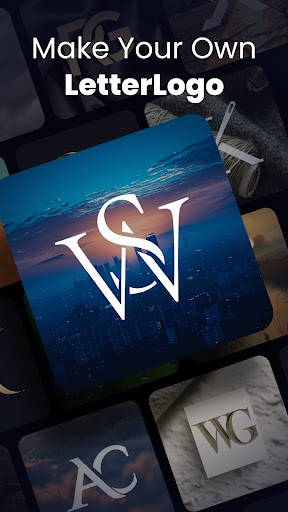
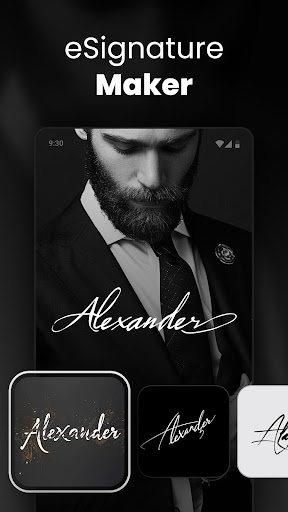
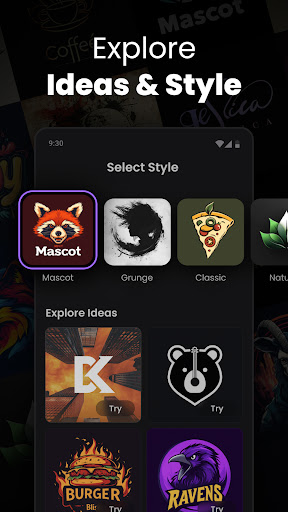
Ready to create a professional logo for your brand? Meet Arvin, your AI-powered logo maker that makes designing logos easier.
Imagine sitting at your desk, struggling to come up with a logo that captures your brand's identity. Those days are now behind you. With Arvin, your new logo buddy, you can generate quality logos quickly. No design experience required.
Here's why Arvin is an efficient logo maker:
Super Easy to Use
Whether you're a total beginner or a design pro, Arvin has your back. Just describe your vision, and Arvin turns it into a quality logo. Need a personal avatar, product icon, or brand emblem? Arvin does it all efficiently.
Full Creative control
Want a minimalist design or something more intricate? Arvin lets you tweak & adjust every detail. With this logo maker, you're in control of every aspect - colors, fonts, layouts, and more.
Logos for Every Need
Arvin isn't just a business logo maker. Looking for social media avatars or product icons? No problem. Arvin has you covered, no matter what kind of logo you need.
Share & Use Anywhere
Once your logo is finished, sharing it is simple. Arvin ensures your logo looks great on your website, business cards, and any other platform.
Unleash Your Creativity
Arvin goes beyond logos. Dive into different visual styles & let your imagination run wild. The possibilities are extensive with this AI-powered logo maker.
Here's how it works:
Tell Arvin Your Vision
Give a quick description of your brand, and Arvin® will take care of the rest.
Instant Logo Creation
In a matter of seconds, Arvin generates multiple logo designs for you to choose from.
Customize It Your Way
Liked one of the designs? Personalize it further with your choice of colors, fonts, and layouts.
Download & Show Off
Once you're satisfied, download your logo in any format & start using it right away!
So why settle for a generic logo when you can create something memorable with Arvin? Whether you're starting a new business or refreshing your brand, this AI-powered logo maker will help you design a professional logo.
Ready to give your brand the logo it deserves? Arvin is available for logo design. With Arvin, creating a quality logo is just the beginning. Let's make something memorable together.
Privacy Policy: https://idealabs.mobi/privacy-policy
Terms of Use: https://idealabs.mobi/terms-of-service
Feedback: contact.arvin@idealabs.mobi
もっと見る

1. MEmuインストーラーをダウンロードしてセットアップを完了する

2. MEmuを起動し、デスクトップでのPlayストアを開く

3. PlayストアでArvin® - AI Logo Makerを検索する
Install
4. Arvin® - AI Logo Makerをダウンロードしてインストールする
5. インストールが完了したら、アイコンをクリックしてスタート

6. MEmuを使ってパソコンでArvin® - AI Logo Makerを体験する
MEmu Playは現在、最高の無料Androidエミュレーターであり、5,000万人のユーザーが優れたAndroidアプリ体験を楽しんでいます。MEmuの仮想化テクノロジーにより、数千ものAndroidアプリをコンピューターでスムーズに実行できます。
大画面でより精細;無限の待機、電池とドラフィックの極限を超え
キーボード・マウス・コントローラーを全力でサポート、より快適
マルチインスタンスで複数のゲームを同時に実行
Use Arvin® - AI Logo Maker on PC by following steps: