
Goodnight
تم التحديث
الإصدار الحالي
1.134.0
تقديم

لا داعي للقلق بشأن الشحن الزائد عند استخدام Goodnight على هاتفك. تحرر من قيود الشاشة الصغيرة واستمتع به على شاشة أكبر باستخدام لوحة المفاتيح والفأرة. يوفر MEmu جميع الميزات الرائعة التي تتوقعها: تثبيت سريع، إعداد سهل، أدوات تحكم بديهية، ودون قيود على عمر البطارية، أو استخدام البيانات، أو المكالمات الواردة. يُعد MEmu 9 الجديد الخيار الأمثل لتجربة Goodnight على جهاز الكمبيوتر. بفضل تقنية التشفير الفريدة، يتيح لك مدير الحسابات المتعددة تشغيل حسابين أو أكثر في وقت واحد. والأهم من ذلك، أن محرك المحاكاة الفريد يستغل أداء جهاز الكمبيوتر بالكامل، مما يُحسّن تجربة التطبيق ويجعل كل شيء سلسًا للغاية.
أظهر المزيد
قم بتنزيل Goodnight على الكمبيوتر بإستخدام جهاز مقلد أندروز MEmu.استمتع بمتعة اللعب على الشاشة الكبيرة. Find someone special to say Goodnight !

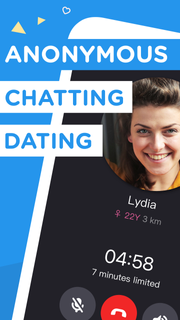

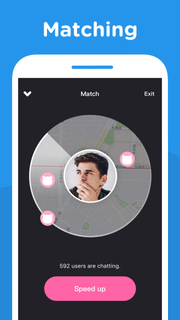
Find someone special to say Goodnight !Goodnight app is an incredibly simple, fun and exciting voice-chatting app that you can call and chat with someone close to you for free. Whether you want to meet new people close by, make new friends, learn and practice new languages (like Spanish or English) or find your romance, Goodnight is the app you need on your phone.Every day every night, 24 hours for free. Once you connect with someone, you can talk up to 7 minutes.If you enjoy your match, become friends and send messages again another time.---------------------------------------------------------All packages are auto-renewable subscriptions which mean the subscription will be automatically renewed when it runs out unless you cancel it at least 24 hours before the end of the current subscription period.Subscription payment will be charged to the Google Play account at confirmation of purchase.An account will be charged for renewal within 24-hours prior to the end of the current period, and identify the cost of the renewal.Subscriptions may be managed by the user and auto-renewal may be turned off by going to the user's Account Settings after purchase.No cancellation of the current subscription is allowed during active subscription period.---------------------------------------------------------Permission detail for Goodnight:* STORAGE / CAMERA :Using for taking photo or selecting photo from device album.* MICROPHONE :Using for voice call, sending voice message and voice intro recording.* PHONE :Using for getting phone call status.* LOCATION :Using for accessing user's location while matching.
أظهر المزيد

1. قم بتنزيل برنامج MEmu واكمال تثبيته

2. قم بتشغيل برنامج MEmu وفتح Google Play على الصفحة الرئيسية

3. ابح Goodnight في Google Play
Install
4. تنزيل وتثبيت Goodnight
5. انقر على الرمز للتشغيل بعد اكتمال التثبيت

6. استخدم MEmu لتجربة Goodnight على جهاز الكمبيوتر الخاص بك.
تطبيق MEmuهو افضل محاكى اندرويد مجانى وبالفعل 50 مليون شخص يستمتعون حاليا بتجربه اللعب عليه. تمكّنك تقنية MEmu الافتراضية من تشغيل آلاف ألعاب Android بسلاسة على الكمبيوتر الشخصي ، حتى أكثرها استخدامًا للرسومات.
شاشة أكبر وجرافيك افضل ووقت أطول بدون حدود البطارية وباقة التليفون
لوحة مفاتيح كاملة تدعم تحكم كامل عن طريق لوحة المفاتيح و الفأره وجيم باد
عدة العاب وحسابات ومهمات علي جهاز الكمبيوتر في وقت معين عن طريق Memu متعدد النوافذ
Use Goodnight on PC by following steps: