Goodnight
อัปเดตเมื่อ
เวอร์ชันปัจจุบัน
1.134.0
ให้บริการโดย

เมื่อใช้ Goodnight บนโทรศัพท์ของคุณไม่ต้องกังวลกับการชาร์จไฟมากเกินไปปลดปล่อยตัวคุณเองจากหน้าจอขนาดเล็กและสนุกกับการใช้แอพนี้บนหน้าจอขนาดใหญ่ จากนี้ไปรับประสบการณ์เต็มหน้าจอของแอปพลิเคชันของคุณด้วยคีย์บอร์ดและเมาส์ MEmu มีคุณสมบัติที่น่าแปลกใจที่คุณคาดหวัง: การติดตั้งที่รวดเร็วและการตั้งค่าที่ง่ายควบคุมได้ง่ายไม่ จำกัด แบตเตอรี่ข้อมูลมือถือและการโทรที่รบกวน MEmu 9 ใหม่ล่าสุดเป็นตัวเลือกที่ดีที่สุดสำหรับการใช้ Meitu – โปรแกรมแก้ไขภาพแนวธรรมชาติ บนคอมพิวเตอร์ของคุณ ด้วยรหัสการดูดซึมของเราผู้จัดการหลายอินสแตนซ์ทำให้สามารถเปิดบัญชี 2 บัญชีขึ้นไปในเวลาเดียวกันได้ และที่สำคัญที่สุดเอ็นจิ้นจำลองพิเศษของเราสามารถปลดปล่อยศักยภาพของPCของคุณและทำให้ทุกอย่างราบรื่นและสนุกสนาน
แสดงเพิ่มเติม
ดาวน์โหลด Goodnight บน PC ด้วย MEmu Android Emulator สนุกกับการเล่นบนหน้าจอขนาดใหญ่ Find someone special to say Goodnight !



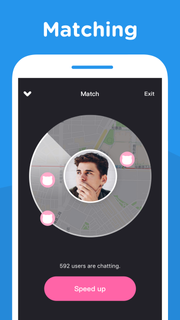
Find someone special to say Goodnight !Goodnight app is an incredibly simple, fun and exciting voice-chatting app that you can call and chat with someone close to you for free. Whether you want to meet new people close by, make new friends, learn and practice new languages (like Spanish or English) or find your romance, Goodnight is the app you need on your phone.Every day every night, 24 hours for free. Once you connect with someone, you can talk up to 7 minutes.If you enjoy your match, become friends and send messages again another time.---------------------------------------------------------All packages are auto-renewable subscriptions which mean the subscription will be automatically renewed when it runs out unless you cancel it at least 24 hours before the end of the current subscription period.Subscription payment will be charged to the Google Play account at confirmation of purchase.An account will be charged for renewal within 24-hours prior to the end of the current period, and identify the cost of the renewal.Subscriptions may be managed by the user and auto-renewal may be turned off by going to the user's Account Settings after purchase.No cancellation of the current subscription is allowed during active subscription period.---------------------------------------------------------Permission detail for Goodnight:* STORAGE / CAMERA :Using for taking photo or selecting photo from device album.* MICROPHONE :Using for voice call, sending voice message and voice intro recording.* PHONE :Using for getting phone call status.* LOCATION :Using for accessing user's location while matching.
แสดงเพิ่มเติม

1. ดาวน์โหลดตัวติดตั้ง MEmu และสิ้นสุดการติดตั้ง

2. เริ่ม MEmu จากนั้นเปิด Google Play บนหน้าแรก

3. ค้นหา Goodnight ใน Google Play
Install
4. ดาวน์โหลดและติดตั้ง Goodnight
5. เมื่อติดตั้งเสร็จให้คลิกที่ไอคอนเพื่อเริ่มใช้งาน

6. ใช้ MEmu เพื่อสัมผัสประสบการณ์ Goodnight บนคอมพิวเตอร์ของคุณ
MEmu Play คือโปรแกรมจำลอง Android ที่ดีที่สุด มีผู้ใช้มากกว่า 50 ล้านคน มอบประสบการณ์การใช้งานแอป Android ขั้นสุดยอดให้กับคุณ เทคโนโลยีจำลองเสมือนของ MEmu ช่วยให้คุณรันแอป Android หลายพันแอปบนคอมพิวเตอร์ได้อย่างราบรื่น แม้แอปที่กินทรัพยากรเครื่องสูงที่สุด
จอใหญ่และกราฟฟิกสวยกว่า; เล่นได้นาน, ไม่ต้องใช้แบตเตอรี่โทรศัพท์หรือเน็ตโทรศัพท์.
ระบบปรับแต่งปุ่มคีย์บอร์ดและเม้าส์ตามที่คุณเลือก
เล่นมากกว่าหนึ่งเกมบน PC ในเวลาเดียวกันด้วยระบบหลายจอหรือ Multi-Instance manager.
Use Goodnight on PC by following steps: