Muviz Edge: AOD & Edge Lights
تم التحديث
الإصدار الحالي
2.0.0.1
تقديم

لا داعي للقلق بشأن الشحن الزائد عند استخدام Muviz Edge: AOD & Edge Lights على هاتفك. تحرر من قيود الشاشة الصغيرة واستمتع به على شاشة أكبر باستخدام لوحة المفاتيح والفأرة. يوفر MEmu جميع الميزات الرائعة التي تتوقعها: تثبيت سريع، إعداد سهل، أدوات تحكم بديهية، ودون قيود على عمر البطارية، أو استخدام البيانات، أو المكالمات الواردة. يُعد MEmu 9 الجديد الخيار الأمثل لتجربة Muviz Edge: AOD & Edge Lights على جهاز الكمبيوتر. بفضل تقنية التشفير الفريدة، يتيح لك مدير الحسابات المتعددة تشغيل حسابين أو أكثر في وقت واحد. والأهم من ذلك، أن محرك المحاكاة الفريد يستغل أداء جهاز الكمبيوتر بالكامل، مما يُحسّن تجربة التطبيق ويجعل كل شيء سلسًا للغاية.
أظهر المزيد
قم بتنزيل Muviz Edge: AOD & Edge Lights على الكمبيوتر بإستخدام جهاز مقلد أندروز MEmu.استمتع بمتعة اللعب على الشاشة الكبيرة. Muviz Edge is a first of its kind app that displays a Live Music Visualizer around the edges of your screen while you are listening to music from your favourite music apps.
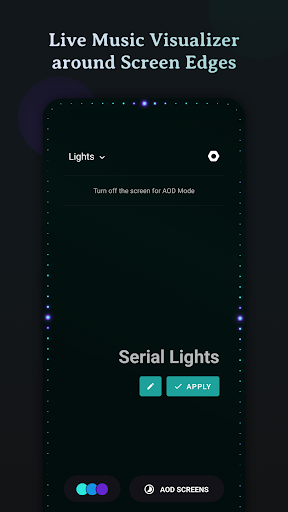
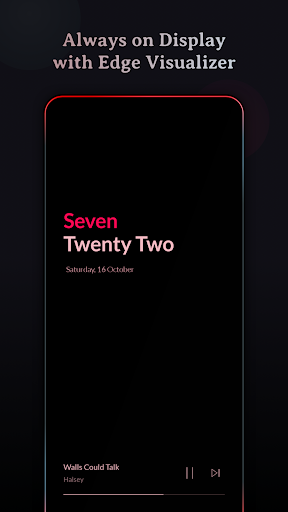
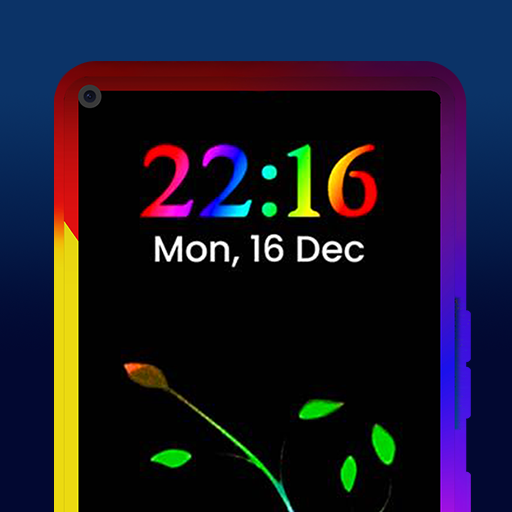
Muviz Edge is a first of its kind app that displays a Live Music Visualizer around the edges of your screen while you are listening to music from your favourite music apps. You can even enjoy edge lighting over our exciting set of Always on Display Screens.
It's a perfect music companion to add edge music lighting to your new age devices with edge to edge rounded screen.
Supports major Music Apps
Enjoy audio visualizer with music from various music apps no matter whether they are offline or streaming.
Always On Display
Continue enjoying edge visualizer even after the screen is turned off with our Always on Display screensaver feature.
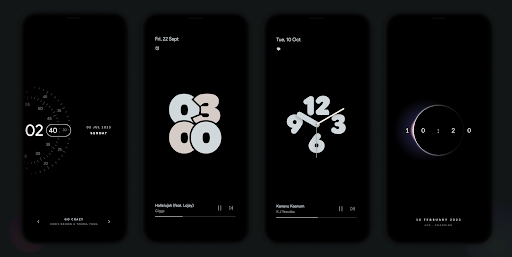
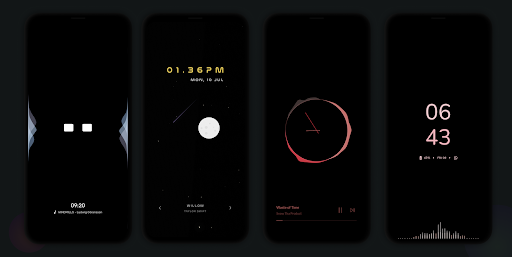
We have growing set of AODs which can be used independently or along with our visualizers. Always on Displays can be extensively customised with our inbuilt editor. Even you can set your own AOD backgrounds.
Some of the AODs are
• Nothing(2) AOD Screensaver
• iPhone (or) iOS style AOD Screensaver
• Android 14's AOD Screensaver
• Star field AOD with live Moon phase
• Half Concentric Clock AOD Screensaver
• Pixel Concentric Clock AOD Screensaver
• Google Pixel AOD Screensaver
• Nothing(1) AOD Screensaver
• Solar System Clock AOD Screensaver
• Eclipse Clock AOD Screensaver
• Flip Clock AOD Screensaver
• Android 12 Clock AOD Screensaver
• Text Clock AOD Screensaver
• Nike Watch Face AOD Screensaver
• Blinky Animation AOD Screensaver
• Retro 8-bit Clock AOD Screensaver
and more to come.
Customizable Design Packs
The app contains responsive visualizer design packs crafted specifically for screen edges and can be customized to match your style. Get ready to experience fresh new designs as you go!
Color Palette Galore
The app allows you to customize the visualizer colors in many possible ways.
• Select colors from a set of stock palettes.
• Use colors from album cover / album art / cover art of the currently playing music.
• Automatically apply colors from current album art.
• Add your own custom color palette.
• Save all eye catching color palettes into your palette collection.
Visualizer Control Options
• Option to select music sources for visualization.
• Option to dim the background and keep the screen ON when visualizer is active.
• Option to hide visualizer over fullscreen apps. (while playing games and videos)
• Option to select apps over which visualizer should be displayed.
Burn-in Protection
Improved pixel shifting is built into our AODs to prevent AMOLED screens from burn-in.
Facing issues? don't hesitate to drop us a mail at support@sparkine.com
أظهر المزيد

1. قم بتنزيل برنامج MEmu واكمال تثبيته

2. قم بتشغيل برنامج MEmu وفتح Google Play على الصفحة الرئيسية

3. ابح Muviz Edge: AOD & Edge Lights في Google Play
Install
4. تنزيل وتثبيت Muviz Edge: AOD & Edge Lights
5. انقر على الرمز للتشغيل بعد اكتمال التثبيت

6. استخدم MEmu لتجربة Muviz Edge: AOD & Edge Lights على جهاز الكمبيوتر الخاص بك.
تطبيق MEmuهو افضل محاكى اندرويد مجانى وبالفعل 50 مليون شخص يستمتعون حاليا بتجربه اللعب عليه. تمكّنك تقنية MEmu الافتراضية من تشغيل آلاف ألعاب Android بسلاسة على الكمبيوتر الشخصي ، حتى أكثرها استخدامًا للرسومات.
شاشة أكبر وجرافيك افضل ووقت أطول بدون حدود البطارية وباقة التليفون
لوحة مفاتيح كاملة تدعم تحكم كامل عن طريق لوحة المفاتيح و الفأره وجيم باد
عدة العاب وحسابات ومهمات علي جهاز الكمبيوتر في وقت معين عن طريق Memu متعدد النوافذ
Use Muviz Edge: AOD & Edge Lights on PC by following steps: