Notion - DIY Smart Monitoring
تم التحديث
الإصدار الحالي
24.1.1-2401172305-RELEASE
تقديم

لا داعي للقلق بشأن الشحن الزائد عند استخدام Notion - DIY Smart Monitoring على هاتفك. تحرر من قيود الشاشة الصغيرة واستمتع به على شاشة أكبر باستخدام لوحة المفاتيح والفأرة. يوفر MEmu جميع الميزات الرائعة التي تتوقعها: تثبيت سريع، إعداد سهل، أدوات تحكم بديهية، ودون قيود على عمر البطارية، أو استخدام البيانات، أو المكالمات الواردة. يُعد MEmu 9 الجديد الخيار الأمثل لتجربة Notion - DIY Smart Monitoring على جهاز الكمبيوتر. بفضل تقنية التشفير الفريدة، يتيح لك مدير الحسابات المتعددة تشغيل حسابين أو أكثر في وقت واحد. والأهم من ذلك، أن محرك المحاكاة الفريد يستغل أداء جهاز الكمبيوتر بالكامل، مما يُحسّن تجربة التطبيق ويجعل كل شيء سلسًا للغاية.
أظهر المزيد
قم بتنزيل Notion - DIY Smart Monitoring على الكمبيوتر بإستخدام جهاز مقلد أندروز MEmu.استمتع بمتعة اللعب على الشاشة الكبيرة. Managed through an easy-to-use app, Notion’s multifunctional sensors can monitor for:.
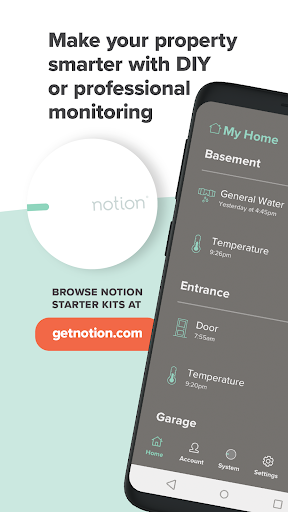
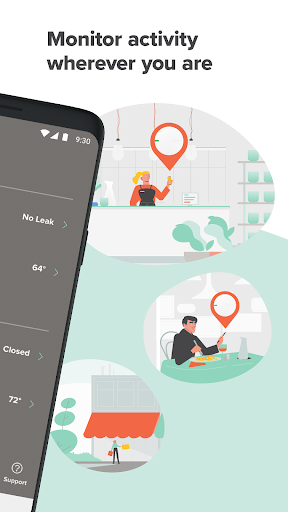
Managed through an easy-to-use app, Notion’s multifunctional sensors can monitor for:
Opening doors and windows
Water leaks
Sounding smoke and CO alarms
Temperature changes
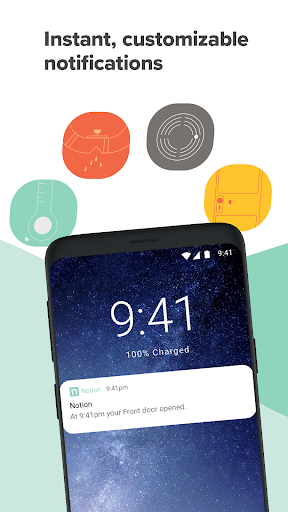
Any time one of your Notion Sensors detects activity, you’ll receive a notification directly to your smartphone.
EASY TO INSTALL
Create your account and follow the easy step-by-step instructions on setting up your Notion system.
CUSTOMIZABLE NOTIFICATIONS
Decide what you want to be notified about and customize when you want to receive push notifications. You can opt to receive task-related push notifications based on whether you’re home or away and have the option of either setting your location manually or turning on Notion’s auto home/away detection feature.
MULTI-USER SUPPORT
Safely and reliably share access and control of your Notion System with your family, roommates, friends, neighbors or staff without sharing personal log-in information.
NOTION PRO
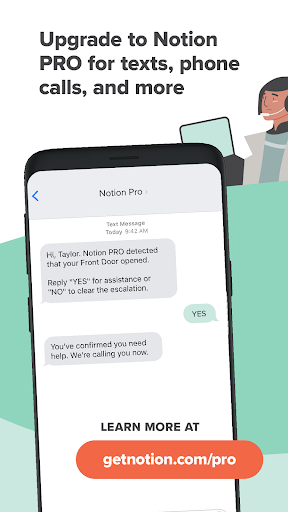
For homeowners who don't want to miss a potential emergency, upgrading to Notion PRO 24/7 professional monitoring gives you push, text, and phone calls so you can take action quickly. Plus, be reassured that emergency services will be contacted if you can’t be reached.
Notion and/or Get Notion Licenses: AL: 002069, Complaints may be directed to the Alabama Electronic Security Board of Licensure, 7956 Vaughn Road, PMB 392 Montgomery, AL 36116, (334) 557-0983; AR: 3123 Regulated by the Department of Arkansas State Police, 1 State Police Plaza Drive Little Rock, Arkansas 72209, (501) 618-8600; AZ: BTR 23050-0; DE: SSPS 21-13; CA: ACO 8042 Alarm company operators are licensed and regulated by the Bureau of Security and Investigative Services, Department of Consumer Affairs, 2420 Del Paso Road, Suite 270, Sacramento, CA 95834, https://www.bsis.ca.gov; FL: EF20000840; MD: 107-2443; MI: 3602208092; MT: PSP-ELS-LIC-40387; NJ: Burglar and Fire Alarm Business Lic. #34BF00067200; OK: AC440939; TN: 2299; TX: B16823901 Licensed by the Texas Department of Public Safety Private Security Board, P.O. Box 4087, Austin, TX 78773, (512) 424-7293; UT: 12407337-6501; VA: DCJS 11-19351. Valid 5/31/22. See https://getnotion.com/ for current list.
أظهر المزيد

1. قم بتنزيل برنامج MEmu واكمال تثبيته

2. قم بتشغيل برنامج MEmu وفتح Google Play على الصفحة الرئيسية

3. ابح Notion - DIY Smart Monitoring في Google Play
Install
4. تنزيل وتثبيت Notion - DIY Smart Monitoring
5. انقر على الرمز للتشغيل بعد اكتمال التثبيت

6. استخدم MEmu لتجربة Notion - DIY Smart Monitoring على جهاز الكمبيوتر الخاص بك.
تطبيق MEmuهو افضل محاكى اندرويد مجانى وبالفعل 50 مليون شخص يستمتعون حاليا بتجربه اللعب عليه. تمكّنك تقنية MEmu الافتراضية من تشغيل آلاف ألعاب Android بسلاسة على الكمبيوتر الشخصي ، حتى أكثرها استخدامًا للرسومات.
شاشة أكبر وجرافيك افضل ووقت أطول بدون حدود البطارية وباقة التليفون
لوحة مفاتيح كاملة تدعم تحكم كامل عن طريق لوحة المفاتيح و الفأره وجيم باد
عدة العاب وحسابات ومهمات علي جهاز الكمبيوتر في وقت معين عن طريق Memu متعدد النوافذ
Use Notion - DIY Smart Monitoring on PC by following steps: