Home Assistant
تم التحديث
الإصدار الحالي
1733411248
تقديم

لا داعي للقلق بشأن الشحن الزائد عند استخدام Home Assistant على هاتفك. تحرر من قيود الشاشة الصغيرة واستمتع به على شاشة أكبر باستخدام لوحة المفاتيح والفأرة. يوفر MEmu جميع الميزات الرائعة التي تتوقعها: تثبيت سريع، إعداد سهل، أدوات تحكم بديهية، ودون قيود على عمر البطارية، أو استخدام البيانات، أو المكالمات الواردة. يُعد MEmu 9 الجديد الخيار الأمثل لتجربة Home Assistant على جهاز الكمبيوتر. بفضل تقنية التشفير الفريدة، يتيح لك مدير الحسابات المتعددة تشغيل حسابين أو أكثر في وقت واحد. والأهم من ذلك، أن محرك المحاكاة الفريد يستغل أداء جهاز الكمبيوتر بالكامل، مما يُحسّن تجربة التطبيق ويجعل كل شيء سلسًا للغاية.
أظهر المزيد
قم بتنزيل Home Assistant على الكمبيوتر بإستخدام جهاز مقلد أندروز MEmu.استمتع بمتعة اللعب على الشاشة الكبيرة. The Home Assistant Companion app allows you to access your Home Assistant instance on the go.
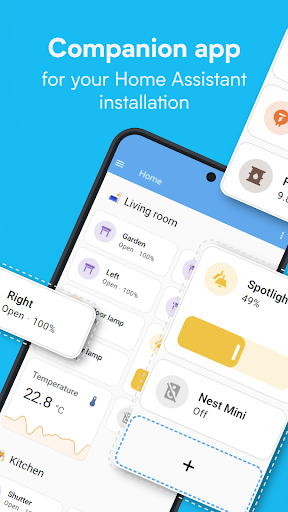
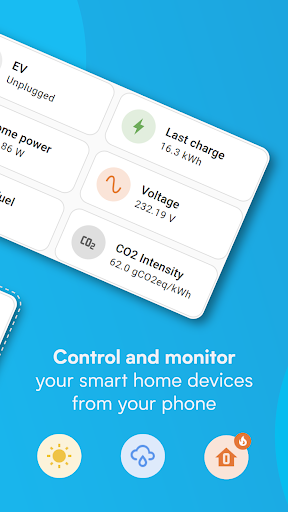
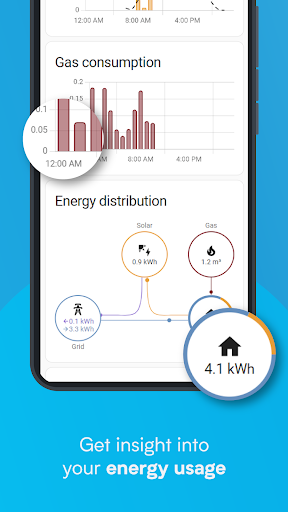
The Home Assistant Companion app allows you to access your Home Assistant instance on the go. Home Assistant is the smart home solution focused on privacy, choice, and sustainability. It runs locally in your home via a device like the Home Assistant Green or Raspberry Pi.
This app connects to all the most powerful features of Home Assistant,
- One app to control the whole home - Home Assistant is compatible with the biggest brands in the smart home, connecting to thousands of smart devices and services.
- Discover automatically and quickly configure new devices - such as Philips Hue, Google Cast, Sonos, IKEA Tradfri and Apple Homekit compatible devices.
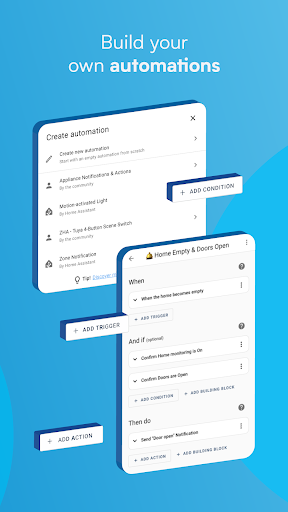
- Automate everything - Make all the devices in your home work in harmony - have your lights dim when you start watching a movie, or turn off your heat when you’re away from home.
- Keep your home’s data in the home - use it privately to see past trends and averages.
- Connect to open standards with hardware add-ons - including Z-Wave, Zigbee, Matter, Thread, and Bluetooth.
- Connect Anywhere - If you would like to access this app while away from home, the most secure and simple way to get started is Home Assistant Cloud.
The app unlocks your smartphone or tablet as a home automation tool,
- Securely share your location, using it to automate heating, security, and so much more.
- Can share your phone's sensors with Home Assistant for automations including information on: steps taken, battery level, connectivity, next alarm, and many more.
- Get notifications on what's happening in your home, from detecting leaks to doors left open, you have full control over what it tells you.
- Android Auto functionality lets you control your home from the dash of your car - open the garage, disable the security system, and more.
- Build your own widgets to control any device in your home with a tap.
- Text or talk to your local voice assistant on your device.
- Wear OS compatibility, with support for notifications, sensors, tiles and watchface complications.
Join the over 1 million users and empower your home with better privacy, choice and sustainability.
Compatible with: Airthings, Amazon Alexa, Amcrest, Android TVs, Apple HomeKit, Apple TV, ASUSWRT, August, Belink WeMo, Bluetooth, Bose SoundTouch, Broadlink, BTHome, deCONZ, Denon, Devolo, DLNA, Ecobee, Ecovacs, Ecowitt, Elgato, EZVIZ, Fritz, Fully Kiosk, GoodWe, Google Assistant, Google Cast, Google Home, Google Nest, Govee, Growatt, Hikvision, Hive, Home Connect, Homematic, HomeWizard, Honeywell, iCloud, IFTTT, IKEA Tradfri, Insteon, Jellyfin, LG Smart TVs, LIFX, Logitech Harmony, Lutron Caseta, Magic Home, Matter, MotionEye, MQTT, MusicCast, Nanoleaf, Netatmo, Nuki, OctoPrint, ONVIF, Opower, Overkiz, OwnTracks, Panasonic Viera, Philips Hue, Pi-hole, Plex, Reolink, Ring, Roborock, Roku, Samsung TVs, Sense, Sensiba, Shelly, SmartThings, SolarEdge, Sonarr, Sonos, Sony Bravia, Spotify, Steam, SwitchBot, Synology, Tado, Tasmota, Tesla Wall, Thread, Tile, TP-Link Smart Home, Tuya, UniFi, UPnP, Verisure, Vizio, Wallbox, WebRTC, WiZ, WLED, Xbox, Xiaomi BLE, Yale, Yeelight, YoLink, Z-Wave, Zigbee
أظهر المزيد

1. قم بتنزيل برنامج MEmu واكمال تثبيته

2. قم بتشغيل برنامج MEmu وفتح Google Play على الصفحة الرئيسية

3. ابح Home Assistant في Google Play
Install
4. تنزيل وتثبيت Home Assistant
5. انقر على الرمز للتشغيل بعد اكتمال التثبيت

6. استخدم MEmu لتجربة Home Assistant على جهاز الكمبيوتر الخاص بك.
تطبيق MEmuهو افضل محاكى اندرويد مجانى وبالفعل 50 مليون شخص يستمتعون حاليا بتجربه اللعب عليه. تمكّنك تقنية MEmu الافتراضية من تشغيل آلاف ألعاب Android بسلاسة على الكمبيوتر الشخصي ، حتى أكثرها استخدامًا للرسومات.
شاشة أكبر وجرافيك افضل ووقت أطول بدون حدود البطارية وباقة التليفون
لوحة مفاتيح كاملة تدعم تحكم كامل عن طريق لوحة المفاتيح و الفأره وجيم باد
عدة العاب وحسابات ومهمات علي جهاز الكمبيوتر في وقت معين عن طريق Memu متعدد النوافذ
Use Home Assistant on PC by following steps: