tinyCam Monitor
تم التحديث
الإصدار الحالي
1732859565
تقديم

لا داعي للقلق بشأن الشحن الزائد عند استخدام tinyCam Monitor على هاتفك. تحرر من قيود الشاشة الصغيرة واستمتع به على شاشة أكبر باستخدام لوحة المفاتيح والفأرة. يوفر MEmu جميع الميزات الرائعة التي تتوقعها: تثبيت سريع، إعداد سهل، أدوات تحكم بديهية، ودون قيود على عمر البطارية، أو استخدام البيانات، أو المكالمات الواردة. يُعد MEmu 9 الجديد الخيار الأمثل لتجربة tinyCam Monitor على جهاز الكمبيوتر. بفضل تقنية التشفير الفريدة، يتيح لك مدير الحسابات المتعددة تشغيل حسابين أو أكثر في وقت واحد. والأهم من ذلك، أن محرك المحاكاة الفريد يستغل أداء جهاز الكمبيوتر بالكامل، مما يُحسّن تجربة التطبيق ويجعل كل شيء سلسًا للغاية.
أظهر المزيد
قم بتنزيل tinyCam Monitor على الكمبيوتر بإستخدام جهاز مقلد أندروز MEmu.استمتع بمتعة اللعب على الشاشة الكبيرة. tinyCam Monitor is the best app for remote surveillance, control and digital video recording for your private or public network or IP cameras, video encoders and DVRs.
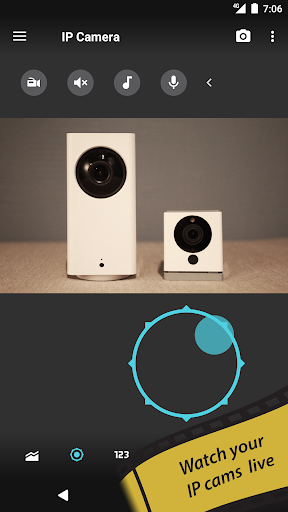
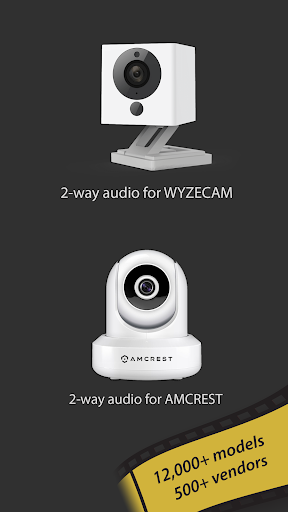
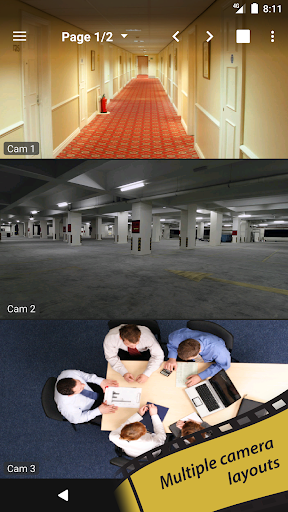
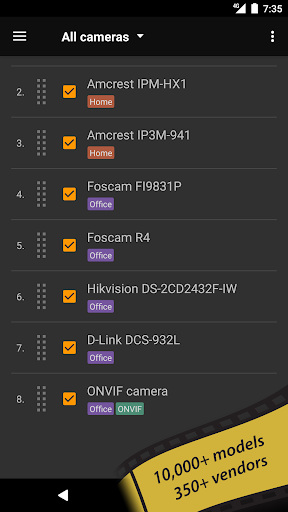
tinyCam Monitor is the best app for remote surveillance, control and digital video recording for your private or public network or IP cameras, video encoders and DVRs.
tinyCam Monitor is the free, ad-supported version of tinyCam Monitor PRO.
Features of tinyCam Monitor:
- H.264 codec support for Foscam and Amcrest cameras.
- MPEG4/H264/H265 for many cams via RTSP protocol, e.g. Dahua, FDT, Hikvision, Huisun, Reolink, Sricam.
- ONVIF Profile S IoT devices support, e.g. cheap Chinese cameras.
- P2P support for some models w/ 20 characters UID, e.g. Wyze Cam, Neos SmartCam.
- P2P support for models w/17 characters UID, e.g. CamHi.
- Support for MJPEG based devices of all major vendors, e.g. Axis, DLink.
- 2-way audio (talking and listening).
- Control PTZ (Pan/Tilt/Zoom) enabled devices.
- Relay, LED control for some models.
- LAN scanner for automatic cams detection.
- SSL support (HTTPS protocol).
- 17 different layouts with unlimited number of cameras.
- Sequence mode for automatic cameras switching.
- Group cameras by tags.
- Import/export settings to local storage or cloud services.
- CPU/GPU efficient. HW accelerated video decoding.
Upgrade to tinyCam Monitor PRO to unlock:
- No ads.
- 24/7 MP4 video recording to local storage, to the cloud (Dropbox, Google Drive, Microsoft OneDrive, ownCloud/NextCloud) and FTP/FTPS server.
- Video player w/ fast/slow archive playback.
- Time-lapse recording.
- Internal web server for remote archive access and live view.
- Support for both in-app and on-camera motion detection (selective models).
- Front/rear Android camera support for use as an IP camera or dashcam. https://goo.gl/5z60mC
- Face detection.
- Audio real-time processing (squelch & alarm) for using it as a baby monitor with audio graph.
- Audio monitoring from multiple cameras at once.
- Melody playback via camera speaker. https://goo.gl/zsWC4z
- Background audio.
- Sensors support (e.g. temperature sensor, humidity, etc.).
- Google Cast™ Ready (Chromecast) support. https://goo.gl/g1d8yz
- Android Wear support. https://goo.gl/eZgaMt
- Widgets, floating windows. https://goo.gl/Eu0jZR
- Android TV interface w/ PiP support on Android TV 7.0+. http://goo.gl/MzZyoc
- Tasker plugin. https://goo.gl/lAvDdC
Check the list of supported manufacturers:
https://tinycammonitor.com/support.html
Want more public webcams? Install Worldscope Webcams free app for integration with tinyCam.
http://goo.gl/c4Ig2Z
Follow us:
Web: https://tinycammonitor.com
Reddit: https://reddit.com/r/tinycam/
Facebook: https://facebook.com/tinycammonitor
YouTube: https://youtube.com/user/tinycammonitor
Twitter: @tinycammonitor
Help the app to be translated!
https://crowdin.net/project/tinycammonitor
All company names and products are trademarks or registered trademarks of their respective companies.
أظهر المزيد

1. قم بتنزيل برنامج MEmu واكمال تثبيته

2. قم بتشغيل برنامج MEmu وفتح Google Play على الصفحة الرئيسية

3. ابح tinyCam Monitor في Google Play
Install
4. تنزيل وتثبيت tinyCam Monitor
5. انقر على الرمز للتشغيل بعد اكتمال التثبيت

6. استخدم MEmu لتجربة tinyCam Monitor على جهاز الكمبيوتر الخاص بك.
تطبيق MEmuهو افضل محاكى اندرويد مجانى وبالفعل 50 مليون شخص يستمتعون حاليا بتجربه اللعب عليه. تمكّنك تقنية MEmu الافتراضية من تشغيل آلاف ألعاب Android بسلاسة على الكمبيوتر الشخصي ، حتى أكثرها استخدامًا للرسومات.
شاشة أكبر وجرافيك افضل ووقت أطول بدون حدود البطارية وباقة التليفون
لوحة مفاتيح كاملة تدعم تحكم كامل عن طريق لوحة المفاتيح و الفأره وجيم باد
عدة العاب وحسابات ومهمات علي جهاز الكمبيوتر في وقت معين عن طريق Memu متعدد النوافذ
Use tinyCam Monitor on PC by following steps: