Pixelcut AI Photo Editor
تم التحديث
الإصدار الحالي
0.9.0
تقديم

لا داعي للقلق بشأن الشحن الزائد عند استخدام Pixelcut AI Photo Editor على هاتفك. تحرر من قيود الشاشة الصغيرة واستمتع به على شاشة أكبر باستخدام لوحة المفاتيح والفأرة. يوفر MEmu جميع الميزات الرائعة التي تتوقعها: تثبيت سريع، إعداد سهل، أدوات تحكم بديهية، ودون قيود على عمر البطارية، أو استخدام البيانات، أو المكالمات الواردة. يُعد MEmu 9 الجديد الخيار الأمثل لتجربة Pixelcut AI Photo Editor على جهاز الكمبيوتر. بفضل تقنية التشفير الفريدة، يتيح لك مدير الحسابات المتعددة تشغيل حسابين أو أكثر في وقت واحد. والأهم من ذلك، أن محرك المحاكاة الفريد يستغل أداء جهاز الكمبيوتر بالكامل، مما يُحسّن تجربة التطبيق ويجعل كل شيء سلسًا للغاية.
أظهر المزيد
قم بتنزيل Pixelcut AI Photo Editor على الكمبيوتر بإستخدام جهاز مقلد أندروز MEmu.استمتع بمتعة اللعب على الشاشة الكبيرة. Join more than 15 million Pixelcut creators!
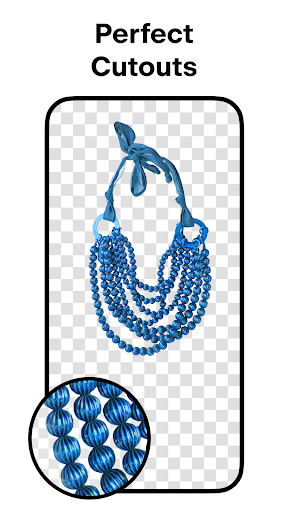
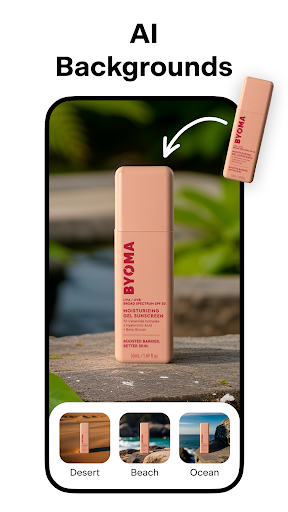
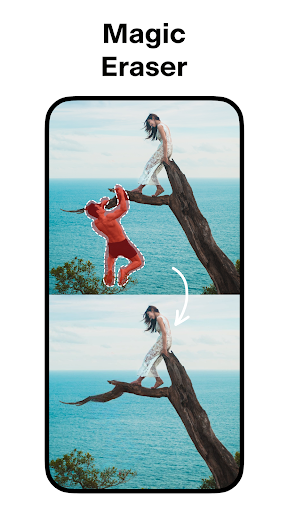
Join more than 15 million Pixelcut creators! The Pixelcut photo editor and graphic designer helps you create stunning images in seconds. Pixelcut is an all-in-one editor that uses AI to help you create images with ease.
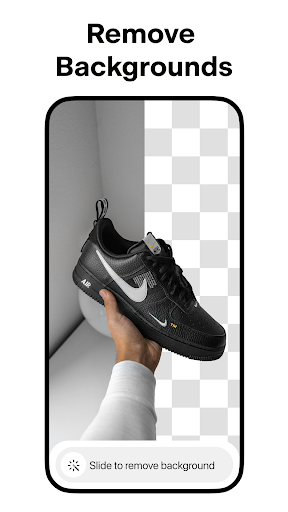
✅ BACKGROUND REMOVER — Instantly remove the background from any photo in your camera roll. Erase the background with a perfect cutout.
✅ MAGIC ERASER — Remove unwanted objects and cleanup pictures.
✅ AI PHOTOSHOOT — Generate infinite product photos using AI Photo Shoot. Creating beautiful product photography for your e-commerce store has never been easier.
✅ MAGIC WRITER — You now have an AI Copywriter at your fingertips powered by the same technology as ChatGPT! Generate product descriptions, Instagram hashtags and captions, and much more using GPT from OpenAI!
✅ REELS MAKER – Create a video for your business with ease!
✅ COLLAGES — Create beautiful collages from your photos. Choose from dozens of creative layouts!
✅ WHITE & COLOR BACKGROUNDS — Place your product on a simple white background or choose from a palette of stunning colors and backdrops.
✅ TEMPLATES — Choose from thousands of templates designed specifically for shopping.
✅ SHADOWS — Control the shadow on your product to make it look real.
✅ TEXT STYLES — Add text with beautiful font styles. Overlay text on images. Turn your quotes into art!
✅ STAND OUT — Sell more and grow your presence on Instagram, Poshmark, Shopify and with your beautiful product posts and stories.
✅ DISCOVER — Search thousands of templates created by the community for you! Whether it’s for your YouTube channel, podcast, Instagram or storefront, the community has you covered!
Download Pixelcut and make your photos shine today!
Have questions, problems, or feedback? Reach out to us at support@pixelcut.app.
The Pixelcut Pro Membership Experience
Pixelcut Pro is a monthly or yearly subscription that provides access to tools to help you sell more and grow your business. The Pixelcut Pro membership gives you unlimited and instant background removals, hundreds of templates, hundreds of fonts, overlays and backdrops, all updated monthly.
Terms and conditions: https://pixelcut.ai/terms
Privacy policy: https://pixelcut.ai/privacy
أظهر المزيد

1. قم بتنزيل برنامج MEmu واكمال تثبيته

2. قم بتشغيل برنامج MEmu وفتح Google Play على الصفحة الرئيسية

3. ابح Pixelcut AI Photo Editor في Google Play
Install
4. تنزيل وتثبيت Pixelcut AI Photo Editor
5. انقر على الرمز للتشغيل بعد اكتمال التثبيت

6. استخدم MEmu لتجربة Pixelcut AI Photo Editor على جهاز الكمبيوتر الخاص بك.
تطبيق MEmuهو افضل محاكى اندرويد مجانى وبالفعل 50 مليون شخص يستمتعون حاليا بتجربه اللعب عليه. تمكّنك تقنية MEmu الافتراضية من تشغيل آلاف ألعاب Android بسلاسة على الكمبيوتر الشخصي ، حتى أكثرها استخدامًا للرسومات.
شاشة أكبر وجرافيك افضل ووقت أطول بدون حدود البطارية وباقة التليفون
لوحة مفاتيح كاملة تدعم تحكم كامل عن طريق لوحة المفاتيح و الفأره وجيم باد
عدة العاب وحسابات ومهمات علي جهاز الكمبيوتر في وقت معين عن طريق Memu متعدد النوافذ
Use Pixelcut AI Photo Editor on PC by following steps: