Pixelcut AI Photo Editor
Updated
Current Version
0.9.0
Offered By

Stop worrying about high battery drain when using Pixelcut AI Photo Editor on your phone. Free yourself from the tiny screen and enjoy the app on a much larger display. From now on, get a full-screen experience of your app with the convenience of a keyboard and mouse. MEmu offers you all the surprising features you’d expect: quick installation and easy setup, intuitive controls, and no more worries about battery life, mobile data, or unexpected calls. The all-new MEmu 9 is the choice for using Pixelcut AI Photo Editor on your computer. With the MEmu multi-instance manager, you can run two or more accounts at the same time. Most importantly, our exclusive emulation engine unlocks your PC’s full potential, delivering smooth and enjoyable performance.
Show more
Enjoy superb experience of using Pixelcut AI Photo Editor on PC with MEMU App Player. It's a powerful free Android emulator which provides you with thousands of android apps for their desktop version. Enjoy connecting with friends and polishing your work with higher efficiency! Join more than 15 million Pixelcut creators!
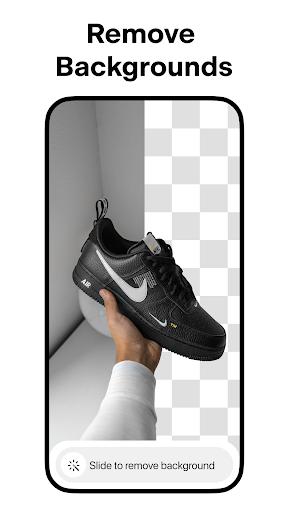
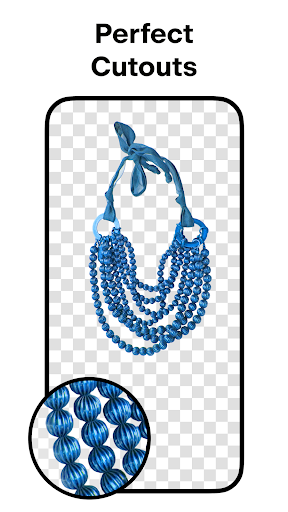
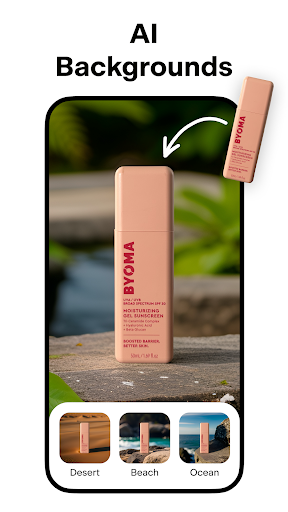
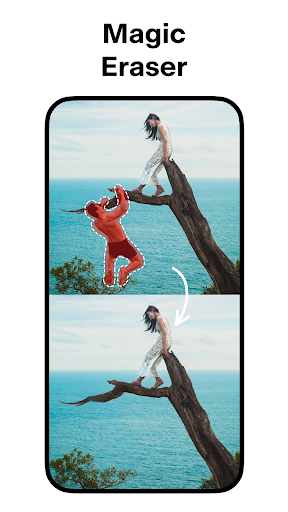
Join more than 15 million Pixelcut creators! The Pixelcut photo editor and graphic designer helps you create stunning images in seconds. Pixelcut is an all-in-one editor that uses AI to help you create images with ease.
✅ BACKGROUND REMOVER — Instantly remove the background from any photo in your camera roll. Erase the background with a perfect cutout.
✅ MAGIC ERASER — Remove unwanted objects and cleanup pictures.
✅ AI PHOTOSHOOT — Generate infinite product photos using AI Photo Shoot. Creating beautiful product photography for your e-commerce store has never been easier.
✅ MAGIC WRITER — You now have an AI Copywriter at your fingertips powered by the same technology as ChatGPT! Generate product descriptions, Instagram hashtags and captions, and much more using GPT from OpenAI!
✅ REELS MAKER – Create a video for your business with ease!
✅ COLLAGES — Create beautiful collages from your photos. Choose from dozens of creative layouts!
✅ WHITE & COLOR BACKGROUNDS — Place your product on a simple white background or choose from a palette of stunning colors and backdrops.
✅ TEMPLATES — Choose from thousands of templates designed specifically for shopping.
✅ SHADOWS — Control the shadow on your product to make it look real.
✅ TEXT STYLES — Add text with beautiful font styles. Overlay text on images. Turn your quotes into art!
✅ STAND OUT — Sell more and grow your presence on Instagram, Poshmark, Shopify and with your beautiful product posts and stories.
✅ DISCOVER — Search thousands of templates created by the community for you! Whether it’s for your YouTube channel, podcast, Instagram or storefront, the community has you covered!
Download Pixelcut and make your photos shine today!
Have questions, problems, or feedback? Reach out to us at support@pixelcut.app.
The Pixelcut Pro Membership Experience
Pixelcut Pro is a monthly or yearly subscription that provides access to tools to help you sell more and grow your business. The Pixelcut Pro membership gives you unlimited and instant background removals, hundreds of templates, hundreds of fonts, overlays and backdrops, all updated monthly.
Terms and conditions: https://pixelcut.ai/terms
Privacy policy: https://pixelcut.ai/privacy
Show more

1. Download MEmu installer and finish the setup

2. Start MEmu then open Google Play on the desktop

3. Search Pixelcut AI Photo Editor in Google Play
Install
4. Download and Install Pixelcut AI Photo Editor
5. On install completion click the icon to start

6. Enjoy using Pixelcut AI Photo Editor on PC with MEmu
MEmu Play is the best Android emulator, and 100 million users already enjoy its superb Android app experience. Powered by advanced virtualization technology, it lets you enjoy thousands of Android apps smoothly on your PC—including the most graphics-intensive ones.
Bigger screen with better graphics; Long duration, without limitation of battery or mobile data.
Full Keymapping support for precise control of keyboard and mouse or gamepad.
Multiple game accounts or tasks on single PC at one time with Multi-Instance manager.
Use Pixelcut AI Photo Editor on PC by following steps: