How to Play MAJO - Apocalypse Tactics RPG on PC with MEmu
 |
|
MAJO - Apocalypse Tactics RPG is a tactical RPG from DarkWind Ltd. It mixes Witch collection, team building, story content, and timing-based combat.
You play as the Observer. Your goal is to work with powerful Witches and investigate strange events across the world. As the story moves forward, you will discover more secrets about the world and its hidden dangers.
Combat is easy to understand. However, timing is still important. You can use Dodge, Block, Knockdown, and Burst skills during battle. Each Witch also has a different role in the team.
If you want a larger screen and easier controls, you can play MAJO - Apocalypse Tactics RPG on PC with MEmu. MEmu lets you run the Android version of the game on Windows.
Contents
What to Expect in MAJO - Apocalypse Tactics RPG
MAJO takes place in a dark world filled with strange events and hidden secrets.
As the Observer, you meet different Witches and build your own team. Each Witch has unique skills and a role in battle. You need to choose the right team for each fight.
Here are some of the main features of MAJO:
- Timing-based combat — Use Dodge, Block, Knockdown, and Burst skills at the right time.
- Four combat roles — Witches can use Infiltration, Block, Enhancement, or Amplification roles.
- Team building — Mix different Witches and roles to build a stronger squad.
- Character growth — Upgrade your Witches as you progress through the game.
- Story-driven gameplay — Explore a world full of mysteries and strange events.
The controls are simple, but team setup still matters. Good skill timing can also help you win harder battles.
Why Play MAJO - Apocalypse Tactics RPG on PC with MEmu
1. Play MAJO on a Bigger Screen
MAJO features detailed character art, battle effects, and many game menus.
A PC monitor gives you more space to view these details. It also makes menus, skills, and team information easier to read.
When you play MAJO on PC with MEmu, you do not need to spend long sessions looking at a small phone screen.
2. Use Keyboard and Mouse Controls
MAJO uses simple controls, but quick actions can still be important.
With MEmu, you can map game actions to your keyboard. This makes it easier to use skills during battle.
You can also use your mouse to move through menus and manage your team.
This setup can feel more comfortable during long play sessions.
3. Get a More Stable Gaming Experience
Mobile games can slow down during long sessions. Phones may also become hot after extended play.
MEmu runs MAJO with your PC hardware. This can help provide a more stable gaming experience.
You can also change CPU, RAM, resolution, and frame rate settings in MEmu.
If your PC has enough resources, you can give more CPU cores or RAM to the emulator.
4. Play Without Draining Your Phone Battery
Long gaming sessions can use a lot of phone battery.
When you play MAJO on PC, you do not need to worry about this. Your phone can stay free for calls, messages, and other apps.
This is useful if you plan to play for a longer time.
5. Manage Multiple Accounts with Multi-MEmu
MEmu also includes a multi-instance feature called Multi-MEmu.
It allows you to create more than one Android emulator instance on the same PC.
This can be useful if you manage several game accounts. Each account can run in a separate emulator instance.
Keep in mind that running several instances uses more PC resources.
How to Download and Play MAJO - Apocalypse Tactics RPG on PC
You can start playing MAJO on PC in a few simple steps:
- Download and install MEmu Play on your Windows PC.
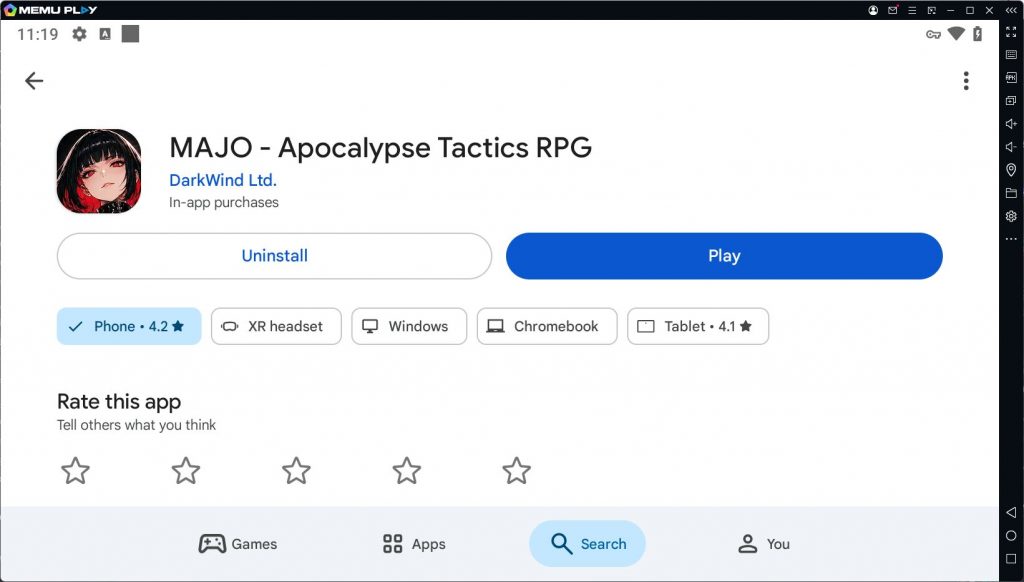
- Open MEmu and launch the Google Play Store.
- Sign in with your Google account.
- Search for MAJO - Apocalypse Tactics RPG.
- Download and install the game.
- Launch MAJO and start playing at 120 FPS.
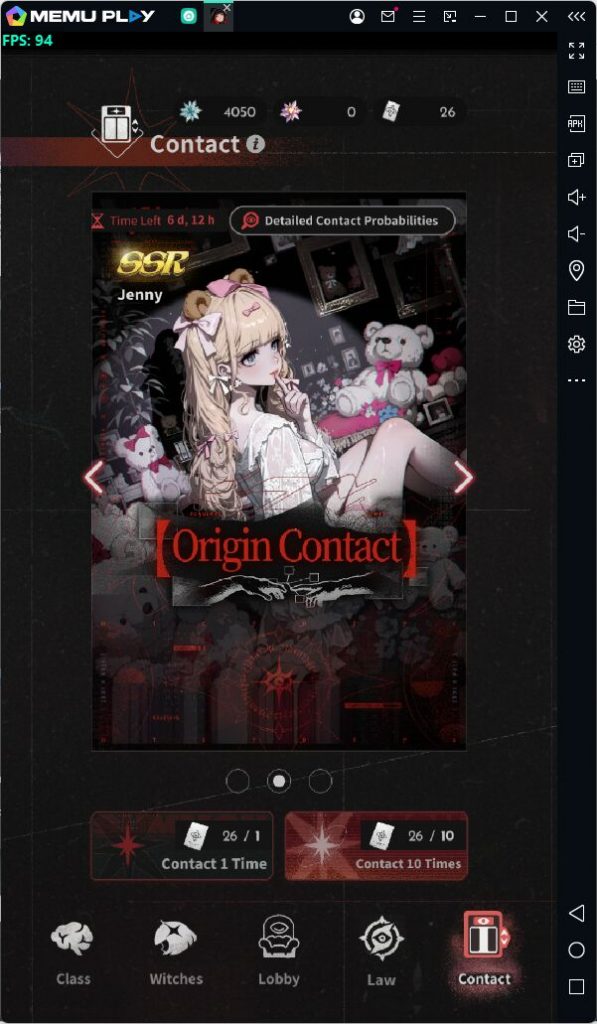
You can also open the MEmu settings to adjust CPU, RAM, resolution, and other options.
For better results, choose settings that match your PC hardware.
FAQ
How do I download MAJO - Apocalypse Tactics RPG on PC?
First, install MEmu Play. Then open Google Play inside MEmu and search for MAJO - Apocalypse Tactics RPG. Install the game and launch it from the emulator.
Is MAJO - Apocalypse Tactics RPG free to play?
Yes. MAJO is free to download. However, the game includes in-app purchases.
What are the combat roles in MAJO?
There are four main combat roles: Infiltration, Block, Enhancement, and Amplification.
Each role has a different use in battle. A good team usually combines several roles.
Why should I play MAJO on PC with MEmu?
MEmu gives you a bigger screen and keyboard controls. It also lets you adjust emulator performance settings.
In addition, you can play without draining your phone battery. Multi-MEmu can also help if you use more than one account.

MAJO - Apocalypse Tactics RPG
Conclusion
MAJO - Apocalypse Tactics RPG combines Witch collection, team building, story content, and tactical combat in one RPG. If you prefer a bigger screen and easier controls, playing MAJO on PC with MEmu is a good option. You can use keyboard and mouse controls, change performance settings, and play without using your phone battery. Download MEmu, install MAJO through Google Play, build your Witch team, and start your adventure on PC.
More from MAJO - Apocalypse Tactics RPG
MAJO - Apocalypse Tactics RPG Codes
MAJO - Apocalypse Tactics RPG Guide